Showing posts with label Authentication. Show all posts

Thursday, April 28, 2016

Avoid Use Of FeedBurner "Password Protector"

Some Google products contain features that have limited usefulness, when applied to Blogger blogs.

FeedBurner has a feature, "Password Protector", which may be useful, to newsfeed readers that support HTTP authentication. Within FeedBurner, we have the "Email Subscriptions" service - which does not support feed authentication.
Your readers will be required to use newsreader or aggregator software that supports authentication to view your feed.
Some Google, and non Google, services will have a problem, with a FeedBurner protected feed.

Newsfeeds, published by Blogger blogs, are supposed to be publicly accessible.

A blog with designated readers will not produce a newsfeed. Blogger does not support authenticated newsfeeds.

To use Password Protector, look on the FeedBurner dashboard, under the Publicize tab, for "Password Protector". Enter a Username and a Password, and hit "Activate". But don't do this, without knowing the downsides.

Password Protector uses a single username / password combination. All blog readers will use the same username.

FeedBurner warns us of possible problems, caused by this service.


Important: This service prevents our Email Subscriptions service from delivering email updates from your feed, and it will also password protect your feed's content when redisplayed using our Headline Animator graphic. This graphic itself becomes password protected, which is undesirable if you wish to use it to promote your site/feed. Therefore, we recommend not using Headline Animator or Email Subscriptions, and this Password Protector service, with the same feed.

From what I can see, Blogger Reading List may ignore the authentication requirement. People may use Reading List, and view the blog feed, redirected through FeedBurner - even if not authorized.

We know, however, that email subscriptions will not work, with a protected feed. Looking at an HTTP trace of the feed from my test blog http://techdict.nitecruzr.net, we see a symptom of the problem, with this option.

http://techdict.nitecruzr.net/feeds/posts/default

http://www.rexswain.com/cgi-bin/httpview.cgi?url=http://techdict.nitecruzr.net/feeds/posts/default&uag=Mozilla/5.0+(X11%3B+CrOS+armv7l+7834.70.0)+AppleWebKit/537.36+(KHTML,+like+Gecko)+Chrome/49.0.2623.112+Safari/537.36&ref=http://www.rexswain.com/httpview.html&aen=&req=GET&ver=1.1&fmt=AUTO

Sending request:

GET /feeds/posts/default HTTP/1.1
Host: techdict.nitecruzr.net
User-Agent: Mozilla/5.0 (X11; CrOS armv7l 7834.70.0) AppleWebKit/537.36 (KHTML, like Gecko) Chrome/49.0.2623.112 Safari/537.36
Referer: http://www.rexswain.com/httpview.html
Connection: close
• Finding host IP address...
• Host IP address = 74.125.28.121

• Finding TCP protocol...
• Binding to local socket...
• Connecting to host...
• Sending request...
• Waiting for response...
Receiving Header:

HTTP/1.1·302·Found(CR)(LF)
ETag:·W/"32e869db-18a9-4ccf-8ad9-dbded29f2b25"(CR)(LF)
Date:·Wed,·27·Apr·2016·15:04:06·GMT(CR)(LF)
Content-Type:·text/html(CR)(LF)
Server:·blogger-renderd(CR)(LF)
Expires:·Wed,·27·Apr·2016·15:04:07·GMT(CR)(LF)

Cache-Control:·public,·must-revalidate,·proxy-revalidate,·max-age=1(CR)(LF)
X-Content-Type-Options:·nosniff(CR)(LF)
X-XSS-Protection:·1;·mode=block(CR)(LF)
Location:·http://feeds.feedburner.com/ChucksTechWorld(CR)(LF)

This appears to be just a redirected blog posts newsfeed, targeting a FeedBurner published feed.

Here, we see a normal redirected blog posts feed.

But what happens, when we try to open the feed?

http://www.rexswain.com/cgi-bin/httpview.cgi?url=http://feeds.feedburner.com/ChucksTechWorld&uag=Mozilla/5.0+(X11%3B+CrOS+armv7l+7834.70.0)+AppleWebKit/537.36+(KHTML,+like+Gecko)+Chrome/49.0.2623.112+Safari/537.36&ref=http://www.rexswain.com/httpview.html&aen=&req=GET&ver=1.1&fmt=TXT

Sending request:

GET /ChucksTechWorld HTTP/1.1 HTTP/1.1

Host: feeds.feedburner.com
User-Agent: Mozilla/5.0 (X11; CrOS armv7l 7834.70.0) AppleWebKit/537.36 (KHTML, like Gecko) Chrome/49.0.2623.112 Safari/537.36
Referer: http://www.rexswain.com/httpview.html
Connection: close
• Finding host IP address...
• Host IP address = 172.217.0.14

• Finding TCP protocol...
• Binding to local socket...
• Connecting to host...
• Sending request...
• Waiting for response...
Receiving Header:

HTTP/1.1·401·Unauthorized(CR)(LF)

WWW-Authenticate:·BASIC·realm="FeedBurner·feed·ChucksTechWorld"(CR)(LF)

The "HTTP Viewer" service does not support feed authentication (and only works with "HTTP:" protocol). And, we see the result.

It's possible that this feature will be useful, with feeds that are used outside Blogger (noting the Reading List ability). If you're publishing a Blogger blog, however, you're not likely to get any useful result.


Owners of #Blogger blogs, which use the FeedBurner "Password Protector" service, may find that the service delivers less protection - and some interference - other than the service name suggests. It would probably be best to avoid use of this service.

Friday, March 18, 2016

Commenting Requires Login, To Suppress Spam

Some blog owners don't understand the need to identify themselves, when commenting on our blogs.

We see an occasional question, in Blogger Help Forum: Get Help with an Issue, about comment authentication.
Why, if I've selected "Anyone - including Anonymous Users" under comment settings, for "Who can Comment?", do my visitors complain of having to login?
This blog owner, like many others, does not understand the Blogger spam mitigation policy, in Blogger Comments.

Blogger lets us select who we wish to allow to comment, on our blogs.

When we do not moderate, they require authentication, to cut down on the spam. Moderated comments, with CAPTCHA ("Show word verification") not required by the owner, appear to go straight to moderation.

Comment authentication makes genuine comments more normal.

By requiring authentication, Blogger makes it more likely that a comment, awaiting moderation, will be genuine - instead of more spam. This encourages us to moderate comments more frequently - and helps us publish moderated comments, more promptly.

And more frequent moderation discourages spam - and makes it more likely that we will see actual comments, later.

Blog owners choose how to allow comments.

As a blog owner, it's your choice how / whether to allow comments.


  • Anyone - includes Anonymous Users.
  • Everybody with a Google, or an OpenID, account.
  • Everybody with a Google account.
  • Blog members only.
  • Comments disabled.

Blog readers choose how to publish comments.

Depending upon the choices that you provide, your readers choose how they may authenticate.

  • "Anyone" allows a reader to comment anonymously - or identified.
  • If they wish to comment anonymously, they login, using a CAPTCHA.
  • If they wish to comment using a profile, they login, using an account.
  • Login is generally only required, with the first comment.

"Anyone" allows a reader to comment anonymously - or identified.

"Anyone" allows anyone to comment anonymously (if they wish). To cut down on spam, anyone commenting has to login.

If they wish to comment anonymously, they login, using a CAPTCHA.

Solving a CAPTCHA lets them remain anonymous - but still identify themselves as a person, not a bot. Any comments, awaiting moderation, or published, are more likely to be genuine - not spam.

If they wish to comment using a profile, they login, using an account.

They can login, as permitted, using a Google or OpenID account. Anyone able to login with a Google or OpenID account can still publish a comment anonymously, if they wish.

Login is generally only required, with the first comment.

If someone has to login repeatedly, to comment, they have a problem with identification, and filters. With cookies and scripts properly permitted, login (with the first comment) will be remembered (with any later comments).

The Blogger / Google login status, and the ability to post comments, is sensitive to both cookie and script filters. Your readers may need to enable (stop filtering) "third party cookies", in their browser and on their computer - if they wish to comment, most easily.


Both a #Blogger blog owner - and blog readers - get choices how to authenticate when commenting. Depending upon the choices made by the owner, the readers get more, or less, choices.

Friday, January 16, 2015

Reading List Use Requires Recognition Of The Owner

Last year, we saw a number of reports from Blogger account owners with empty Reading Lists.

When first reported, the common observation mentioned "one entry". Recently, we found out what the one entry was.
All I get is Blogger Buzz - which I could care less about!
The account owner does not know that Blogger Buzz is automatically a part of every Reading List.

The fact that Blogger Buzz is being seen indicates that the personal portion of the Reading List is actually empty. This is similar to problems removing Reading List content, and suggests that the account owner is not being recognised.

There are two possible reasons for a Reading List being completely, constantly, and inappropriately empty.
  • The owner is using the wrong Blogger account.
  • The browser being used is subject to a cookie or script filter.

Wrong Blogger account being used

It's not hard to recognise an empty Reading List (or one with just one entry, which was not requested).

We've been discussing problems resulting from having additional Blogger accounts (intentional or non intentional) for many years. If someone sets up a Reading List for one Blogger account, then uses a different account, there will be no Reading List for the second account.

If the owner then sets up a Reading List for a second (third, ...) account, unless very lucky, there will be tiny differences between the two Reading Lists. If the account owner is just using Blogger to read blogs - and does not own any blogs - it is possible that other accounts could be used. The owner may occasionally notice miniscule differences, but never bother to diagnose the differences.

Cookie / script filter, preventing identification

Whether the account owner is using the intended account, or an additional account - if the account can't be identified, Blogger can't generate a Reading List either.

If the script, which identifies the owner, doesn't run - or if the cookie identifying the owner can't be read - a Reading List can't be generated. Cookies and scripts can be filtered, for various reasons.

Thanks to ever changing security needs, and unannounced updates to many security products, a filter which worked yesterday may not work today. People unaware of security updates won't think to check the update log for any security product - and some may not be aware that they have security products that can cause problems.

The end result

There are several reasons for an unreliable Reading List - but this will generally result in inconsistencies over time, or partial displays. An empty Reading List has definable causes, with predictable results.

If the Blogger account cannot be recognised, Blogger won't show a Reading List - other than the sometimes unwelcome Blogger Buzz entry.

Friday, December 26, 2014

If You Travel, Be Prepared To Prove Identity

We're seeing reports from people who claim to be traveling, and who can't login and access their blogs.

Google appears to now authenticate us using current location, as well as account name / password. We see occasional reports, in Blogger Help Forum: Get Help with an Issue, about new security procedures.
I am traveling, and I need to access my Blogger account from another country. I know my account name and password - and I logged in successfully. But after logging in, I am still being asked to prove my identity!!
This blog owner is finding a problem, with Google taking extra measures to protect our accounts and blogs.

Google is trying to protect us, from people who access the Internet from different countries - and who try to access our Google accounts, and steal control of our blogs.

Somebody in a foreign land, accessing your account, may not be you.

If you normally access the Internet from your home, and you travel to another location and try to login to Blogger / Google, you may be asked for additional details, to prove that you are the legal owner of your Blogger account. You may feel like you are being treated discourteously, when this happens.

In reality, Blogger is simply trying to keep your blogs under your control, by preventing people other than you from stealing your Blogger account, blogs, and email account - and possibly, your friends Blogger account, blogs, and email account.

When you travel, you spend time preparing for the trip.

When you prepare to travel to a distant country, you are responsible for getting your travel documents (passport), permissions (visas), maybe make health preparation (update immunisations, get extra medications) - and learn a minimum amount of the local language, before you go.

Maybe you should also spend some time getting your Blogger / Google account in order (update any backup details, such as backup email address and phone number). Even, plan an account recovery, from time to time.

This is an excellent time to try 2-Step Verification.

You might even consider setting up Google 2-Step Verification - and generating a set of one time backup authentication codes.

If you don't prepare your account for travel, you may have to wait until you get home, to post to your blog. You may even be asked for proof of identity, when you get home, too.

Wednesday, December 24, 2014

Your Reading List Is Unique To You

One question, that I have never seen specifically asked, is about our following, reading lists, and blog subscriptions in general.
Why do I have to login to Blogger, to maintain my Reading List?
The blog follower / owner has asked a question that is involved in various problems, in Blogger Help Forum: Get Help with an Issue - but with this question so easily overlooked.

The Blogger dashboard Reading List, which so many use transparently, is unique to each of us.

Similar to the confusion about the email address, mysteriously displayed on our Blogger dashboard, is the unstated detail that each of us has our own personal set of followed blogs - and consequently, our own Reading List.

If you want to maintain the (Blogger Following / Google Friend Connect) Followers community, on your blog, you are forced to do this, as part of the Followers GUI. When you are able to access the Reading List "gear" icon, and "Manage Blogs I'm Following", you have already logged in - possibly, without realising.

Sometimes, blog owners have learned of various dashboard shortcuts - and use them transparently. All blog dashboard access requires a login - to simply prove, to Blogger, that you are the owner of the blog in question.

Most blog owners understand, instinctively, that they must login to access each blog dashboard. Not everybody realises, however, that they have their individual Reading List - also accessed by their own login, on the dashboard "home" page.

Along with having your own Reading List, you have your own reading list maintenance wizard (aka "Manage Blogs I'm Following" - or possibly the Google Friend Connect equivalent, for Blogger accounts that use Google+ profiles). To access your own wizard, you must identify yourself, by logging in to Blogger.

Failure to use the right Blogger account, or using a computer that prevents proper identification, leads to an empty Reading List - or to a list with just one entry. This is one reason for some people claiming that the Reading List is unreliable.

Thursday, December 11, 2014

Confusion From Comments And The CAPTCHA

This week, we're seeing complaints from quite a few angry blog owners, in Blogger Help Forum: Get Help with an Issue.
Why do I have to solve a CAPTCHA, to comment on my own blog?
and
Everybody sees a CAPTCHA - even if they are logged in to Blogger!
Previously, the CAPTCHA was visible only to those not logged in to Blogger, or to those wishing to comment, anonymously.

It appears that the full page and popup window comment forms were updated, possibly to make the CAPTCHA form more usable, for those blog readers who are using a computer subject to filtering of "third party" cookies.

The CAPTCHA appears to be always required.

The effect that we are now seeing is that the CAPTCHA appears to be required, for all comments, when the full page and popup window forms are used.

In some cases, even with the CAPTCHA displayed, you can publish without solving.

  • If you are authenticated, the reCAPTCHA, though displayed, may not require solution.
  • If you are authenticated, and a blog member, neither the ezCAPTCHA nor the reCAPTCHA should require solution.

In either case, simply compose and Publish your comment.

People who wish to publish anonymously will always have to solve a CAPTCHA.

Unfortunately, people who are publishing anonymously will still need to solve the CAPTCHA. The non optional reCAPTCHA, which gets displayed, is not as easy to solve as the optional ezCAPTCHA.

Cookie filtering, once again, may be part of the problem.

To increase the confusion, people using a computer where "third party" cookies are filtered will be treated as if they are publishing anonymously, and will have to solve the reCAPTCHA. Some people, who think that they are properly authenticated, will find out otherwise, if they try to publish a comment without solving the CAPTCHA.

Continuing to cause confusion, in some cases, comments entered may simply vanish, if the CAPTCHA can't be displayed when necessary. This, is another consequence of cookie filtering.

Wednesday, December 3, 2014

The Account / Blog Recovery Instructions Don't Work!

Every day we see the complaints, of the hundreds.
Your instructions, for recovering access to my Blogger account, don't work!
And alternately, we see the anguish.
I can't login to my Blogger account, because my account is locked!!
And the final complaint, which is the most heartbreaking.
I can login, but my blog is not on my dashboard - and someone has filled my blog, with spam!!!
These are all reports about the same problem, in alternate universes.

Any time Blogger Engineering changes their account / blog recovery options, and cuts down on the numbers of one of the three, the other two will surely increase in number - because all three are symptoms of the same problem. People simply refuse to remember their account names and passwords.

There is one solution, which would be 100% effective, and drive the numbers of each of the hundreds, to zero.
Everybody, without exception, would simply remember their account name and password.
Were that to happen, Blogger Security could remove all "backdoor" accesses and recovery tools, and blog thieves would have to go back to Barista College, or Hamburger University. There would be no more stealing control of peoples accounts or blogs - save maybe by watching somebody in public, as they login.

The recovery instructions do work, for people who make some effort.

The recovery instructions do not work, because you, the blog owner, simply don't make enough effort to remember / retain control of your accounts, or to protect your accounts. And in some cases, you simply have protected your identity, to make you completely anonymous - and can't identify yourself, because you are anonymous.

Remember your login details, and be one of the millions who work on their blogs.

If you remember your account name and password - and do not ever let your account name and password be known in public - you will never have to worry about account / blog recovery. You would then be one of the millions who do not care about account / blog recovery, because they never need to use the recovery tools.

Be prepared to re authenticate, when you travel!

And if you travel, be prepared! Setup Google 2-Step Verification before you step out the door. And whether you travel, or stay in the same place, use your account, and publish your blog, regularly.

Millions don't worry. Become one of the millions. Reduce the numbers of the hundreds.

If you're learning this concept too late - as many are, periodically - start a new blog, and combine the old and new blogs, in a blog cluster.

Friday, November 28, 2014

Blogger Blog Readers Unable To Comment, Using OpenID Accounts Hosted By WordPress

We're seeing a scattered collection of reports, mentioning problems publishing comments, using OpenID authentication.

This problem appears to be related to the Blogger rollout of SSL support, for our blogs, which is currently in progress. SSL, or Secure Socket Layer, represents the next step in blog / website security - a step which the Internet community has been taking, for many years.

Blogger has been using SSL (aka "HTTPS" login), in their dashboard, for several years.
https://www.blogger.com
That's a secure Blogger login. The problem with Blogger using SSL in our blogs is that moving to SSL requires care, to avoid confusing our readers. Lack of care will subject our readers to the well known "mixed mode" warnings.
This site has insecure content.
Only secure content is displayed.
Firefox has blocked content that isn't secure.
These are several examples of what were normal, years ago, on many websites. Blogger does not want our readers subject to needless confusion, from these warnings.

Blogger blog owners have been asking, for years, that Blogger support SSL in BlogSpot (and our custom domains).

FaceBook upgraded to SSL, in 2013 - and saw problems with Blogger content.

Last year, FaceBook upgraded to SSL. Blogger blog owners, who were also FaceBook members, watched their Walls, which contained HTTP links to their Blogger blogs, show the "mixed mode" warnings.
The real issues begin to arise, however, when your application must include assets served by servers which also do not support SSL.
...
We’ve all experienced “mixed mode” warnings, with some browsers being much more annoying about them than others. "Mixed mode" means you requested a page over SSL, but some of the resources needed to fully render that page are only available over unencrypted HTTP.

Blogger is offering the option for us to upgrade our blogs, this year.

Now, Blogger is upgrading, so our blogs may (optionally) support the SSL protocol - and not confuse FaceBook members, who post links to our blogs. To avoid the "mixed mode" warnings, which would confuse our readers, they are upgrading all Blogger processes, including OpenID authentication, to support SSL.

The Blogger upgrade has exposed a WordPress inconsistency.

Just as FaceBook upgrading to SSL helped to cause Blogger to upgrade, so is Blogger upgrading to SSL exposing an inconsistency in WordPress use of SSL, for OpenID authentication.
The problem in my case (and maybe in others as well) seems to be that https://yourblog.wordpress.com is send for verification to the OpenId server. This is what I could figure out from the URL. If you than manually replace HTTPS with HTTP, it works.
This comment suggests that WordPress, which in general is using SSL security, has an OpenID server that has not been upgraded.

WordPress needs to check their OpenID servers.

So now, Blogger has to wait for WordPress to fall into step, consistently. Until WordPress upgrades their OpenID server, people who want to use a WordPress OpenID account, to comment on our blogs, will have to select "OpenID", instead of "WordPress" - then enter the WordPress OpenID URL, as
HTTP://whatever.wordpress.com
And wait for WordPress to upgrade their server.

Wednesday, November 12, 2014

The CAPTCHA, For Anonymous Comments, Isn't Going Away

Several weeks ago, Blogger added a security feature to Blogger commenting, to reduce comment spam.
Note: Even if you don't have word verification turned on, anonymous commenters might be asked to enter some text. This helps protect your blog from abuse.

This change has not pleased everybody.
I disabled "prove you're not a robot" for commenting. Why do my readers still have to solve a CAPTCHA, each time they comment?
This blog owner is not looking at the bigger picture. This new feature will benefit many blog owners - when Blogger is used, properly.

By adding a CAPTCHA, to the option to allow anonymous comments, we get several benefits.
  • People can allow anonymous comments, without allowing uncontrolled spammer activity.
  • People can allow authenticated comments, and not require a CAPTCHA.
  • The overall level of spam, currently being seen on some blogs which allow anonymous comments and require no CAPTCHA, will drop. This will allow Blogger Security engineers the chance to concentrate, more intently, on the remaining spam.
Instead of restricting the ability for people to comment on our blogs, this change actually increases the ability for people to comment - and decreases the spam.

People who are logged in to Blogger - and who are visible as logged in - won't even see the new CAPTCHA, even if they want to comment anonymously. Only people who are not logged in (or who are not seen as logged in), and who wish to comment without logging in, will be inconvenienced.

The biggest problem, with the new CAPTCHA form, is with people who are seeing the CAPTCHA even when logged in - because they are filtering "third party" cookies. Those people will have the choice of logging in again, or solving the CAPTCHA.

Anybody who is not logged in can avoid having to solve the CAPTCHA, even if one is presented, by logging in to Blogger. Since the standard Google "One account" login is used, people who do not have a Blogger account can setup one, on the fly, in a couple of minutes. This option is not obvious, from the commenting form - especially with the CAPTCHA displayed - but it is present.

Since the commenting form comes in 4 versions, depending upon template type and comment form placement, Blogger Engineering will need to make a coordinated effort, to improve the overall design of the comment form.

The various buttons and links, which allow the comments to be published using the many options, will have to be displayed better - to make it apparent to everybody that logging in to Blogger can avoid use of the CAPTCHA - even if the reader wishes to not identify, by commenting anonymously. And, other improvements are needed, also.

And once again, I will point out that a better user experience will be had by all who can properly maintain their computers, and not block "third party" cookies. Anybody, who is able to login to Blogger, should be able to comment anonymously, without inconvenience of the CAPTCHA.

Some solutions in Blogger require our action - not just action by Blogger Engineering.

>> Top

Friday, October 17, 2014

Logging In To Following, Using The Google "One account" Login

Long ago, Blogger Following (aka Google Friend Connect) was part of a non Google community of social networks.

If you wanted to Follow a blog, you had to login to the Followers gadget, but separately from your login session with Blogger. This let you login to Blogger to maintain your blog, and to Follow other blogs, using any desired Blogger or Google account that you wished.

You do not have to Follow other peoples blogs, using the same Blogger or Google account that you use to maintain your blog - nor do you have to logout from your Blogger account that you are using to publish to your blog, so you can Follow somebody else's blog. This lets you separate blog ownership identity from blog Following and surfing activity.

As part of the separate login policy, Following let you login using any Blogger / Google account - or using any one of several non Google accounts, of an interesting variety.

Long ago, your selections, for logging in to Following, included an intriguing complement of hosts, for your Followers account.
  • Google
  • Twitter
  • Yahoo
  • AIM
  • Netlog
  • OpenID

Adding to the intrigue, you could choose from an interesting, and oddly differing, complement of hosts, for your Followers profile.
  • Following (Default)
  • Blogger
  • Google
  • Orkut
  • Netlog
  • Plaxo
  • Twitter

With the coming of the Google "One account" login to Blogger, all of that is simplified. Now, to login to Following, as for Blogger, you get the normal Google "One account" login display.

The login display is carefully labeled, so you know that you are logging in to Following.
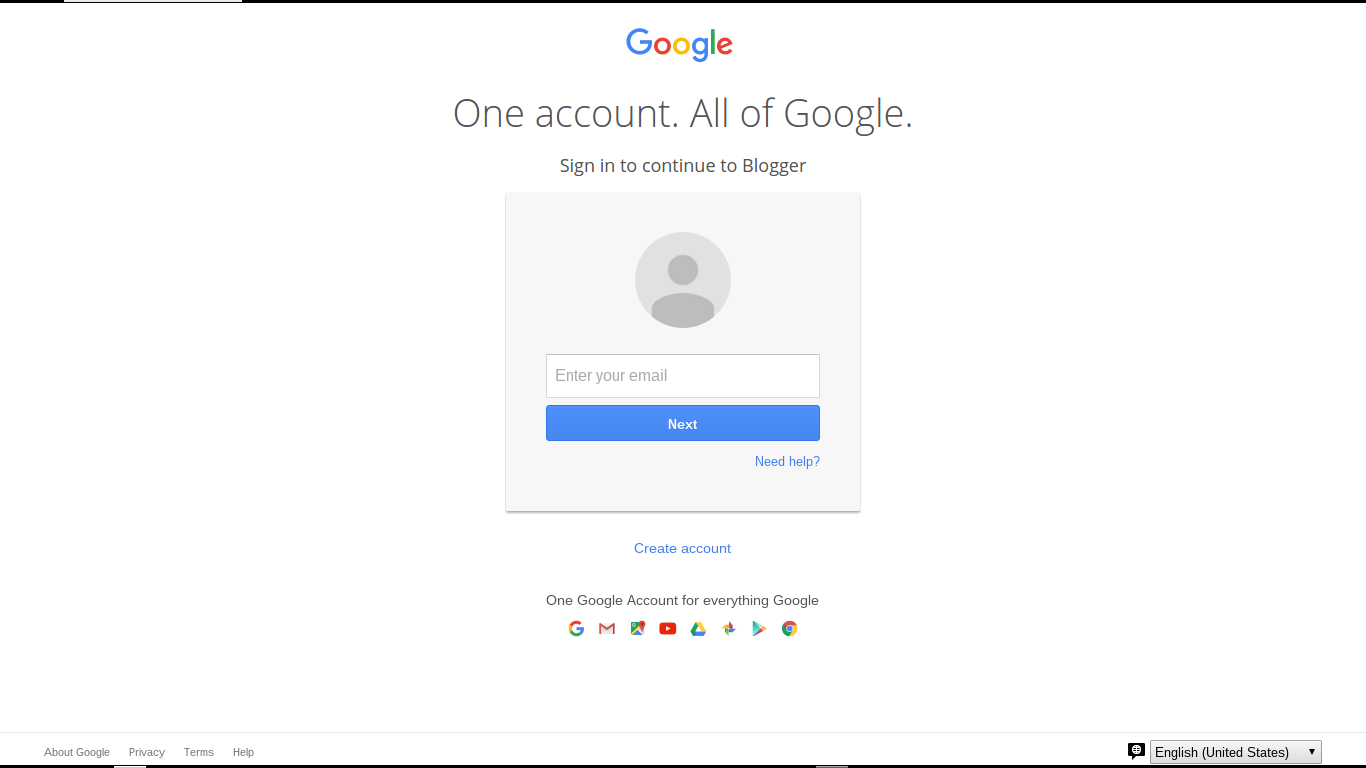
Sign in to continue to Google Friend Connect
Other than that label, what you see is the well known "One account" login display.

As with any Blogger / Google login, you can login to a GMail address based Blogger / Google account - or to a non GMail email address based Blogger / Google account. And, if you don't yet have a Blogger or Google account, there is the also familiar link to
Create an account
Clicking on "Create an account", you are given the standard Google "Create your Google Account" wizard.

As with any account creation scenario, I will once, again, remind you that creating a Blogger / Google account creates a responsibility. It is in your best interest to remember and secure the account name and password, and to religiously maintain all backup devices and features, such as backup email account, phone number, and secret question.

As with any Blogger / Google feature, use of the Google "One account" login is subject to your use of a computer with properly configured filters. You need proper filter settings, to permit popup windows, scripts (JavaScript), and third party cookies.

The Google "One account" display, when used for Following, may be subject to the same confusion, as with the Blogger login. Don't use the login account menu, without being aware of possible confusion.

The login process appears to run under "accounts.google.com", presenting cross site relationships with "blogger.com", "blogspot.com", and whatever country code domain, and / or custom domain might affect you, as you view your blog and other blogs.

Interestingly enough, once you are logged in to Following, and you prepare to Follow another blog, you still may get the choice of account hosts.
  • Following (Default)
  • Blogger
  • Google
  • Orkut
  • Netlog
  • Plaxo
  • Twitter
The Google "One account" login only replaces the authentication portion of Following. Just click on the "More options" link, instead of the initial "Follow this blog" button, for an intriguing complement of Following options.

>> Top

Sunday, June 22, 2014

Confusion About EMail Addresses Based On Google Apps Provided Email Domains

Since 2009, I've been explaining the intricate relationships between Blogger accounts, email addresses, and Google accounts.

One of the challenges of logging in to Blogger or Google involves account names and passwords, that may be shared with an email account that is the basis for the Blogger / Google account name.

Non GMail based Blogger / Google accounts initially share an account name / email address with the source non GMail email account. If you change a non GMail email address, the Blogger account name will not change. If you delete a non GMail account, the Blogger account is not deleted. Finally, even with shared account names, the passwords between the email account, and the Blogger / Google account, are not automatically shared.

With a GMail / Google based Blogger account, on the other hand, both the account name and password will be shared - since it's the same account. If you delete a GMail / Google Blogger account, the Blogger account - and all owned blogs - are also deleted.

Besides the account name / password confusion, use of the Google login wizard is complicated by use of Google Apps based email accounts.

Use of the new Google login wizard is a challenge because of the blind login process - and the lack of detailed diagnostics, when an incorrect account name or password is entered. The lack of detailed diagnostics helps prevent hacking of our Google accounts, when our email address and various personal details become known to the public. Any mistakes result in one monolithic error.
The email or password you entered is incorrect.

Google Apps based email accounts are a frequent concern, when frustrated custom domain owners need to access their Google Apps accounts, to either update domain registration payment details, or to access the registrars domain management dashboard.

Google Apps access, which uses the Google multi-account login wizard, is complicated by domain owners who do not realise (or remember) the non GMail based Google Apps account name - or the password.

Before Google Apps based email domains became an issue, it was possible to easily identify non GMail based Blogger / Google accounts, as opposed to GMail based accounts, based on one significant detail - the absence of "gmail.com" / "googlemail.com" in the account name.

Observing that a given Blogger account name did not include "gmail.com" / "googlemail.com", we could advise a Blogger account owner of the issues involving account name / password sharing, between the source email account, and the Blogger / Google account.

Thanks to the existence of Google Apps based email domains, it is now possible to have GMail / Google accounts which lack the "gmail.com" / "googlemail.com" in the account name - and we see the confusion.
  • Some blog owners may delete an unused "non GMail" Google account, not realising that they are deleting the necessary Blogger / Google account that owns a given blog.
  • Other blog owners may be unable to use the Google login wizard effectively, since they don't understand that a non "GMail.com" account may be a Google account.
  • And, in truly unfortunate scenarios, we have blog owners who lose control of their blogs when their employer, Internet Service Provider, or school converts their domain to use Google apps management

Just as it's impossible to canonically identify "legacy" accounts, it's a challenge to adequately describe the issues specific to Google Apps based non "GMail.com" Blogger / Google accounts. Control and synchronisation issues, relevant to both the account names and passwords, will always cause confusion, to Blogger blog owners.

Articles about regaining account control - and proper use of the new Google One Login wizard - will be referenced frequently, in Blogger Help Forum: Something Is Broken.

>> Top

Wednesday, April 2, 2014

Help Me! I Can't Access My Blogger Account!

Every week, we see the anguished cry of blog owners, who don't have access to maintain, or publish to, their blogs.
Help me! My email address changed last month, I dropped my phone into the sink, and now I can't sign in to my blog!
If you look at the fine print, you see the full story.

Ask enough questions, and the details will come forth.
Help Me! I never bothered to remember my password - I used the Forgot Password wizard to reset my password every time I wanted to sign in to my Blogger account. My email address changed last month, my phone number changed last week, I can't get the email from the Forgot Password wizard, or the new Blogger Account / Blog Recovery wizard - and now I can't sign in to my blog!
As I have repeatedly advised folks, and previously pointed out in 2010, Blogger lets us maintain our blogs anonymously, and promises anonymous access and ownership for eternity. There is no magic token attached to our blogs, that let us conveniently email Blogger and ask for a second (or a third) back door access to our accounts.

If you can't access your Blogger account, you can't maintain your blog. Use the Forgot Password wizard, when you have access to the email account - or the new Blogger Account / Blog Recovery wizard.

And learn how to use the Google "One account" login wizard, properly.

Blogger wants to protect us, and our blogs, from attacks from people who claim to be us, but are not. Help them to protect our accounts, and our blogs - don't require that they gratuitously allow you access to your blog when you forget the password, and have no second - or third - back door access to reset the password.

Monday, March 12, 2012

Recovering Your Account Information - Improved

Blogger has long promised us that our blogs will be ours, forever, and that we are free to publish our blogs in privacy, if we so desire. Based on those promises, not all Blogger blog owners have made the right decisions, in retaining access to their Blogger / Google accounts.

Many problem reports. from frustrated owners, are seen, daily, in Blogger Help Forum: Something Is Broken.
My email address changed some time ago, and now, I can't login to Blogger and update my blog!
Last year, Blogger made several changes to their account recovery policies and procedures, which made this subject, for many blog owners, a critical and painful issue. Now, Google is making an organised effort to reduce the pain, by improving their account recovery tool.

There are two tools which you may wish to try, when you cannot login directly, to your Blogger account.
Google re designed account recovery, in 2012.

Recognising the frustration caused by some recent changes to the Blogger / Google login, and to various account recovery procedures, Google recently improved the design of their account recovery tool. Formerly labeled
  • Account Recovery: Forgot your password?
We now have
  • Google: Having trouble signing in?

The newly designed wizard covers both Google account un deletion, and account recovery, transparently. It won't provide recovery of all Google services lost when the account was deleted, however.

The wizard has three initial selections.
I forgot my password

Immediately when selecting "I forgot my password", you'll be asked to provide the username of your Google account, labeled "Email address". As noted, this may be either a GMail address - or any non GMail email address.

To reset your password, enter the username you use to sign in to Google. This can be your Gmail address, or it may be another email address you associated with your account.

Having hit "Continue", expect to see a CAPTCHA. Successfully solving the CAPTCHA, you'll be presented with three options. Each of these options requires proper advance registration, by the blog owner.


Choose how to get back into your account.
  • Get a verification code on my phone.
  • Answer my security question
  • Get a password reset link at my recovery email


I forgot my username

Immediately when selecting "I forgot my username", you'll need to provide the account recovery email.

Please enter the recovery email address you provided when creating your account.

Having entered the right email address, you'll next (surprise!) get to solve a CAPTCHA, and then receive the welcome news.

An email has been sent to xxxxxxx@yyyyy.zzz containing all Gmail usernames associated with that address.

Please make sure xxxxxxx@yyy.zzz is your recovery email address. If it is not, you will not receive an email containing your username.


Here, once again, we see the advantage of not remaining completely anonymous.

I'm having other problems signing in
Immediately when selecting "I'm having other problems signing in", you'll be asked for your Email address.
Enter the username you use to sign in to Google. This can be your Gmail address, or it may be another email address you associated with your account.
Having provided an email address (big surprise!!), you'll be asked to solve a CAPTCHA. Finally, you'll be provided the Google Accounts: Problems signing in to your account article, with additional selections.


Please select your issue:
  • I forgot my password
  • I think someone else is using my account
  • I forgot my username
  • I know my username and password, but I can't sign in
  • I can't reset my password via SMS
  • I use a Google Apps account
  • I'm having trouble with 2-step verification


Here we see a wide assortment of options, all carefully provided to allow genuine Blogger blog owners to recover access to their Blogger / Google accounts, while preventing malicious hijacking. This should complement the separate Blogger blog access recovery wizard. You'd be wise to try at least some of these options, before asking for assistance, in a public forum.

The automated tools are necessary, to protect our accounts and blogs from people seeking to misuse the recovery process, and steal control of our accounts and our blogs.

Recovery works best with "lost access" accounts - "stolen" accounts will differ.

Now, you'll want to note that these wizards help you recover control of a Blogger / Google account that you simply have lost access. If your GMail / Google account has been successfully hijacked, you're going to need different corrective measures, for recovery and future protection.

Please note that both tools provided by Blogger / Google will work more reliably, with a blog that was not transferred improperly, from one Blogger account to another. And plan the recovery process, don't be caught unaware of the new recovery verification procedures.

Friday, March 2, 2012

Your Blogger Account: Anonymity Vs Security

One of the most frustrating problems with Blogger accounts involves the conflicting goals of anonymity and security.
  1. We are allowed to publish a Blogger blog in complete anonymity. Blogger acknowledges and supports that need.
  2. Anonymity comes at a price. Should you succeed in intentionally becoming completely anonymous, then forget the account name or password, there will be no way for Blogger to help you to recover access to your Blogger account.
Every week, we get reports from people who can't access their blogs because they changed their email address without proper planning, or they don't know which account owns a given blog. And some time ago, we dealt with a small flood of reports from people whose Blogger accounts - and blogs - had been stolen, using some devious hacking techniques.

Blogger and Google have added additional options for account authentication.

Considering the need to prevent account and blog hijacking, yet allow people to be able to recover account access after changing email address, this is a righteous advance. The options may not please people who value anonymity, though.

Blogger / Google has added an additional account verification option, Two Step Verification.

2-Step Verification improves your chance of successful account recovery.

Two-Step Verification will improve the chance of your being able to recover account access, if you forget the account name or password.

For those unable or unwilling to accept 2-Step Verification, and where tracking cookies are not regarded as a devious plot, Blogger uses demographic authentication. First seen by people who travel being asked to prove identity, demographic authentication appears to be used when you need to recover account access, or when you login from a different computer.

2-Step Verification may not be acknowledged by everybody as a major advance.

For people who have had their Blogger account hacked and blogs stolen, or people who fear this fate, demographic authentication may be seen as a positive direction for Blogger / Google to take, For people who fear "big brother" and the never escapable cameras and total lack of privacy, an authentication process which tracks each of us, as we login, may be seen as privacy violation.

We will be recognised, demographically, by computer, by geographic location, and by Internet connection. This may substitute for, or enhance, 2-Step Verification.

Two Step Verification - which uses your cell phone or home phone as a verification token - will not work, for everybody.For people who understand the risk of having ones Blogger account hacked - or who want to provide an additional option for account recovery when necessary, however, this is a solid option.

Thursday, February 16, 2012

Account Recovery Options, And Prevention Of Blogger Account / Blog Hijacks

Ever since Blogger started using Google accounts to authenticate Blogger account access, blog owners have had trouble maintaining access to their accounts and their blogs.

Not all Blogger blog owners understand - and less accept - the measures that Blogger has taken, to prevent malicious activity, by unknown persons who would use Internet obscurity to hijack their accounts, and their blogs.

Every day, we see numerous complaints in Blogger Help Forum: How Do I?, about inability to recover account access. And, we see occasional (not occasional enough) reports about blogs now owned by people who are not personally known by the rightful blog owner.

Blogger is continually improving their account recovery, authentication, and account hijack prevention policies. Unfortunately, as they improve in one area, they make things more difficult in another.

Until late 2010, Blogger / Google offered several options, for recovering account / blog access.
  • An automated wizard, where you could provide the URL of your blog, and have account recovery instructions sent to the email address registered with the Blogger account(s) that administered the blog, accompanied by the welcomed advice
    We've sent password reset instructions to your email account xxxxxxx@yyyyy.zzz.
  • An option, should the latter email account be unusable (the owner graduated from school, changed ISPs, changed jobs), to walk into many regional Google offices, present proof of identity, and regain access to some Blogger accounts.
  • In some limited cases, to transmit a facsimile of specific proof of identity documents to a Google office, have identity verified remotely, and regain access to some Blogger accounts.

In early 2011, we noted a significant number of cases where people were reporting logging in to Blogger, and finding various personal blogs missing from the dashboard blog lists. Checking the blogs themselves, they were found to be still online - but now owned by other persons. In an alarming number of cases, the persons then owning the mysterious blogs appeared to be part of a malicious and well planned attack, against Blogger accounts and blogs.

In mid 2011, Blogger changed the automated account recovery wizard, to not display the email address being used for the password recovery. Now, we see less detail.
We've sent login instructions to your GMail account.
or even
We've sent login instructions to your account at y****.com.
To recover account access, the blog owner is now required to remember the email address - or minimally, to have access to all owned email accounts, and check each account, one by one, until login instructions are found.

To reduce the need for local and remote identity verification, Google enhanced the account recovery wizard, where the blog owner can provide an email address (whether or not usable for incoming email), provide secondary details to prove identity, and regain access. They also added Two Step Verification, which lets you use a pre registered cell or home phone, as an additional / alternate identity token - both to prevent hijackings, and to recover account access.

Unfortunately, people who idly forget the password and the email address, or who forget (or never provide) secondary personal details when setting up their Google account, will always be a challenge. Another challenge is provided by people who value anonymity, and setup multiple email accounts to obscure their real life identity from their Blogger blog ownership.

In specific cases, Blogger is known to provide mysterious "hints" to people who have gratuitously used multiple email accounts - and who cannot now remember all accounts used.
Your email address is a***0@yahoo.com.
However, the limited effectiveness of hints should always be noted. The Blogger Help Forum: [FAQ] Regarding account-related issues won't be going away, for lack of traffic, any time soon.

>> Top

Tuesday, February 14, 2012

Your Blog Is Forever - But Requires Your Effort

Some blog owners misunderstand the apocryphal promise from Blogger to us
Blogger accounts and Blog*Spot addresses do not expire.
From the tone of some questions in Blogger Help Forum: Something Is Broken, some blog owners seem to think that Blogger promises us unending service, without requiring any effort on our part.

We need to think of Blogger blogging as a partnership, between Blogger and us. Blogger is a business - and some principles of business apply to how they treat us.

In our constant stream of demand for features and service, as owners and readers of Blogger blogs, we need to remember that Blogger (and Google) are a business. Various principles of business will occasionally apply, in their policies. These policies may not, necessarily, be responsive to our immediate and personal needs - though they may support the overall needs of Blogger, in general.
  • Due diligence. Some Blogger policies may be necessary to support the Blogger customer community, in general.
  • Due process of law. Some Blogger policies may be necessary to support the rights of other individual Blogger customers.
  • Return on investment. Some Blogger policies may be necessary to support Blogger as a business.
  • Personal Responsibility. Some Blogger policies may be necessary to allow us to maintain our Blogger blogs, and personal computers, to support our personal needs.

Due diligence. Blogger may make some decisions in order to protect themselves, and their customers, in general. Blogger may refuse to disclose personal information about us, if we cannot prove our identity. Even if we cannot accept, or understand this policy, Blogger may maintain this policy to better support the Blogger community, in general.

Due process of law. Blogger may refuse to respond to our personal demands, to protect the rights of other Blogger blog owners. They may not delete blogs which we don't own, purely because we complain that the content of some blogs may say bad things about us.

Return on investment. Blogger may refuse to support us, when we have not made any similar effort to assist them to support us. If we require service, that requires much effort from them, and provides no benefit to the Blogger owner community in general, we may not get support immediately - or at all.

If we ignore our Blogger accounts and blogs, for many years, our accounts and blogs will be there waiting for us. Our access to our accounts and blogs may be restricted, however - and Blogger Support may not fulfill our personal needs.

If we ignore their warnings about coming changes, we may not be supported after such changes are finally implemented.

Personal Responsibility. Blogger cannot support our blogs, and our use of our personally owned computers, when our personal decisions compete with their policies. Our use of different browsers, varying local security policies, and of different non Blogger products in our blogs, require us to take personal responsibility.

As owners and readers of Blogger blogs, as of similar Internet services, we have to take ownership of our personal decisions, similar to many Blogger policies. We cannot demand more of Blogger, than we do of ourselves.


http://blogging.nitecruzr.net/2012/02/your-blog-is-forever-but-access-to-and.html
Your Blog Is Forever - But Access To, And Support Of, Your Blog, Requires Your Effort
Your Blog Is Forever - But Requires Your Effort

Monday, February 13, 2012

A Hint Will Not Always Recover Your Access To Your Blogger Account

Some Blogger blog owners, trying to regain access to their blogs after a long absence, attribute their problem to over indulgent security measures.
I have too many email accounts, and no way can I remember all of them!
and maybe even
I have too many GMail accounts, and no way can I remember all of them!
Our suggestion will be, that they should carefully check all email (GMail) accounts. Their next request seems like a final solution.
Can Blogger just give me a hint, so I can remember which account I need to check?
Here they are asking for a last ditch effort, which is not guaranteed to bring success.

There are several reasons why requesting a hint - just a few characters of the email (GMail) account address - is not guaranteed to produce beneficial results.
  • The hint request may be made by either a would be hijacker - or the possible later victim of a hijacker. The hint request invites focused brute force password guessing, which involves
    • Increased load on Google network resources.
    • Later problem reports about another stolen Blogger account / blog.
  • A hint will not be given immediately. Blogger Support has several long queues of essential tasks. Helping somebody regain access to their Blogger account, after the would be owner has rejected the offered several automated tools, is not going to be at the top of anybody's task queue.
  • A hint may not provide the right clue. Blogger Support will provide a limited number of characters in any hint - and cannot guarantee that the characters provided will be meaningful to the would be blog owner (or possibly, would be blog hijacker).
  • Only one hint can be provided. Blogger Support won't provide an online game of "Hangman", by providing a new hint, until you guess your account name. One hint, only!
With all of these details in mind, and if at all possible, please do everybody a favour and make some effort to remember your account name and password. Don't count on Blogger to tell you your account name. Try the improved Google account recovery wizard, and check every email account which you may have possibly used, before asking for special attention.

>> Top

Tuesday, January 24, 2012

Deletion Is Not Alternative, If You Cannot Authenticate

Some supposed blog owners, unable to login to their Blogger accounts because they forgot the Blogger account name or password (or never bothered to remember either), try to compromise.

They figure that, if they can't regain access to the blog, then Blogger will be willing to simply delete the blog - and everybody will be happy. They appear to have overlooked the repeatedly stated policy, which promises us that our blogs will be ours, as long as we wish to own them.

The problem is, blog deletions are as sensitive to illegal action as account recovery - and illegal actions are a very real threat to our blogs.

Blogger exercises due diligence, in requiring proper authentication for Blogger account recovery.

Blogger can't delete a blog, any more freely than give control of a blog.

Any requested deletion, of any supposedly owned blog, must be no less controlled.

Blogger promises us
Blogger accounts and Blog*Spot addresses do not expire.
This means that our blogs will not be deleted, or transferred to the control of another person, without careful validation of the person requesting the deletion or transfer. If the other person cannot prove rightful ownership of the blog in question, Blogger is not legally entitled to delete the blog, any more than they are entitled to transfer control of the blog.

We are permitted to own and publish our blogs, without any minimal required activity, and without any required proof of our real life identity. We are entitled to publish our blogs when we see fit - and are entitled to come back to our blogs after any length of time - if we are able to authenticate ourselves.

Blogger lets us publish, at any rate we prefer.

Blogger will not harass us when we are inactive, whether or not anybody else offers to publish to our URL with more vigour. Neither will they give anybody else control of our blogs, either to publish - or to delete. Similarly, they won't give me - or you - access to somebody else's blog, or harass somebody else.

If you find yourself unable to access your blog, and delete it on your own, try using the improved Google account recovery wizard, before asking that Blogger delete your blog for you.

In limited cases, the Google tool Removing Content From Google may be useful. Finally, concentrate on making your blog or website more useful, and organically improving your reputation.

Wednesday, January 18, 2012

Why Does Blogger Use Email, To Identify You?

One of the most constantly seen discussions, in Blogger Help Forum: Something Is Broken, involves people who have forgotten their Blogger account name or password.

Generally, it's a rather simple task to recover access to one's Blogger account, should you forget / lose access to any one Blogger authentication token.

The Blogger Forgot your username or password? wizard will send, upon request, an account recovery email message, to the email address associated with the Blogger account needed, for any active and online blog. Just provide the blog name, read the email, and follow instructions.

Unfortunately, not all Blogger blog owners can always use email based account recovery.

Some blog owners, when advised to recover access to their Blogger blog by opening the account recover email message, are still unable to recovery access to their Blogger accounts.

Excuses abound - and there are so many different excuses, provided in the problem reports.

There are several reasons for using Blogger / Google email account based account names.
  • Account name uniqueness, benefits Blogger / Google.
  • Identity verification, benefits Blogger / Google.
  • Name retention, benefits the account holder.
Unfortunately, not all Blogger blog owners appreciate those advantages - and some actively avoid them.

If you want to own or publish a Blogger blog, read a private blog, or comment on some Blogger blogs, you have to have a Blogger / Google account. For your convenience, you can have a Blogger / Google account name that's based on any mutually suitable email address.

If you don't want to use a single, active email address - or if changing your Blogger account, each time that you change email accounts, is not convenient - you won't be forced to use your active, current email address. You can use any available non GMail email address, for an account name - though there are advantages, in choosing an account name, carefully.

You can have as many GMail or non GMail email accounts, as you wish. However, keeping track of your email accounts is your responsibility - and only your responsibility. Blogger cannot support or track your multiple identities.

If you choose to not use your active, current email address in your Blogger account, and you ever forget the account name or password, please do not write into Blogger Help Forum: How Do I? and ask
What's my email address? Can I have a hint?
or
Can somebody please send me email to my current address?
Blogger Support cannot, legally, help you, in this case. When you're told
No.
please, don't complain.

Friday, January 6, 2012

A Google Account Does Not Have To Be GMail

Blogger uses the Google "One account" login to identify you, when your identity is important.

Occasionally, in Blogger Help Forum: Something Is Broken, we still see evidence of confusion.
Some time ago, Google started making users to sign in with a Google address. I did not want a Google email address, but since Blogger was requiring it, I had to make one. I never had any intention of using it, but only wanted to use Blogger. Why did Google make the sign in procedure for Blogger the same as Google mail?
This person, as with other Blogger blog owners, does not understand the difference between a Google account, and a GMail (Google email) account.

When Blogger changed their login screen, and started instructing us to
Sign in with your Google account
they were making the term "Google account" more inclusive - not making the term "Blogger account" obsolete, or less inclusive.

Your Google account may be based on your Blogger account.

A Google account, in this case, is based upon your current Blogger account. A Blogger account can be based on a GMail email address - or it can, just as easily (more easily, actually) be based on a non GMail email address.


What the %^&&? I do not use GMail!


Your identity, using Blogger, is provided with a Blogger account.

Whether you are going to use Blogger for commenting, as a blog Follower, as a blog owner, as a private blog reader, or a team blog member, your identity needs to be verified. This requires a Blogger account - it just does not have to be a GMail account, if you don't want GMail.

Please, allow your identity to be provided - when necessary.

You will need to use a computer that permits your identity to be checked. Computers with excessive security, that needlessly anonymise you, will be a problem, with many Blogger / Google features and services.

When you see a reference to "your Google account", don't spend time complaining about violation of your right to choose your email address. Just use your Blogger account.

Navigate» Become author for this Blog