Ever since 2009, when Blogger introduced the Stats visitor activity counter, blog owners have been reporting inconsistencies between Stats and other visitor activity counters.
Recently, Google+ changed their +1 counter. Now, we wait for Blogger Engineering to update their +1 per post display counters, which use the +1 counts from Google+.
Blog owners continue to report various Stats inaccuracies - such as discrepancies between Stats pageview counts, and the various social sharing counters. They fail to observe the functional differences between the various activity counters - and similarly, between Stats counts and social sharing metrics, such as Google+ +1 counts.
Stats pageview counts and Google+ +1 counts compare no better, than Stats and various other visitor activity counters.
Social sharing contributes to your blog reputation, in a number of ways. Some social sharing relationships, compared with blog activity counters, may lead to confusion.
Social networking activity counts will resemble blog visitor activity counts - with the activity mentioning the blog.
There will be differences, between the two, however. The differences will contribute to perceived blog visitor activity count inaccuracy.
- You will have Followers - in asymmetrical and symmetrical relationships.
- You will have Followers - in direct, and indirect relationships.
- Not all Followers will read your blog posts.
- Some folks who do read your blog posts will be invisible, to you.
- The bottom line is reputation, for you and for your blog.
You will have Followers - in asymmetrical and symmetrical relationships.
Social sharing helps to connect people, through their interests.
You may read some posts in your Google+ stream, which will interest you. Some people will contribute many posts that interest you - and you will decide to Follow them. Those people may observe your activity, and decide to Follow you, in a symmetrical relationship.
You won't Follow everybody, symmetrically. Nobody can Follow everybody - or even everybody who Follows them.
Some people will share few interests with you, and have many interests that you don't have. You won't Follow those people.
Similarly, some people who you Follow won't Follow you, because you don't interest them.
You will have Followers - in direct, and indirect relationships.
If you use FaceBook or Google+ enough, you will see random posts in your stream - and decide to Follow some authors. Similarly, some of the people who see your posts, in their streams, will decide to Follow you.
You will +1 / Like / re share some posts from your Followers - and some of your Followers will do the same, with your posts, directly. Some folks who Follow your Followers - not you, directly - will +1 / Like / re share your posts, indirectly.
Not all Followers will read your blog posts.
If you spend time reading your activity notifications, you may observe that some Followers may +1, like, and / or re share, your various stream posts - including some stream posts which reference your blog posts. You may also observe that some activity takes place seconds, or minutes, after you share or re share a stream post.
Your ability to observe, and to react, will depend upon your relationship with each Follower - direct vs indirect, and asymmetrical vs symmetrical.
When a stream post is liked or re shared shortly after you share it, it's possible that your Follower did not spend a lot of time reading the content of the post. If your share included a reference to your blog post, it's likely that they did not read your blog post - even though they contributed a +1 / like / re share of your stream post.
Even though your direct Followers may not all read your blog posts, their Followers (your indirect followers) may do so. These followers will contribute to your reputation, indirectly, with a +1 / like / re share of your stream post.
Some blog owners, not aware of, or interested by, these details, may believe the +1 counters to be 100% accurate - and this contributes to perceived Stats pageview counts inaccuracy - with Stats counts seen as "lower than reality".
Some who do read your blog posts will be invisible, to you.
Nobody who uses Google+ will Follow - or be Followed by - everybody.
Most Google+ publishers will have direct Followers, who they know - and indirect followers who they don't know. Google+ will protect indirect followers identities, by not displaying their activity to people who don't know them (you, for instance).
Since Google+ protects everybody's activity and identity, from people who they don't know, Likes and +1s against your posts will include people who you don't know. People who Follow your Followers will contribute likes and +1s against your posts, indirectly - even though you will not see their activity in your stream, directly.
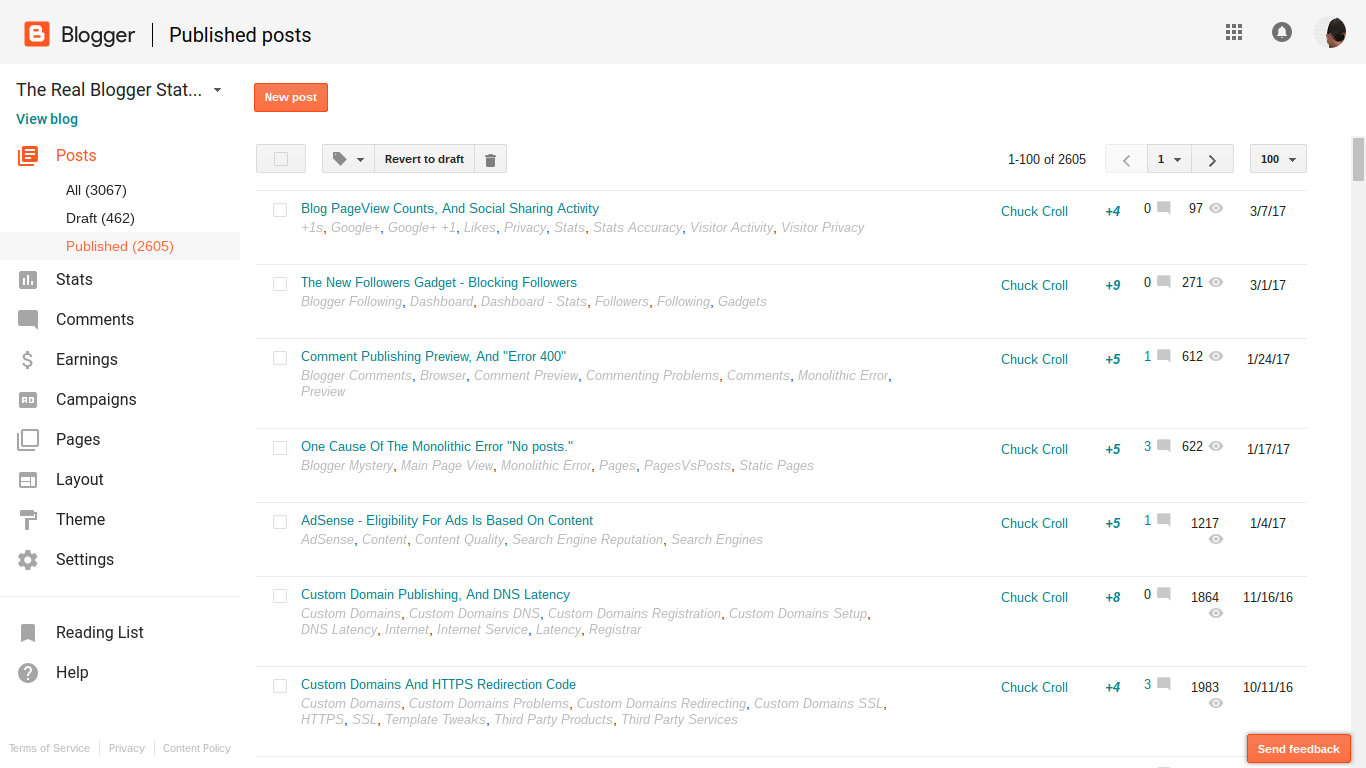
In the 8 hours since I published this post, I've seen one Google+ notification about a "+1", from a Follower. Yet Blogger shows a "+4".
The first "+1" came when I shared this post, to my Google+ stream. Where did the other 2 "+1"s come from?
These people will contribute to your reputation, even though they may be invisible to you. This is one of the reasons why the +1 counters are thought to be inaccurate.
Some of these invisible people, encouraged by your Followers, will read your blog posts - and contribute to your Stats activity counts. Some may decide to Follow you directly - and / or to subscribe to your blog, even though you don't see them, in your stream.
This, too, contributes to perceived Stats pageview counts inaccuracy - with Stats counts seen as "higher than reality".
The bottom line is reputation, for you and for your blog.
Higher or lower than "reality", it's all good - even when you don't always see the details, in FaceBook or Google+.
People who use social sharing, such as FaceBook and Google+, with their #Blogger blogs, will find discrepancies between social sharing activity counters, and blog visitor activity counters. These discrepancies will be as intriguing as the differences between the many activity counters.
Not every blog owner understands the effect of a Blogger URL change, in FaceBook - and the resulting popularity of the blog.
I am planning on changing my blog name and redirecting my blogger blog to a custom domain. Why would that affect my Facebook followers?
A Blogger URL change won't affect your FaceBook Followers directly. Your existing Followers can continue to Follow your blog, under the BlogSpot URL - and under the custom domain URL - as it is Liked, and shared, in FaceBook.
The Likes count affects the possibility of a share, of a post in your blog, to attract new Followers.
URL changes, as permitted and provided by Blogger and / or FaceBook, are easy enough to make.
If you change the URL of the blog, when it's later shared in FaceBook, you will have a different blog. If you redirect your Blogger blog to a properly setup custom domain, you will have a blog that is shared under a different URL - and you'll have a new Likes counter.
A Like will be counted against the URL of the post that is Liked.
If someone Likes your blog in FaceBook, the Like will be counted against the URL used to address the blog, in the FaceBook post being shared.
You can either count your Likes under the current BlogSpot URL - or the new URL. Just choose the URL that's used, when it's shared.
If you publicise the blog, in FaceBook, using the current BlogSpot URL, the Like will be applied against that URL. This will not contribute to popularity of the custom domain URL - and the new blog identity. The custom domain will get no Likes - and the blog will continue to be seen, in Facebook, under the BlogSpot URL.
If you publicise the blog, in FaceBook, using the custom domain URL, the Like will be applied against the custom domain URL. The blog will not benefit from popularity of the BlogSpot URL - and the current blog identity. The BlogSpot URL will get no Likes - and the blog will be seen, in Facebook, under the custom domain URL.
You are allowed to change the blog URL, by both Blogger and FaceBook.
You are allowed to change the URL of the blog, in Blogger. You can change the BlogSpot URL, to a different BlogSpot name. You can change the domain URL, to a custom domain. You can change both the BlogSpot and domain URLs, if you wish.
Either way you change the URL, you will end up with a different URL, when shared in FaceBook. And with your posts shared using a different URL, you will have Likes counted using a different counter. This isn't a question of what FaceBook lets you do - it's a question of how they count the Likes, that apply to your blog.
You will need to move forward, using your new custom domain URL, and starting with 0 Likes - or stay where you are, using the current BlogSpot URL, and continuing with the current Likes counter. FaceBook will let you do either. They just won't be able to help you do both, at the same time.
This is really just one more detail, in re indexing a blog, after a URL change.
If you change the URL of a #Blogger blog, #FaceBook popularity will be affected. You (or any reader) can share the blog using either the current or new URL - and any Likes received for a share will apply to the URL used.
The blog will appear under two (or more) different URLs - a known effect of republishing.
As both custom domain publishing, and social sharing networks, become normal with many blogs, we see anguish when blog owners change the URLs of their blogs, without planning for the effects of the change.
What happened to my Likes?
This blog owner - and many others - do not realise that FaceBook counts Likes, based on the URL, not the blog.
FaceBook Likes, and Google+ +1s, are counted by URL - and are not controlled by DNS redirection, or simple name changes. If you rename your blog, you get a new URL with a new popularity counter, in FaceBook and Google+.
Some social sharing services allow for URL changes.
BlogLovin lets you transfer Followers from one URL to another.
BlogLovin, for instance, provides for transfer of Followers, to a new URL - as long as the blog owner owns both the old and new URL.
First, make sure that you've claimed both of your blogs.
Once both blogs are claimed, navigate to "My blog" and select the "Edit Blog Info" option next to your original blog.
From the "Move Followers" dropdown menu, select the blog you'd like to move your followers to and click "Move". This will remove your original blog and move your followers to your new blog of choice.
Start from any BlogLovin page.
Select "Blog analytics" from the drop down menu.
Click "Edit blog info".
Select a blog, from the drop down blog menu, in the "Edit blog info" wizard - and click on "Move Followers".
Whether you have a blog with a new URL, or a blog with multiple feeds and groups of Followers, BlogLovin lets you consolidate / move Followers so you can address your Followers, conveniently.
Blogger Followers stay with the blog, automatically.
With a Blogger blog, and Blogger Following / Google Friend Connect, your Followers Follow the blog - not the URL. You can rename the blog, and change the URL - but as long as you don't change the BlogID, your Followers remain with your blog.
FaceBook and Google+ give you a new counter, for each URL.
Neither FaceBook or Google+ provide a similar option. To both FaceBook and Google+, if you change the URL of the blog, you have a new blog. Google+ Followers - unlike Blogger Followers - Follow the URL.
With custom domain publishing, and the BlogSpot to domain redirect, the attention of your Followers may end up on your redirected blog - but the +1 counter and Followers community, that was based on the BlogSpot URL, stays with the BlogSpot URL. With the blog published to the domain, your blog gets a counter and community for the domain URL - and starts over.
With a BlogSpot to BlogSpot URL change, and a domain to BlogSpot URL change, everything starts over.
FaceBook Likes are counted, within FaceBook - and Google+ +1s are counted, within Google+. Both are based on the URL of the blog which accrues the Likes and +1s. If you change the URL of the blog, you get a new counter - and a new Followers community.
A URL change is effective for different changes, to a Blogger blog.
- BlogSpot to BlogSpot name change.
- BlogSpot to custom domain republishing.
- Custom domain to custom domain change.
- Custom domain to BlogSpot republishing.
All of these are URL changes - and are treated as a different blog, for most social sharing services.
BlogLovin supports URL changes. Neither FaceBook, Google+, or LinkedIn provides this ability. You change the URL, you start over with +1 / Like count, Followers community, and sharing reputation.
With most social sharing services, if you change the URL of a #Blogger blog, you start over accumulating +1s, Followers, and Likes. BlogLovin appears to be alone, in letting you transfer Followers from one blog to another - if you create a new blog, or change the URL of an existing blog.
https://productforums.google.com/forum/#!category-topic/blogger/ZiozKZOS07Q
https://productforums.google.com/forum/#!category-topic/blogger/gkmBV6s03Ck