Showing posts with label SSL. Show all posts

Monday, August 27, 2018

Custom Domain Redirection, And "A" Referral Servers

One of the advantages of custom domain publishing, and the domain root to published URL redirection, used to be transparent redirection of the URLs.

As Blogger blog owners become more sophisticated with their blogs, and custom home pages (aka "landing pages"), become more popular, we have blog owners with concerns with home page access and the root redirection. We are also seeing concern with direct access to specific posts - with posts advertised, using the domain root URL.

In some cases, redirection only shows the reader the blog home page when the casual reader first sees the blog - even with a specific post being linked in the advertised URL.

With this blog, which is the redirect target of my domain, nitecruzr.net, this post "Custom Domain Redirection, And "A" Referral Servers" has a URL of "http://blogging.nitecruzr.net/2018/08/custom-domain-redirection-and-referral.html".

Since "blogging.nitecruzr.net" is the redirect target of the root redirect for "nitecruzr.net", this post "Custom Domain Redirection, And "A" Referral Servers" should have an alternate URL of "http://nitecruzr.net/2018/08/custom-domain-redirection-and-referral.html".

Click on the 4 links, in the 2 paragraphs immediately above, and compare the results - if you don't yet see the seriousness here. Please. It's not a cosmetic detail.

This post "Custom Domain Redirection, And "A" Referral Servers", advertised as "http://nitecruzr.net/2018/08/custom-domain-redirection-and-referral.html", redirects to "http://nitecruzr.net/".

This post "Custom Domain Redirection, And "A" Referral Servers", advertised as "https://nitecruzr.net/2018/08/custom-domain-redirection-and-referral.html", redirects to "https://nitecruzr.net/".

Note that this blog does not yet use "HTTPS Redirect", so if you click on a link to "Custom Domain Redirection, And "A" Referral Servers" you will see "http://blogging.nitecruzr.net/2018/08/custom-domain-redirection-and-referral.html".

Here's an example of the problem.

Here's a an example of this problem - diagnosed using a previous post blogging.nitecruzr.net/2016/08/delete-permanently-means-delete.html

A normal redirect - to "blogging.nitecruzr.net/2016/08/delete-permanently-means-delete.html"

http://blogging.nitecruzr.net/2016/08/delete-permanently-means-delete.html

HTTP/1.1 200 OK
Content-Type: text/html; charset=UTF-8
Expires: Mon, 23 Apr 2018 03:25:09 GMT
Date: Mon, 23 Apr 2018 03:25:09 GMT
Cache-Control: private, max-age=0
Last-Modified: Mon, 23 Apr 2018 03:23:01 GMT
X-Content-Type-Options: nosniff
X-XSS-Protection: 1; mode=block
Server: GSE
Accept-Ranges: none
Vary: Accept-Encoding
Transfer-Encoding: chunked

A normal redirect - to the specific post, using HTTPS.


A broken redirect - to "blogging.nitecruzr.net"

http://nitecruzr.net/2016/08/delete-permanently-means-delete.html

HTTP/1.1 301 Moved Permanently
Location: http://blogging.nitecruzr.net
Date: Mon, 23 Apr 2018 03:23:18 GMT
Content-Type: text/html; charset=UTF-8
Server: ghs
Content-Length: 226
X-XSS-Protection: 1; mode=block
X-Frame-Options: SAMEORIGIN

http://blogging.nitecruzr.net

HTTP/1.1 200 OK
Content-Type: text/html; charset=UTF-8
Expires: Mon, 23 Apr 2018 03:23:19 GMT
Date: Mon, 23 Apr 2018 03:23:19 GMT
Cache-Control: private, max-age=0
Last-Modified: Mon, 23 Apr 2018 03:23:01 GMT
X-Content-Type-Options: nosniff
X-XSS-Protection: 1; mode=block
Server: GSE
Accept-Ranges: none
Vary: Accept-Encoding
Transfer-Encoding: chunked

A broken redirect - to the blog home page, using HTTPS.


Unfortunately, some blog owners are observing that redirection of a specific root URL - maybe a custom landing page, or a specific post advertised using the root URL - appears to lead only to the home page of the published blog.

This is a problem with domain / website design, in general - and with Blogger custom domain design, in particular.

The domain root to published URL (for most blogs, the "www" host) appears to use a version of frame forwarding, with some blogs being reported.

I never recommend using Frame Forwarding, in the custom domain DNS setup.

One of the disadvantages of frame forwarding is that redirects using frame forwarding drop the post URL.

We've been seeing this problem reported, for several years.

The problem, rarely - but not never - reported, started several years ago. This was before HTTPS for BlogSpot - and even farther before HTTPS for custom domains - was rolled out.

This was shortly after we started observing other problems involved, in the deployment of HTTPS.

The first HTTPS issue was reported in 2014. HTTPS for BlogSpot was rolled out in 2015.

I'm betting we first saw reports of the post URL being lost, in the ""http://xxxxxxx.whatever.com/whatever.html" -> ... -> "https://www.whatever.com"" was maybe 2 years ago. During deployment of HTTPS.

My guess is that Blogger Engineers upgraded the domain root servers ("A" address) redirection code, to support HTTPS - and made a business decision to use frame forwarding.

From what I've seen of Blogger Engineering in general - and custom domain design in particular - I am convinced that if they decided that frame forwarding is necessary, it's necessary. Until they can correct the problem, that is. My advice to every domain owner to not use registrar supplied frame forwarding in the domain DNS, notwithstanding.

I can only hope that we will see this problem corrected, this decade. Remain optimistic - and report the problem, when it can be identified.


It appears that some of the #Blogger custom domain "A" address name servers are using "Frame Forwarding", instead of "Referral", to redirect the domain root to the published URL. Frame forwarding strips away the post address portion of the URL - leaving only the domain root.

Some blog owners use the domain root to advertise their blog posts - and are seeing only the blog home page, instead of the individual posts, when linking to the posts.

https://productforums.google.com/d/topic/blogger/NtQHoVNJ5PM/discussion

https://productforums.google.com/d/topic/blogger/pePwPhr_H-Y/discussion

https://productforums.google.com/forum/#!category-topic/blogger/pePwPhr_H-Y

https://productforums.google.com/forum/#!category-topic/blogger/nr-cIIgjBGg

Friday, July 20, 2018

"HTTPS Redirect" And Private Blogs

URL redirection is a Blogger magic trick, similar to a common sleight of hand trick in stage magic performances.

The Blogger HTTPS Redirection, a recently added feature in Blogger security, may be a similar Blogger magic trick - and a possible problem. Some browsers treat websites with multiple redirects as possibly malicious.

Private blogs, accessed through the Blogger / Google interstitial login, may also complicate HTTPS Redirection.

Interstitial webpages may pop up like magic, where you (or your prospective viewer) would least expect them.

  • In front of a "private" blog, where you have to identify yourself to continue.
  • In front of a blog that contains (or is reputed to contain) objectionable material (naughty pictures or such).
  • In front of a blog that is (or appears to be) published off site.
  • In front of a blog that has been blocked, for TOS violation, or maybe for hosting hacking content.

One of the problems with HTTPS Redirection may involve private blogs.

To access a private blog, you must be identified.

To access a private blog, one must be logged into Blogger, using an account that is a member or owner of the blog.

If you are not logged in to Blogger, you may be asked to identify yourself, to access the blog.


If you are logged in to Blogger, but using a non member / owner account to access the blog, you may simply be refused access.


Both of those displays come after the link to the blog - and before the blog is viewed. They are called "interstitial" webpages.

If you try to access a private blog, and are not a member / owner, you should see the well known Blogger / Google interstitial login webpage. In order to check that you are a member / owner, the infamous Google Login Cookie must be accessed.

The Google Login Cookie, created under the Google login sequence and accessed from a Blogger display, is a "third party" cookie. If the browser blocks "third party" cookies, as many do, the browser may refuse access to the private blog - even if the prospective reader is logged in to Blogger, as a member or owner.

If third party cookies are not blocked, too many redirects may present a problem.

If third party cookies are not blocked, some browsers may still have a problem - too many redirects. Some browsers may object to multiple redirects to other websites - as possible malicious content. A redirect to an interstitial display, following the "HTTP to HTTPS" redirect, may be one too many redirects.

The mysterious Blogger "private blog" interstitial display, which lets people login to a private blog when necessary, may contribute to the "too many redirects" problem, for browsers which are sensitive to multiple redirects. Even if a private blog member / owner is logged in properly, the interstitial display is still involved, in checking for proper login - and this is where the infamous "third party" cookie is involved.

You may need to adjust your security settings, for best results.

If you are trying to access a private blog - and you see "This blog is open to invited readers only", or you are forced to login, again (!!), you will need to check and correct your cookie filters. You might want to similarly check and correct your script filters.

Please remember that the filter that is affecting your private blog access - whether cookie or script - may not be part of your browser native settings. Check thoroughly.


One of the challenges involved with the recently added #Blogger "HTTPS Redirect" may involve private blogs, and the Blogger private blog interstitial login. "Third party cookie" filters, and the Blogger private blog interstitial login, will complicate this problem.

https://productforums.google.com/d/topic/blogger/WiR84_IRF8w/discussion

Wednesday, March 28, 2018

HTTPS Availability For All All Blogger Blogs

After years of waiting, this blog is now readable, using HTTPS.

This blog, and others published using properly setup custom domains, now provides optional HTTPS connectivity - joining BlogSpot published blogs.

I looked at the Settings - Basic page of my Blogger dashboard, a couple hours ago.

Previously, I might see the HTTPS options "Availability" and "Redirect" when accessing my Draft Blogger dashboard. Now, both are there, in Production Blogger.

If you publish a blog, using a custom domain URL, you should see the new option too. It took 5 minutes, with my blog, to activate "HTTPS Availability".

RBS is now secure!


A couple hours ago, "HTTPS Availability" was offered, on my Blogger dashboard.

There are two options - HTTPS Availability, and HTTPS Redirect.
  • HTTPS Availability lets your readers access your blog, using HTTP or HTTPS, as they choose. HTTPS Availability is now an option, for all blogs.
  • HTTPS Redirect automatically requires all readers use HTTPS, to access your blog. HTTPS Redirect is an option, with HTTPS Availability enabled.

HTTPS Availability is now an option!


"HTTPS Availability" lets your readers, who use only HTTPS, connect to your blog. It's the first step in upgrading the web.

So, it's selected - and now we wait.


When you enable "HTTPS Availability" for a custom domain published blog, Google will setup an SSL certificate for the domain - free of charge. Just enable the option, and wait a few seconds - and your domain will be secure, with certificate.

Less than 5 minutes later, and I see the display updated.


"HTTPS Redirect" is now available, for this blog. "HTTPS Redirect" automatically requires all of your readers to use HTTPS, when reading your blog. It's the second step in upgrading the web.

So "HTTPS Availability" is now a reality. Common sense - and Blogger advice - tells me to take things slowly. I'll still allow HTTP connectivity, for readers who can't use HTTPS.

I next need to setup Search Console entries for this blog, using HTTPS.

For best results, the domain needs to be properly setup. Both the BlogSpot to domain redirection, and the domain root ("naked domain") to published URL redirection, can be complicated, with HTTPS offered for an improperly setup domain.

Also, remove any other custom installed redirecting code. Both code blocking local country redirection, and code blocking (or enabling) HTTPS redirection, will interfere with the HTTPS Redirect option.

And check your non Blogger accessories and features carefully. Blogger is not the last Internet service to provide this upgrade - and your blog will provide the best experience, for your readers, if all accessories and features also support HTTPS.

Test the blog and domain, in the many URLs.

With the blog published to the domain, and offering HTTPS connectivity, you'll have 6 URLs - all pointing to the blog. Make sure that all 6 work properly.

Right now, my test blog does provide HTTPS connectivity / redirect - though this blog does not, since I don't want broken links to third party services. Using my test blog, I have 6 URLs to check. Note that this blog is published as "blogging.nitecruzr.net" - not "techdict.nitecruzr.net", or "www.nitecruzr.net".

  1. http://myspaceandmore.blogspot.com
  2. http://nitecruzr.net
  3. http://techdict.nitecruzr.net
  4. https://myspaceandmore.blogspot.com
  5. https://nitecruzr.net
  6. https://techdict.nitecruzr.net

Your readers will be happiest, if all 6 URLs work - and all redirect to your blog. Again, your domain will probably use "www", in place of "blogging" or "techdict", in #3 and #6.

Be prepared to re publish the blog, for best results.

If you were using "HTTPS Redirect" for the BlogSpot URL, #2 and / or #5 many be "404". You may need to re publish the blog, and remove the BlogSpot "HTTP" to "HTTPS" redirect. The domain root redirect, and "HTTPS Redirect" for the domain, may conflict.

Activate "HTTPS Redirect" for the domain, with the BlogSpot URL having "HTTPS Redirect" enabled - and you may see this.


You will have 3 redirects, with HTTPS Redirect added.

  1. The BlogSpot to domain redirect.
  2. The domain root to published URL redirect.
  3. The "HTTP" to "HTTPS" redirect.

All 3 redirects need to be addd in proper sequence - if you want the BlogSpot URLs, the domain root, and the published domain URL to all redirect to the blog.

With both the BlogSpot redirect, the domain root redirect, and the HTTPS redirect enabled, you may see an error when addressing the domain root. In that case, you'll have to re publish the blog to the domain.

  1. Login to production Blogger ("www.blogger.com").
  2. Publish the blog back to BlogSpot, by clicking on the "X".
  3. Disable “HTTPS”, if necessary.
  4. Re publish the blog to the "www" domain host.
  5. Select the domain root redirect.

Be careful when editing the pages / posts / template.

One of the reasons why HTTPS took so long to be available with Blogger - and contrarily, why the entire web did not upgrade over night - is that other blogs and websites have not yet upgraded.

If your blog is to provide useful HTTPS connectivity, any accessories and features, that you depend on, must also offer HTTPS connectivity. If a non HTTPS link is present, your readers will see scary advice about "mixed content", and "unsafe" web pages.

Blogger provides "mixed content" warnings, in page / post / template editor, when appropriate - but read their warning very very carefully. Before you change a link from HTTP to HTTPS, you have to verify that the accessory linked will provide HTTPS connectivity.

The "Fix" option in the page / post / template editor "mixed content" warning will break accessories that don't yet provide HTTPS connectivity. Don't change links from HTTP to HTTPS, without verifying that they will support the change.

Understand the details, to ensure an effective migration.

If you can deal with the details, you'll have a secure domain - and you can now offer your readers SSL connectivity, to your custom domain published blog, using all 6 links above.


HTTPS Availability is now an option for all #Blogger blogs. I'll continue to offer HTTP, for readers who can't use HTTPS - but those who require HTTPS can now use it, to access this blog - and other custom domain published blogs.

Tuesday, October 11, 2016

Custom Domains And HTTPS Redirection Code

As most of us know, Blogger HTTPS support does not include custom domain publishing.

The advantages offered by HTTPS access are widely advertised - and have led to envy between blog owners who publish to custom domains, and native BlogSpot blog owners proudly advertising their new HTTPS connectivity.

Long ago, we saw possibly malicious code which helps our readers avoid using country code aliases, to read our blogs from an aliased country. Recently, there was dodgy code which blocked HTTPS mode, to read a customised blog.

Now, we have custom code to force HTTPS access, for BlogSpot published blogs.

Along with providing code to help blog owners avoid country local domain aliasing, some marginally helpful hackers are providing code to help blog owners force reader access to HTTPS.

Some blog owners always wanted HTTPS to be used, to access their blog.

Some blog owners wanted their readers always using HTTPS to access their blogs, before forced HTTPS access became an option. They Googled, and found, semi helpful hackers who provide clever code to force the "HTTP --> HTTPS" redirection.

<script type='text/javascript'>
$(document).ready(function() {
  $("a[href^='http://']").each(
    function(){
      if(this.href.indexOf(location.hostname) == -1) {
        $(this).attr('target', '_blank');
      }
    }
  );
  $("a[href^='https://']").each
    function(){
      if(this.href.indexOf(location.hostname) == -1) {
        $(this).attr('target', '_blank');
      }
    }
  );
});
</script>

This is clever code - when only BlogSpot access is involved. When you add BlogSpot to custom domain redirection, it becomes another "404".


Adding this clever code is an excellent solution - until the blog owner forgets about it, and later upgrades to a non BlogSpot custom domain.

With a custom domain published blog, the redirection becomes a problem.

The added code contains no exception to permit custom domain published blogs to remain in HTTP mode. When accessing an otherwise properly setup custom domain published blog, from a reader using the "blogspot.com" URL, this prevents the BlogSpot to domain redirect from operating.

BlogSpot URLs, which should redirect to the HTTP published custom domain URL, instead redirect to a non existent HTTPS URL - and result in another "404". As the custom domain URL becomes more commonly used for a recently published blog, confusion increases when the rarer BlogSpot URL reference is encountered.

My blog has been using the domain URL for months, why is this happening now?

The problem involves dual redirection - to "https:" mode, and to the custom domain.

After painful problem diagnosis, we find the clever redirection code buried in template HTML - and we see that the blog reader is starting from the BlogSpot URL, and using the BlogSpot to domain redirection, to access the blog.

With blog access redirected to "https:" mode, then subsequently to the custom domain URL, the readers sees a "404" - because the custom domain URL is not available as "https:" content.

This problem will become increasingly rarer - but not extinct.

As self caused custom domain victims become rarer, this way of breaking ones own blog will become more obscure - and it's likely that some cases will go, unsolved. This will be similar to the problem of un migrated classic templates, which has increasingly less experienced support.

If you must install unsupported template tweaks into your template - consider the long term effects. Learn to recognise a problem that you have caused, to your own blog.

Not every helper will realise that you have added custom redirection code - and when looking at the problem code, when a problem is reported, will recognise it for what it is. Your problem may remain your problem - at least, until Blogger Engineering completes Blogger SSL integration (may this happen soon).


Some blog owners have added clever HTTP to HTTPS redirection code, acquired from helpful third party providers, installed in the template. When later publishing a blog to a custom domain, this code will prevent proper blog access - and as installed, may not be easily recognised.

https://productforums.google.com/forum/#!category-topic/blogger/bl5W39BKX4U

Monday, September 12, 2016

Blogger Magic - Adding Label Search URLs

One of the simplest ways to make a blog useful is to add label searches.

Adding label searches, in page / post text, is not easy - unless you know how to build the URLs. Here's a label search from this blog.
http://blogging.nitecruzr.net/search/label/Blogger%20Magic
All that I want, when using that label search, is to add another reference to my "Blogger Magic" post series.

"Blogger Magic" emphasises how easy it is, to use Blogger. How easy is it, to remember that syntax - to add a label link? Maybe, a "Blogger Magic" reference, in this post?

When you read a blog post, that has label references, look at the bottom of the post.


Please note the advice, at the bottom of the post.

Look in the post footer, for the "Labels" section.


Here's the bottom of another post, from this blog.


Here's the bottom of this post.


Note that not all blogs will provide a "Labels" posts section. That is an owner choice.

Look at a label link, in the "Labels" section of the post - when provided.

There's the bottom of two of my "Label Search" posts - "Blogger Magic - A Blog Within A Blog", followed by this post "Blogger Magic - Adding Label Search URLs". Now, look at the Labels links.

In most blogs, the Labels links would be labeled "Labels". I call mine "Topics". As owner of this blog, that is my personal choice.

Also, in most blogs, the "Labels" section will be found, in the post footer. Some blog owners have chosen to position their "Labels" in the post header. This, too, is their choice - and carries with it, some risk.


See "Label Search"?


Look in the browser status area, when hovering over the link caption.

Look at the "Topics" section. See "Label Search"? Hover the mouse cursor, over the "Label Search" link.


See the label search URL, in the browser status area?


Look in the browser status area, when hovering over the link caption.

Hover the mouse over "Label Search", and look in the browser status area.
blogging.nitecruzr.net/search/label/Label Search

For a blog using an HTTPS redirect, you might see a slightly different URL.

If this blog uses the "HTTPS: Redirect" option, you might see it slightly differently.
https://blogging.nitecruzr.net/search/label/Label%20Search

Click on either of the above 2 links. OK, I cheated with the second link - since this blog, right now, does not support HTTPS - and I obviously don't want you looking at an HTTPS Error display.

Whether HTTP - or HTTPS - is in use, there is the label search link.

Whichever you see - and decide to use - with your blog, there is a label search URL. Now, get a label search URL from your blog - and use the URL, in another page or post in your blog.

This post opens many links in new tabs / windows, intentionally.

BTW - and if you have clicked on any of the links above - and since you have apparently read to this point - I have to warn you that many of the links, above, are intentionally coded to open in a new tab / window. That is necessary, based on the nature of the links in this post.

Many of the links in this post are clickable, simply to illustrate to you the content in label searches - as opposed to links which lead you to additional information in the blog. So as not to lead you away from this post, you should not lose context after clicking on a link - as long as you simply close the new (illustrative) tab / window.

My sincere apologies, if my seemingly gratuitous opening of new tabs / windows inconveniences or offends you.


Some #Blogger blog owners want to use label search URLs, in page or post text. Getting a label search URL is easy enough, when you look in the post label search section - which is generally in the post footer.

Wednesday, June 22, 2016

Blogger Magic - Disable The HTTPS Redirect

SSL has been an option, for BlogSpot published blogs, since late last year - and we still see occasional questions, in Blogger Help Forum: Get Help with an Issue, about its use.
When I saved my post, I saw the error message
This page contains HTTP resources which may cause mixed content affecting security and user experience if blog is viewed over HTTPS.
I clicked "Fix" - and the error message went away. Should I have to go back and "fix" all my old blog posts, this way?
This blog owner will be better off, with "HTTPS Redirect" disabled.

Until HTTPS availability, for all Internet content and services, becomes a consistent reality, there will be problems with Blogger blogs - and confusion, as in the example.

Custom domain publishing is the most vulnerable Blogger feature, with blogs using "HTTPS Redirect". It's not the only possible complication, though.

Some blog owners will be better off, not enabling "HTTPS Redirect" - or if enabled, they will need to disable it.

HTTPS Redirect can be easily disabled.

"HTTPS Redirect" is not difficult, to disable. Go to the dashboard Settings - Basic page.


Click on "Yes".


Select "No".


And, the option is disabled.


And the owner won't see the confusing "Fix" / "Dismiss" options.


Now, you can publish the blog, to a custom domain. With "HTTPS Availability" not optional, blogs, with essential features that don't provide SSL, will still have unsatisfied readers who will demand HTTPS.

Some blogs would be better off with "HTTPS Availability" as an option.

You cannot eliminate all confusion, until SSL is uniformly available.

I will note, however, that disabling the redirection will not eliminate reader concern, from "Mixed Content" alerts - nor will it prevent owner confusion, from Post Editor warnings. As long as SSL is (may be) involved - automatic redirect or not - and until every Internet feature and service uses SSL consistently - there is going to be some confusion.


Some #Blogger blog owners will need to disable the "HTTPS Redirect" option, to publish their blogs as they need. Right now, "HTTPS Redirect" is an option - and "HTTPS Availability" needs to be an option also.

Thursday, June 9, 2016

Inaccessible Comments, On Some Popular Posts

Viewing comments, on some popular blogs, one may get the idea that not as many comments are being published, as are immediately visible.

With a large comment complement, comments are paginated - with some comments hidden behind a link, captioned "Load more". The "Load more" link is JavaScript based - and there is a problem.

The "Load more" link does not always work, on all blogs.

Comments on some blogs may be unreadable - with the "Load more" link not operational.


Some posts never display all comments.


Look at the bottom of the page, below the post.


And there is the "Load more" link.


And the link, as seen when one mouse over it, is shown to be JavaScript based.


And clicking on the link yields the caption "Loading ...".


And "Loading ..." never goes away - and we get no view of the missing comments.


I've seen this problem with blogs using both dynamic and non dynamic templates.

Both dynamic templates, and non dynamic templates, appear to use comments paginated behind "Load more" - and may exhibit this problem. I've seen this problem, reported in Blogger Help Forum: Get Help with an Issue, for both template types.

I have reproduced this problem, using two blogs.

Here are two recently reported cases, reproduced in my testing today. I do not know how long both cases may be active.

http://slifkinchallenge.blogspot.com/2016/05/thank-you-yehoshua-duker-and-yosef.html
https://productforums.google.com/d/topic/blogger/RotUfv8AwuU/discussion

http://istanbulkonstantinopel.blogspot.com/2014/03/study-in-turkey-2.html
https://productforums.google.com/d/topic/blogger/7Yau3KKR9mo/discussion


Noting that both blogs are (natively) published in countries that are subject to local country codes (Israel and Turkey, respectively), I will deny that to be a simple affinity - since I viewed both blogs from my browser, as "blogspot.com", as I reproduced the problem. That said, that is an interesting coincidence, no?

There are several possible causes of this problem. Adding the above observation, some of these causes may be more or less relevant.

  • Comments feed setting.
  • Comment feed content / corruption.
  • Cookie / script filters.
  • HTTPS Redirect.
  • Occam's Razor.
  • Post template corruption.

Comments feed setting.

Features like the comment reply option, and blogs published to dynamic templates, require a full comment feed. It's possible that comment pagination, behind JavaScript links, is similarly sensitive to the comments feed setting.

This detail will affect everybody - both blog owner(s) and reader(s) alike. And it will probably affect all posts, uniformly.

The solution for this problem would involve checking - and correcting - the comments and feed settings, for the blogs involved.

Comment feed content / corruption.

Similar to the problem with the Blogger blog post published location, it's possible that some unknown detail in the data could interfere with script functionality.

If the problem involves content in one post - or a comment on one post, it's possible that comments for one post could be affected; but other posts could paginate comments successfully.

This detail would probably affect everybody, uniformly.

The solution for this problem will require determining what feed content detail causes the problem. This will probably involve affinity diagnosis.

Cookie / script filters.

Any problem which involves a JavaScript based link, both cookies and scripts are always going to be involved. Any filter that interferes with either cookies (identity) or scripts (link functionality) will always be a possibility.

Filters may affect either blog owners and / or blog readers, uniquely. A problem that involves some owners / readers will likely involve filters.

Thanks to the effect of country local domains, cookie / script filters may affect individuals geographically.

The solution for this problem is to check / open up script filters - and then check / open up cookie filters.

HTTPS Redirect.

Both blogs, identified above, appear to not be using the "HTTPS Redirect" option. It's not impossible that this is another feature, broken by the SSL Rollout.

Occam's Razor.

Considering the most simple alternative, is it possible that paginated comments are simply inoperative? Maybe, because of (or incidentally involving) the SSL Rollout??

Post template corruption.

Comments are part of the post template. It's likely that proper comment functionality also requires a clean post template. This detail will probably affect everybody - though it's possible that there could be code that is sensitive to some owners / readers, but not others.

The solution for this problem is to reset the post template, on the blogs involved.

The bottom line.

This problem, if not incidentally solved by a Blogger code change, will probably not be diagnosed, immediately.

More examples of this symptom are badly needed. Right now, we have seen only a handful of people with blogs that are popular - and generate comments in sufficient volume - and have reported this problem.


Some #Blogger blog owners, who publish blogs with posts that receive large volumes of comments, report inability to display all comments published. Comments, when displayed in large volumes, are paginated behind JavaScript based links - and some links, when clicked, don't seem to work.

https://productforums.google.com/d/topic/blogger/7Yau3KKR9mo/discussion
https://productforums.google.com/d/topic/blogger/RotUfv8AwuU/discussion

Tuesday, June 7, 2016

Blogger And iOS Mobile Computer Support

People frequently observe significant differences between products from Apple / Google / Microsoft.

Since all three corporations are separate (and highly competitive), they have their own corporate philosophies and development timelines. Despite all of that, Blogger tries to make their product supportable, across all corporate lines.

Unfortunately, the Blogger service is not always consistently usable, with all browsers - or mobile computer / smart phone apps.

One problem, that not all Blogger blog owners may realise, is that Apple does not submit their product changes to Google, for testing.

With a lack of advance testing, Blogger Engineering cannot react fast enough, to changes in iOS. The Blogger iOS app has long been a source of complaints, in Blogger Help Forum: Get Help with an Issue.

Blogger is rolling out SSL - and this delays other needed changes.

Right now, Blogger is making a major overhaul to their infrastructure, to support the SSL rollout. Simultaneously updating the Blogger app, to support iOS, would not likely be a productive activity.

With the SSL Rollout in process, Blogger suspended iOS app support some time ago. The Blogger app was removed from the Apple Store, several months ago - and this has been a source of various complaints, since.

Owners of iOS based computers need patience.

Apple Phone owners may need to be patient. Blogger Engineering may have to finish the SSL Rollout - hopefully, with support for custom domain publishing - and then rewrite the Blogger app for iOS.

In the mean time, iOS computer owners are suggested to use the Blogger dashboard, in a desktop browser, for maintaining and publishing their blogs. In order of recommendation - they should use Chrome, Firefox, or Safari.


The #Blogger smart phone app for iOS was removed from the Apple Store, some months ago. This was not a popular change - but it was a responsible business decision.


Blogger And iOS Mobile Support
http://blogging.nitecruzr.net/2016/06/blogger-and-ios-mobile-support.html
Blogger And iOS Mobile Computer Support
http://blogging.nitecruzr.net/2016/06/blogger-and-ios-mobile-computer-support.html

Sunday, May 29, 2016

HTTPS Redirect And Post Editor HTTPS Warnings

Last month, as part of the SSL rollout, Blogger added a page / post / template editor feature - that not everybody understands.

A blog with "HTTPS Redirect" enabled will provide SSL access, for every reader - both those who intentionally use HTTPS, and those who normally use classic "HTTP". Those who normally use "HTTP" will find themselves redirected to "HTTPS" - no choice.

When you use page editor, post editor, or template editor, on a blog which offers "HTTPS" to everybody, you may see an alarming alert.

If you decide to enable "HTTPS Redirect" on your blog, page editor, post editor, and template editor will let you know when you are editing mixed content.

This page contains HTTP resources which may cause mixed content affecting security and user experience if blog is viewed over HTTPS.


When editing pages and posts, on a blog with "HTTPS Redirect" enabled.


Editing your template so it mixes HTTP and HTTPS may affect the security and user experience of your blog when it is viewed over HTTPS. Learn more. Hide warning


And when editing the template, on a blog with "HTTPS Redirect" enabled.


You will have several choices, when encountering the "This page contains HTTP resources ..." / "Editing your template so it mixes HTTP and HTTPS" alert.

  • Change all links to "HTTPS:", using "Fix".
  • Fix each link selectively, and select "Dismiss".
  • Don't change anything, and select "Dismiss".
  • Don't enable "HTTPS Redirect".

Change all links to "HTTPS:", using "Fix".

Select "Fix" - and page / post / template editor will automatically change every "http:" reference to "https:".

You will have broken links, which reference services and websites that do not yet support SSL. You will eventually need to find out what services and websites you link and use, that don't provide SSL - and drop them, or encourage them to upgrade.

Fix each link selectively, and select "Dismiss".

You will have broken links, which reference services and websites that do not yet support SSL. The links that you leave as "HTTP:" will still throw "Mixed Content" warnings.

Don't change anything, and select "Dismiss".

Your blog will throw "Mixed Content" warnings.

Don't enable "HTTPS Redirect".

Let your readers decide how to access the blog. The readers who use HTTPS will see "Mixed Content" warnings.

"Mixed Content" warnings will be around, for a while.

Until all blogs, services, and websites provide SSL, every blog and website that links to or uses those blogs, services, and websites is going to throw "Mixed Content" warnings.

The purpose of the warnings is to let the readers of our blogs know of possible risk.

Hey! This blog has content that may not fully support your need for security!!

That's what the warnings are designed to do. Keep our readers informed, so they can protect themselves.


Not every blog owner knows what to do, when using #Blogger page, post, or template editor, and encountering the Blogger equivalent of a "Mixed Content" alert. Blogs that have the recently added "HTTP Redirect" option enabled will be susceptible to this alert.

https://productforums.google.com/forum/#!category-topic/blogger/SHhkzy1uh8g

Saturday, May 21, 2016

Not All Plugins And Third Party Code Support SSL

With Blogger now providing (optional) HTTPS, on all blogs, we're seeing a few anxious reports in Blogger Help Forum: Get Help with an Issue.
I'm getting an error, on one of my plugins.
This content is not yet available over encrypted connections.
What can I do?
The answer won't be encouraging.
Don't enable "HTTPS Redirect", on your blog.

Not enabling "HTTPS Redirect" won't mean that every plugin or service will work - if your readers choose to use SSL, to access your blog, unfortunately.

One of the reasons why it is taking Blogger so long to get SSL working, is that they have to allow for our blogs, using non Blogger code.

Too many Blogger blogs use non Blogger code that does not support SSL.

One of the reasons, why all websites don't have HTTPS yet, is they have to wait for other websites to provide it.

Rex Swain does not plan to upgrade - ever.


It's similar to the game of Pickup Sticks. You can't (shouldn't) upgrade your blog, until your accessories and plugins support SSL.

I use the Rex Swain HTTP (yes "HTTP:"!) trace, for diagnostics, frequently. HTTPS is not a zero cost upgrade!

Note re HTTPS: I often get requests to provide support for HTTPS. But I'm afraid I have no financial incentive to enhance the viewer. Despite thousands of hits a day, virtually nobody clicks on ads. So, I have this request on my to-do list, but frankly I doubt I'll ever get to it.

Somebody else may depend upon content from your blog - and his website can't be upgraded, because his website displays a Mixed Content alert ("Not secure"), because of his link to your blog. And a third website must wait, for him to upgrade his website.

Your blog may use a plugin that does not provide SSL access.

For plugins that don't support SSL, you may have to choose between having a broken plugin - or dropping use of those services, until they, too, can upgrade. Or don't force HTTPS.

Don't enable the "HTTPS Redirect" option, if you use plugins in your blog, that don't support SSL.


Be patient - and work on blog content.


Be patient. Encourage the websites, that you depend upon, to enable SSL on their service - then you can do the same, with your blog. And keep publishing your blog.

Encourage Blogger to restore the "HTTPS Availability" option. Make SSL access optional, for each blog - not forced SSL optional.


With #Blogger having enabled HTTPS on all BlogSpot published blogs, blog owners are seeing problems caused by non Google websites that don't offer SSL yet. The "HTTPS Redirect" option really should be "HTTPS Availability", again.

https://productforums.google.com/forum/#!category-topic/blogger/2HV3zzclGCg

https://productforums.google.com/forum/#!category-topic/blogger/9rp4vZhBAhQ

https://productforums.google.com/forum/#!category-topic/blogger/p3DlfKBszTM

https://productforums.google.com/forum/#!category-topic/blogger/QMFbAsOvvdc

Thursday, May 5, 2016

HTTPS Availability For All "blogspot.com" Blogs

The rollout of SSL, for "blogspot.com" published blogs, continues.

All "blogspot.com" published blogs will now offer HTTPS connectivity, to the reader. The choice, offered to the blog owner, is now whether to force every reader to use SSL - and the dashboard option is now labeled "HTTPS Redirect".

You can force your readers to use SSL, to access your blog - but will that make them more secure?

Every blog will offer SSL connectivity, to readers who use "HTTPS:" URLs.


The dashboard option is now "HTTPS Redirect".


The choice is now whether to force "HTTPS:" upon each reader - or allow some to continue to read, using "HTTP:".


If you select HTTPS Redirect, you will be limiting your reader population.

Some readers access our blogs, by using free proxy servers - and most proxy servers, when they offer HTTPS, offer it as a premium (with a paid subscription). You are entitled to require everybody to use SSL, if you wish - but you may see reader activity drop, as readers using free proxies find other blogs and websites to read.


Everybody will see the "HTTPS:" alias - with "HTTPS Redirect" set to "Yes".


My personal favourite connectivity diagnostic tool, Rex Swain HTTP Viewer, won't work with blogs that only support "HTTPS:" connectivity.

http://www.rexswain.com/cgi-bin/httpview.cgi?url=http://nitecruzr-test-ssl.blogspot.com/&uag=Mozilla/5.0+(X11%3B+CrOS+armv7l+7834.70.0)+AppleWebKit/537.36+(KHTML,+like+Gecko)+Chrome/49.0.2623.112+Safari/537.36&ref=http://www.rexswain.com/httpview.html&aen=&req=GET&ver=1.1&fmt=AUTO


No "HTTP:" diagnostics, for "HTTPS:" redirected blogs.


The "www" alias of a "blogspot.com" published blog will not work, using SSL.


Using the "www" alias, of a "blogspot.com" URL, will not work - with "HTTPS Redirect" set to "Yes".


Forcing SSL will not make your blogs readers more secure.

Use of "HTTPS Redirect", while nominally making your readers more secure, will limit access to your blog.

  • Readers, using proxy servers, may not be able to access your blog.
  • Diagnostics of blog problems, using proxy servers, will be limited.
  • Readers who bookmarked your blog, using the "www" alias, will not be able to access it.
  • Readers who are vulnerable to hijacking, when using "HTTP:", will not access your blog.

Offering SSL connectivity is good for everybody - but understand the limitations.

Enjoy offering SSL connectivity - and improved search engine reputation. But keep it in perspective.

People who explicitly use "HTTP:" to access your blog, and are vulnerable to hijacking, will see an imposters blog - even if your blog forces them to use SSL. Only people who explicitly use "HTTPS:", to access your blog, will predictably see your blog - and they won't benefit from being forced to use SSL.


As #Blogger continues the rollout of SSL to "blogspot.com" published blogs, they have changed the HTTPS option. All blogs which support SSL will offer "HTTPS:" connectivity, and the option will be to allow explicit access, using "HTTP:".

You may do well to consider what benefits you get, from forcing your readers to use SSL to access your blog.

Friday, April 22, 2016

Blogger Magic - Using An HTTP Trace

An HTTP trace is a very useful tool, for diagnosing and documenting connectivity issues, and many other blog problems.

I use the Rex Swain HTTP Viewer, for this purpose. HTTP Viewer lets you package a given display, in the URL, so you can give simple instructions (accompanied by an unavoidably complicated link):
Click on the link:
http://www.rexswain.com/cgi-bin/httpview.cgi?url=http://klarfamilylife.blogspot.com&uag=Mozilla/5.0+(X11%3B+CrOS+armv7l+7834.70.0)+AppleWebKit/537.36+(KHTML,+like+Gecko)+Chrome/49.0.2623.112+Safari/537.36&ref=http://www.rexswain.com/httpview.html&aen=&req=GET&ver=1.1&fmt=AUTO
And when the link is clicked, the necessary HTTP trace is displayed. There is no need to provide instructions how to actually enter the necessary values, on the HTTP Viewer home page, to generate the necessary display.

I use the Rex Swain HTTP Viewer, for diagnosing and documenting custom domain, malware, spam classification, and other connectivity issues.

Start by verifying URLs involved.

Whenever possible, make a screen print, and a text copy, of the Blogger dashboard Publishing wizard, at Settings - Basic.

Here's a live example, of HTTP Viewer use.

http://www.rexswain.com/cgi-bin/httpview.cgi?url=http://klarfamilylife.blogspot.com&uag=Mozilla/5.0+(X11%3B+CrOS+armv7l+7834.70.0)+AppleWebKit/537.36+(KHTML,+like+Gecko)+Chrome/49.0.2623.112+Safari/537.36&ref=http://www.rexswain.com/httpview.html&aen=&req=GET&ver=1.1&fmt=AUTO

Start from http://www.rexswain.com/httpview.html.


Note, HTTP Viewer only works in HTTP mode. SSL is not supported. Fortunately, right now, the automatic "http:" to "https:" Blogger redirect, which is not optional, does not affect HTTP Viewer.


Add the URL of the blog, and click on "Submit".


This generates a lot of text. I'm not going to explain all of it, in this post.


Since Blogger blogs have no post limit, I'll have more posts, later, that will involve HTTP Viewer displays.


But here's the second page, of the above display.


And here is the typical excerpt, that I will make, and display.

http://www.rexswain.com/cgi-bin/httpview.cgi?url=http://klarfamilylife.blogspot.com&uag=Mozilla/5.0+(X11%3B+CrOS+armv7l+7834.70.0)+AppleWebKit/537.36+(KHTML,+like+Gecko)+Chrome/49.0.2623.112+Safari/537.36&ref=http://www.rexswain.com/httpview.html&aen=&req=GET&ver=1.1&fmt=AUTO

Sending request:

GET / HTTP/1.1
Host: klarfamilylife.blogspot.com
User-Agent: Mozilla/5.0 (X11; CrOS armv7l 7834.70.0) AppleWebKit/537.36 (KHTML, like Gecko) Chrome/49.0.2623.112 Safari/537.36
Referer: http://www.rexswain.com/httpview.html
Connection: close
• Finding host IP address...
• Host IP address = 172.217.0.1
• Finding TCP protocol...
• Binding to local socket...
• Connecting to host...
• Sending request...
• Waiting for response...
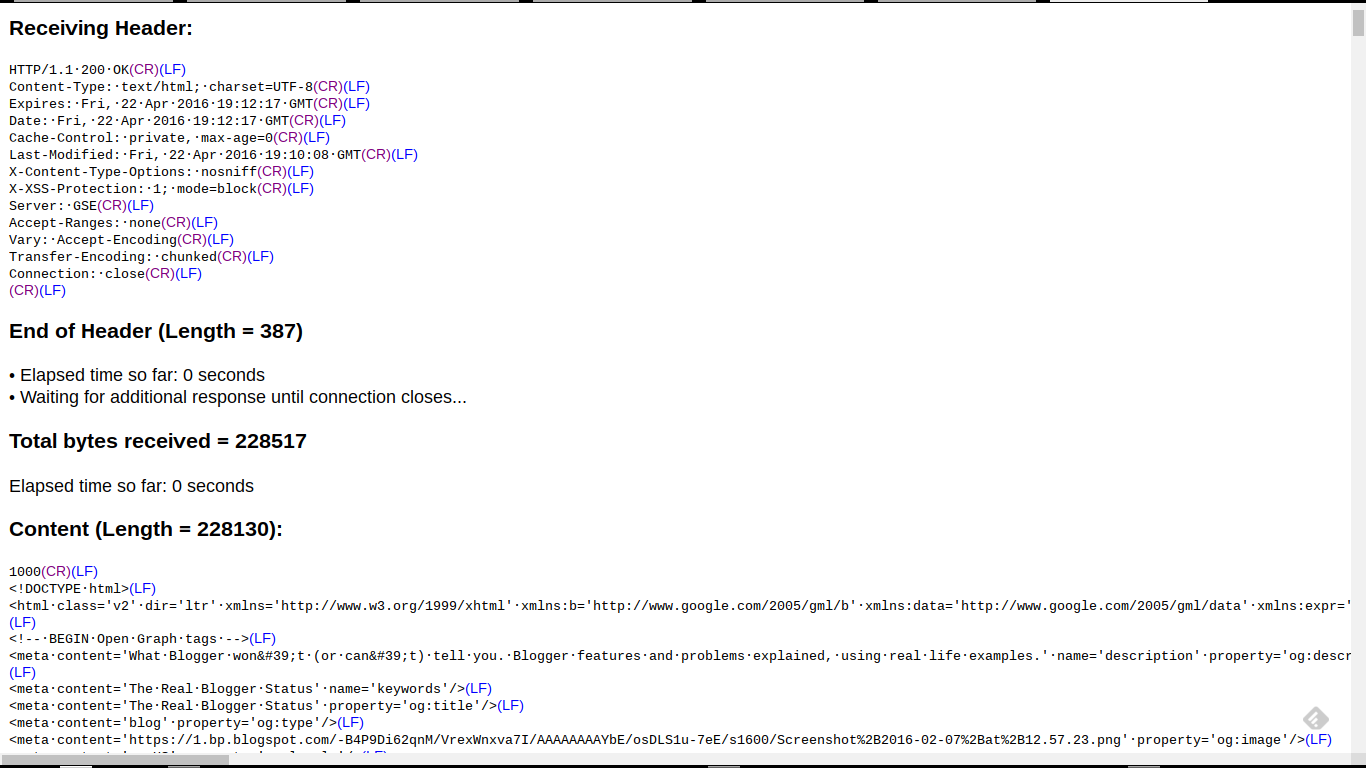
Receiving Header:

HTTP/1.1·500·Internal·Server·Error(CR)(LF)

This is an example of a notorious "500 Internal Server Error" - which right now is plaguing various blog owners who have corrupt templates. This is what we see with many blogs, when people report various bX codes, when using several Blogger dashboard pages.

  • Template.
  • Template - "Customize" (aka "Blogger Template Designer").
  • Template - "Edit HTML" (aka "Blogger Template Editor").

Here's a second live example.

http://www.rexswain.com/cgi-bin/httpview.cgi?url=http://blogging.nitecruzr.net/&uag=Mozilla/5.0+(X11%3B+CrOS+armv7l+7834.70.0)+AppleWebKit/537.36+(KHTML,+like+Gecko)+Chrome/49.0.2623.112+Safari/537.36&ref=http://www.rexswain.com/httpview.html&aen=&req=GET&ver=1.1&fmt=AUTO

Here, we have an HTTP trace from this blog, http://blogging.nitecruzr.net/.


And, my typical display - which you might see, as an "HTTP trace excerpt", in a custom domain connectivity diagnosis.

http://www.rexswain.com/cgi-bin/httpview.cgi?url=http://blogging.nitecruzr.net/&uag=Mozilla/5.0+(X11%3B+CrOS+armv7l+7834.70.0)+AppleWebKit/537.36+(KHTML,+like+Gecko)+Chrome/49.0.2623.112+Safari/537.36&ref=http://www.rexswain.com/httpview.html&aen=&req=GET&ver=1.1&fmt=AUTO

Sending request:

GET / HTTP/1.1
Host: blogging.nitecruzr.net
User-Agent: Mozilla/5.0 (X11; CrOS armv7l 7834.70.0) AppleWebKit/537.36 (KHTML, like Gecko) Chrome/49.0.2623.112 Safari/537.36
Referer: http://www.rexswain.com/httpview.html
Connection: close
• Finding host IP address...
• Host IP address = 74.125.25.121
• Finding TCP protocol...
• Binding to local socket...
• Connecting to host...
• Sending request...
• Waiting for response...
Receiving Header:

HTTP/1.1·200·OK(CR)(LF)

<meta·content='blogger'·name='generator'/>(LF)
<link·href='http://blogging.nitecruzr.net/favicon.ico'·rel='icon'·type='image/x-icon'/>(LF)
<link·href='http://blogging.nitecruzr.net/'·rel='canonical'/>(LF)
<link·rel="alternate"·type="application/atom+xml"·title="The·Real·Blogger·Status·-·Atom"·href="http://blogging.nitecruzr.net/feeds/posts/default"·/>(LF)
<link·rel="alternate"·type="application/rss+xml"·title="The·Real·Blogger·Status·-·RSS"·href="http://blogging.nitecruzr.net/feeds/posts/default?alt=rss"·/>(LF)
<link·rel="service.post"·type="application/atom+xml"·title="The·Real·Blogger·Status·-·Atom"·href="https://www.blogger.com/feeds/24069595/posts/default"·/>(LF)

The latter connectivity diagnosis might be a part of my 12 link affinity / differential connectivity test.

My trace excerpts include details which I, personally, decided are most useful for me. You may find additional - or less - details to be useful, for you.

Here, we see just two examples, of my HTTP traces. There are an infinity of possibilities.


An online HTTP trace is a useful diagnostic tool, when diagnosing and identifying many different #Blogger problems. Custom domain, malware, spam classification, and other connectivity issues may be diagnosed and documented.

Thursday, April 21, 2016

Blogger Provides A Mixed Content Detection Tool

In the process of publishing my earlier post "Blogger Magic - Add An HTML Gadget", I discovered the latest feature in the Blogger SSL upgrade.

Page / Post Editor now scans page / post content, and warns us when there are links still using "http" protocol. This will help us avoid publishing pages and posts which will generate "Mixed Content" warnings, when pages and posts are displayed using SSL.

The new post editor tool will help us avoid subjecting our readers to unexpected "Mixed Content" warnings.

We will be responsible for finding out what specific content can be accessed, using SSL. If we believe that a significant proportion of the identified page / post content can be accessed using SSL, we can have all content automatically changed from "http" to "https" - then deal with individual access problems.


The "Fix" link will change all "http:" links to "https:".


If you believe that all links, currently accessed using "http", can be accessed using "https", you can use the "Fix" link. Otherwise, use "Dismiss", then manually change individual links.

Alternately, use a browser based "string find" tool, as available, and identify each instance of "http:".

If you change an individual link, or use the "Fix" option - and you change to "HTTPS" for a blog, service, or website that does not support SSL - that blog, service, or website reference will break. So edit carefully! Only you can decide if broken gadgets / links are better than "Mixed Content" alerts.


The "Dismiss" link lets you evaluate each "http:" link, using the browser "find" wizard.


Then, make your own decision.


Using either "Dismiss" or "Fix", you are responsible for each link - if you want your readers to get results from each link that you provide.


Click on "Learn more", for more information, in Blogger Help: Fix mixed content on your blog.

Which ever you choose, your readers benefit should be your guiding force.


As part of providing SSL connectivity for our blogs, #Blogger now provides an "http:" detector, in post editor. The blog owner has the choice to change each "http:" link in the post automatically - or to manually evaluate change each link, and change when appropriate.

Navigate» Become author for this Blog