If you are trying to make your custom domain published blog work, see my guide Troubleshooting Your Custom Domain Problems.
If you want to know how to setup a custom domain properly, from the beginning - and avoid the need for Troubleshooting - read Setting Up DNS Addresses For Custom Domains. Avoid the most basic mistakes made - read The Simplicity Of A Custom Domain Setup.
If you just setup your custom domain - and want to minimise the effects of the URL change upon your search engine relationships - read Managing The Migration.
If you're just browsing, then read on - but get a good cup of coffee first. And welcome, to Nitecruzr Dot Net.
Showing posts with label Troubleshooting. Show all posts
Showing posts with label Troubleshooting. Show all posts
Tuesday, August 30, 2016
Friday, April 22, 2016
Blogger Magic - Using An HTTP Trace
An HTTP trace is a very useful tool, for diagnosing and documenting connectivity issues, and many other blog problems.
I use the Rex Swain HTTP Viewer, for this purpose. HTTP Viewer lets you package a given display, in the URL, so you can give simple instructions (accompanied by an unavoidably complicated link):
I use the Rex Swain HTTP Viewer, for diagnosing and documenting custom domain, malware, spam classification, and other connectivity issues.
Start by verifying URLs involved.
Whenever possible, make a screen print, and a text copy, of the Blogger dashboard Publishing wizard, at Settings - Basic.
Here's a live example, of HTTP Viewer use.
Start from http://www.rexswain.com/httpview.html.

Note, HTTP Viewer only works in HTTP mode. SSL is not supported. Fortunately, right now, the automatic "http:" to "https:" Blogger redirect, which is not optional, does not affect HTTP Viewer.

Add the URL of the blog, and click on "Submit".

This generates a lot of text. I'm not going to explain all of it, in this post.
Since Blogger blogs have no post limit, I'll have more posts, later, that will involve HTTP Viewer displays.

But here's the second page, of the above display.
And here is the typical excerpt, that I will make, and display.
This is an example of a notorious "500 Internal Server Error" - which right now is plaguing various blog owners who have corrupt templates. This is what we see with many blogs, when people report various bX codes, when using several Blogger dashboard pages.
Here's a second live example.
Here, we have an HTTP trace from this blog, http://blogging.nitecruzr.net/.


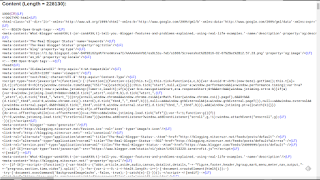
And, my typical display - which you might see, as an "HTTP trace excerpt", in a custom domain connectivity diagnosis.
The latter connectivity diagnosis might be a part of my 12 link affinity / differential connectivity test.
My trace excerpts include details which I, personally, decided are most useful for me. You may find additional - or less - details to be useful, for you.
Here, we see just two examples, of my HTTP traces. There are an infinity of possibilities.
An online HTTP trace is a useful diagnostic tool, when diagnosing and identifying many different #Blogger problems. Custom domain, malware, spam classification, and other connectivity issues may be diagnosed and documented.
I use the Rex Swain HTTP Viewer, for this purpose. HTTP Viewer lets you package a given display, in the URL, so you can give simple instructions (accompanied by an unavoidably complicated link):
Click on the link:And when the link is clicked, the necessary HTTP trace is displayed. There is no need to provide instructions how to actually enter the necessary values, on the HTTP Viewer home page, to generate the necessary display.http://www.rexswain.com/cgi-bin/httpview.cgi?url=http://klarfamilylife.blogspot.com&uag=Mozilla/5.0+(X11%3B+CrOS+armv7l+7834.70.0)+AppleWebKit/537.36+(KHTML,+like+Gecko)+Chrome/49.0.2623.112+Safari/537.36&ref=http://www.rexswain.com/httpview.html&aen=&req=GET&ver=1.1&fmt=AUTO
I use the Rex Swain HTTP Viewer, for diagnosing and documenting custom domain, malware, spam classification, and other connectivity issues.
Start by verifying URLs involved.
Whenever possible, make a screen print, and a text copy, of the Blogger dashboard Publishing wizard, at Settings - Basic.
Here's a live example, of HTTP Viewer use.
http://www.rexswain.com/cgi-bin/httpview.cgi?url=http://klarfamilylife.blogspot.com&uag=Mozilla/5.0+(X11%3B+CrOS+armv7l+7834.70.0)+AppleWebKit/537.36+(KHTML,+like+Gecko)+Chrome/49.0.2623.112+Safari/537.36&ref=http://www.rexswain.com/httpview.html&aen=&req=GET&ver=1.1&fmt=AUTO
Start from http://www.rexswain.com/httpview.html.

Note, HTTP Viewer only works in HTTP mode. SSL is not supported. Fortunately, right now, the automatic "http:" to "https:" Blogger redirect, which is not optional, does not affect HTTP Viewer.

Add the URL of the blog, and click on "Submit".

This generates a lot of text. I'm not going to explain all of it, in this post.
Since Blogger blogs have no post limit, I'll have more posts, later, that will involve HTTP Viewer displays.

But here's the second page, of the above display.
And here is the typical excerpt, that I will make, and display.
http://www.rexswain.com/cgi-bin/httpview.cgi?url=http://klarfamilylife.blogspot.com&uag=Mozilla/5.0+(X11%3B+CrOS+armv7l+7834.70.0)+AppleWebKit/537.36+(KHTML,+like+Gecko)+Chrome/49.0.2623.112+Safari/537.36&ref=http://www.rexswain.com/httpview.html&aen=&req=GET&ver=1.1&fmt=AUTO
Sending request:
GET / HTTP/1.1
Host: klarfamilylife.blogspot.com
User-Agent: Mozilla/5.0 (X11; CrOS armv7l 7834.70.0) AppleWebKit/537.36 (KHTML, like Gecko) Chrome/49.0.2623.112 Safari/537.36
Referer: http://www.rexswain.com/httpview.html
Connection: close
• Finding host IP address...
• Host IP address = 172.217.0.1
• Finding TCP protocol...
• Binding to local socket...
• Connecting to host...
• Sending request...
• Waiting for response...
Receiving Header:
HTTP/1.1·500·Internal·Server·Error(CR)(LF)
This is an example of a notorious "500 Internal Server Error" - which right now is plaguing various blog owners who have corrupt templates. This is what we see with many blogs, when people report various bX codes, when using several Blogger dashboard pages.
- Template.
- Template - "Customize" (aka "Blogger Template Designer").
- Template - "Edit HTML" (aka "Blogger Template Editor").
Here's a second live example.
http://www.rexswain.com/cgi-bin/httpview.cgi?url=http://blogging.nitecruzr.net/&uag=Mozilla/5.0+(X11%3B+CrOS+armv7l+7834.70.0)+AppleWebKit/537.36+(KHTML,+like+Gecko)+Chrome/49.0.2623.112+Safari/537.36&ref=http://www.rexswain.com/httpview.html&aen=&req=GET&ver=1.1&fmt=AUTO
Here, we have an HTTP trace from this blog, http://blogging.nitecruzr.net/.


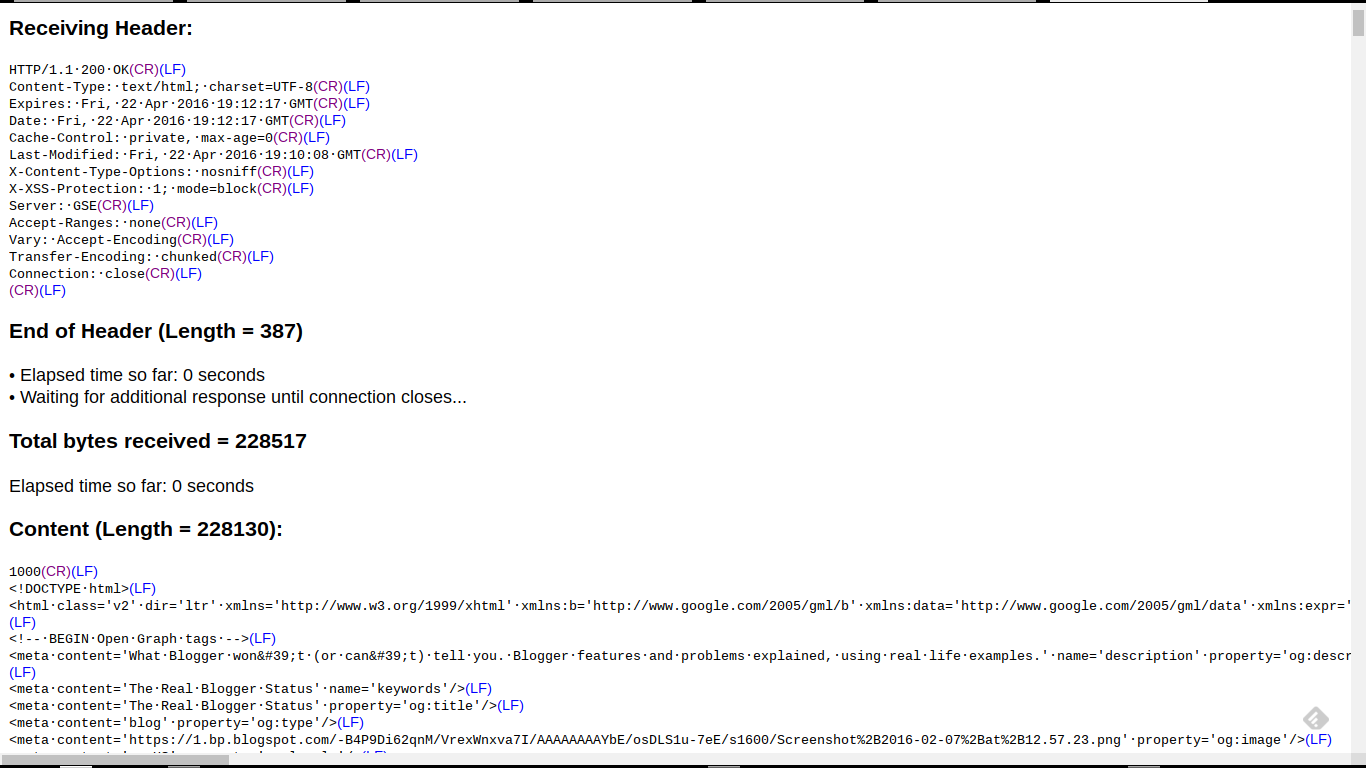

And, my typical display - which you might see, as an "HTTP trace excerpt", in a custom domain connectivity diagnosis.
http://www.rexswain.com/cgi-bin/httpview.cgi?url=http://blogging.nitecruzr.net/&uag=Mozilla/5.0+(X11%3B+CrOS+armv7l+7834.70.0)+AppleWebKit/537.36+(KHTML,+like+Gecko)+Chrome/49.0.2623.112+Safari/537.36&ref=http://www.rexswain.com/httpview.html&aen=&req=GET&ver=1.1&fmt=AUTO
Sending request:
GET / HTTP/1.1
Host: blogging.nitecruzr.net
User-Agent: Mozilla/5.0 (X11; CrOS armv7l 7834.70.0) AppleWebKit/537.36 (KHTML, like Gecko) Chrome/49.0.2623.112 Safari/537.36
Referer: http://www.rexswain.com/httpview.html
Connection: close
• Finding host IP address...
• Host IP address = 74.125.25.121
• Finding TCP protocol...
• Binding to local socket...
• Connecting to host...
• Sending request...
• Waiting for response...
Receiving Header:
HTTP/1.1·200·OK(CR)(LF)
<meta·content='blogger'·name='generator'/>(LF)
<link·href='http://blogging.nitecruzr.net/favicon.ico'·rel='icon'·type='image/x-icon'/>(LF)
<link·href='http://blogging.nitecruzr.net/'·rel='canonical'/>(LF)
<link·rel="alternate"·type="application/atom+xml"·title="The·Real·Blogger·Status·-·Atom"·href="http://blogging.nitecruzr.net/feeds/posts/default"·/>(LF)
<link·rel="alternate"·type="application/rss+xml"·title="The·Real·Blogger·Status·-·RSS"·href="http://blogging.nitecruzr.net/feeds/posts/default?alt=rss"·/>(LF)
<link·rel="service.post"·type="application/atom+xml"·title="The·Real·Blogger·Status·-·Atom"·href="https://www.blogger.com/feeds/24069595/posts/default"·/>(LF)
The latter connectivity diagnosis might be a part of my 12 link affinity / differential connectivity test.
My trace excerpts include details which I, personally, decided are most useful for me. You may find additional - or less - details to be useful, for you.
Here, we see just two examples, of my HTTP traces. There are an infinity of possibilities.
An online HTTP trace is a useful diagnostic tool, when diagnosing and identifying many different #Blogger problems. Custom domain, malware, spam classification, and other connectivity issues may be diagnosed and documented.
Subscribe to:
Posts (Atom)

