Ever since 2009, when Blogger introduced the Stats visitor activity counter, blog owners have been reporting inconsistencies between Stats and other visitor activity counters.
Recently, Google+ changed their +1 counter. Now, we wait for Blogger Engineering to update their +1 per post display counters, which use the +1 counts from Google+.
Blog owners continue to report various Stats inaccuracies - such as discrepancies between Stats pageview counts, and the various social sharing counters. They fail to observe the functional differences between the various activity counters - and similarly, between Stats counts and social sharing metrics, such as Google+ +1 counts.
Stats pageview counts and Google+ +1 counts compare no better, than Stats and various other visitor activity counters.
Social sharing contributes to your blog reputation, in a number of ways. Some social sharing relationships, compared with blog activity counters, may lead to confusion.
Social networking activity counts will resemble blog visitor activity counts - with the activity mentioning the blog.
There will be differences, between the two, however. The differences will contribute to perceived blog visitor activity count inaccuracy.
- You will have Followers - in asymmetrical and symmetrical relationships.
- You will have Followers - in direct, and indirect relationships.
- Not all Followers will read your blog posts.
- Some folks who do read your blog posts will be invisible, to you.
- The bottom line is reputation, for you and for your blog.
You will have Followers - in asymmetrical and symmetrical relationships.
Social sharing helps to connect people, through their interests.
You may read some posts in your Google+ stream, which will interest you. Some people will contribute many posts that interest you - and you will decide to Follow them. Those people may observe your activity, and decide to Follow you, in a symmetrical relationship.
You won't Follow everybody, symmetrically. Nobody can Follow everybody - or even everybody who Follows them.
Some people will share few interests with you, and have many interests that you don't have. You won't Follow those people.
Similarly, some people who you Follow won't Follow you, because you don't interest them.
You will have Followers - in direct, and indirect relationships.
If you use FaceBook or Google+ enough, you will see random posts in your stream - and decide to Follow some authors. Similarly, some of the people who see your posts, in their streams, will decide to Follow you.
You will +1 / Like / re share some posts from your Followers - and some of your Followers will do the same, with your posts, directly. Some folks who Follow your Followers - not you, directly - will +1 / Like / re share your posts, indirectly.
Not all Followers will read your blog posts.
If you spend time reading your activity notifications, you may observe that some Followers may +1, like, and / or re share, your various stream posts - including some stream posts which reference your blog posts. You may also observe that some activity takes place seconds, or minutes, after you share or re share a stream post.
Your ability to observe, and to react, will depend upon your relationship with each Follower - direct vs indirect, and asymmetrical vs symmetrical.
When a stream post is liked or re shared shortly after you share it, it's possible that your Follower did not spend a lot of time reading the content of the post. If your share included a reference to your blog post, it's likely that they did not read your blog post - even though they contributed a +1 / like / re share of your stream post.
Even though your direct Followers may not all read your blog posts, their Followers (your indirect followers) may do so. These followers will contribute to your reputation, indirectly, with a +1 / like / re share of your stream post.
Some blog owners, not aware of, or interested by, these details, may believe the +1 counters to be 100% accurate - and this contributes to perceived Stats pageview counts inaccuracy - with Stats counts seen as "lower than reality".
Some who do read your blog posts will be invisible, to you.
Nobody who uses Google+ will Follow - or be Followed by - everybody.
Most Google+ publishers will have direct Followers, who they know - and indirect followers who they don't know. Google+ will protect indirect followers identities, by not displaying their activity to people who don't know them (you, for instance).
Since Google+ protects everybody's activity and identity, from people who they don't know, Likes and +1s against your posts will include people who you don't know. People who Follow your Followers will contribute likes and +1s against your posts, indirectly - even though you will not see their activity in your stream, directly.
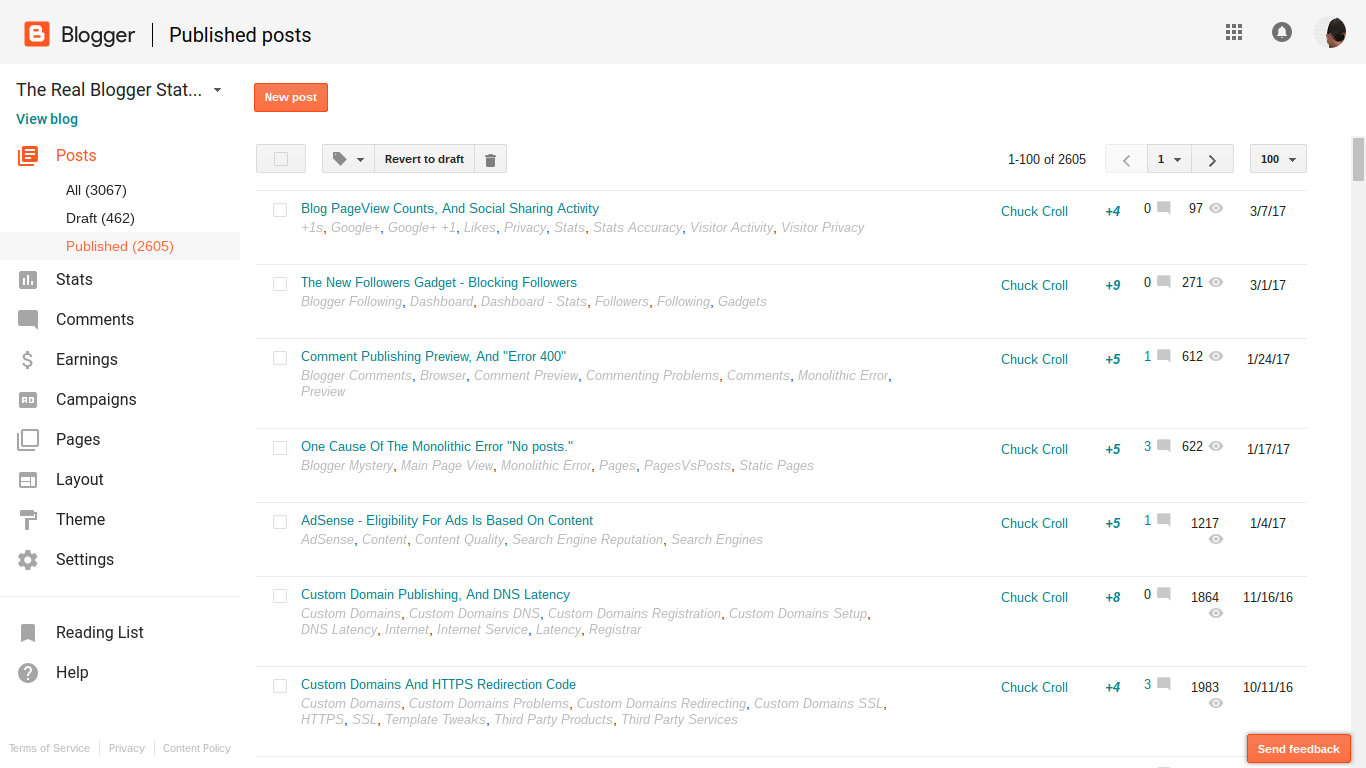
In the 8 hours since I published this post, I've seen one Google+ notification about a "+1", from a Follower. Yet Blogger shows a "+4".
The first "+1" came when I shared this post, to my Google+ stream. Where did the other 2 "+1"s come from?
These people will contribute to your reputation, even though they may be invisible to you. This is one of the reasons why the +1 counters are thought to be inaccurate.
Some of these invisible people, encouraged by your Followers, will read your blog posts - and contribute to your Stats activity counts. Some may decide to Follow you directly - and / or to subscribe to your blog, even though you don't see them, in your stream.
This, too, contributes to perceived Stats pageview counts inaccuracy - with Stats counts seen as "higher than reality".
The bottom line is reputation, for you and for your blog.
Higher or lower than "reality", it's all good - even when you don't always see the details, in FaceBook or Google+.
People who use social sharing, such as FaceBook and Google+, with their #Blogger blogs, will find discrepancies between social sharing activity counters, and blog visitor activity counters. These discrepancies will be as intriguing as the differences between the many activity counters.
One of the least understood Blogger features is the Stats visitor counters, and the various displays.
We see the confusion, in Blogger Help Forum: Get Help with an Issue, periodically.
The "weekly" Stats numbers don't add up, properly!
or
Why is "Popular Posts" so out of touch, with reality?
Magic is fun to watch, when it's just for amusement. When your numbers seem to have magical quality - changing from day to day, or display to display - it becomes annoying.
With its many lines and pages, the various Stats displays look like they could be part of one big balance sheet - but they are not.
With a balance sheet, you'll have detail lines in one page, that can be added up and reconciled against totals, in another page. This makes some balance sheet components redundant.
With Stats, nothing is redundant. Whether provided in a dashboard page, for you to examine - or in a gadget, to encourage your readers - all numbers are significant, exactly as displayed.
What you see for each day cannot be added up and balanced against a week - nor can a collection of weeks add up to a month. Nor can detail lines in "Pages" add up to totals, in "Audience".
- Components and features are provided for different purposes.
- Different dashboard pages reflect different details.
- Time periods do not begin and end equally.
- You may, or may not, be able to ignore your own pageviews, consistently.
- Social sharing activity will cause confusion.
Components and features are provided for different purposes.
The "Popular Posts" gadget displays popular posts, for the convenience of the blog readers - and there is no "Popular Pages" gadget, for people who choose to build a blog, based on static pages. The dashboard Stats pages are displays for informing the blog owner.
The (3) time range selections in "Popular Posts" also differ from the (5) selections in the dashboard Stats pages - further preventing comparison between Popular Posts and dashboard displays.
Different dashboard pages reflect different details.
The "Posts" dashboard page lists (only) the 10 most popular posts ("dynamic" pages), and the 10 most popular pages ("static" pages). "Pageviews today", and "Pageviews yesterday" reflect all blog activity - all index pages, all "pages", and all "posts" together.
Time periods do not begin and end equally.
"Pageviews today", and "Pageviews yesterday" counts are reset based on the global day - not on any local clock. Your "today" will never be the same, all days of the year - if ever. 23 / 24 of the world will never see their "today" equal to "Pageviews today", and "Pageviews yesterday".
And everybody knows that weeks, months, and years never begin and end in synch. You cannot add up weeks into months - nor months into years.
"Pageviews today", and "Pageviews yesterday" are the best known objects of confusion - but by no means the only - in the Stats data complement.
You may, or may not, be able to ignore your own pageviews, consistently.
Even given the recent improvement to the "Don't track" option, not all blog owners will be able to ignore their own pageviews. Every blog owner has their own required complement of performance and security products, which may interfere with the Stats "Don't track" code.
Social sharing activity will cause confusion.
Blog owners who use social sharing services for community building - and who follow activity in their stream - will observe various inconsistencies. Both inflated counts, and deflated counts, will be perceived, when reconciling stream activity and blog visitor counts.
The bottom line.
Everybody needs to accept reality - that Stats will simply perform differently, for every different blog, and for every different owner of every team blog. Enjoy and use Stats for what it is.
Many #Blogger blog owners become concerned, when they add up detail Stats numbers on one display, and find the numbers do not agree with the totals from another display. They do not notice that the numbers have different origins, and purposes - and simply cannot add into any different display, with any degree of accuracy.
I've always been an advocate of redundancy, with essential components and features.
One essential feature of a website is the ability to remain aware of where your readers come from, and what they are reading, on your blog. Besides Blogger Stats, I've advocated both SiteMeter and StatCounter, in a complementary role to each other.
A while ago, SiteMeter decided to add video advertisements to their blog / website agent, that tracks the clicks.
Spending a few moments Googling the issue, I learned
- Many people have complained, to SiteMeter Support.
- The complaints are being ignored.
I took the only responsible action, and removed the SiteMeter agent from my blog.
You may wish to do the same, on your blog or website, if your readers do not have ultra fast computers and fat Internet connections. I guess the old saying
There ain't no such thing as a free lunch
has now, once again, been proven true.
Unwanted videos (invisible, in many cases) are even worse than unwanted music. Both produce noise, when you expect it least - and videos inhale bandwidth.
And recently, SiteMeter has been implicated in other, even more annoying oddities.
My apologies to those of you who have tried to read this blog, and found themselves with bandwidth and memory resource issues.
Occasionally, we see a report in Blogger Help Forum: Get Help with an Issue, that reflects on the reader audience - not necessarily only the blog content.Why is my blog behind a Content Warning?Some readers of this blog have contacted Google because they believe this blog's content is objectionable.
Occasionally, a quick eyeballing of the blog in question may turn up some dodgy content, which may be suggested, in the forum, as problematic.
This story may not end immediately.But, I've had that picture gallery, for years! Why did I just get the Content Warning?
Here, the blog owner is not considering changing standards - or the possibility that the blog, becoming more popular, may be adding readers who don't appreciate a photo gallery started years ago.
As your blog matures - and when you are successful at encouraging reader and search engine reputation - your reader audience should be increasing.
If your reader population expands, some readers may be less tolerant.
If you are now advertising your blog to a more selective audience, some folks in that audience may object to some blog content, enjoyed or ignored by your earlier audience.
If you spend time perusing your visitor logs - and if you have a more robust visitor log than Stats, you may find some interesting clues. StatCounter (not SiteMeter) shows, among other details, the "Exit Click" for each visitor. If you see any one post abnormally represented, among the "Exit Click" inventory, you may be looking at content that's possibly not appreciated by some portion of the reader community.
Here, I'll note that you won't necessarily see any statistics for a post that is posted entirely on the main page. If your main page is a significant portion of the blog, you may wish to add Jump Break to your posts, to encourage your readers to click to the individual post pages, and read each individual post.
Be aware of your reader population - and consider their needs.
Whatever your strategy for advertising your blog, be aware of changing visitor interest. Don't "spice up" your blog with "eye candy", and expect to remain free of a Content Warning, forever.
Encourage your readers, with informative, interesting, and unique content. Don't abuse them with eye candy, then demand removal of the Content Warning, without compromise.
One of the oddest displays of naivete we see, from some blog owners, asking in Blogger Help Forum: How Do I?, would beHow do I let anybody post to my blog?
These owners have no idea how popular they would be, with spammers, were this to happen.
If you have a blog, and you want to let up to 99 of your closest friends publish their thoughts to your blog, you can setup a team blog, and have fun. Beyond that limit, you cannot - nor should you - go.
Occasionally, in Blogger Help Forum: How Do I? we see the anguishWhere did the spam, on my blog, come from?
These queries come from people whose blogs have been successfully attacked, by hackers or spammers, and who now see content which they do not appreciate, being posted in their blog.
Leaving blog open to public authorship will make your blog spammer friendly.
If you were to voluntarily let anybody post in your blog, without requiring that anybody hack to gain control surreptitiously, your blog will become very popular with spammers.
After spammers saturate your blog content, your genuine friends will find elsewhere to post - and your remaining friends will be spammers. And your new friends (spammers) will tell their friends (more spammers), about a blog which accepts ads (posts) from everybody.
Your blog will be late classified as a spam host.
Shortly after this happens, your blog will be - righteously - classified as a spam host, and taken offline. And if you cannot show any non spam content, it will likely stay offline.We're sorry, but your blog cannot be restored. It was recently confirmed as spam. Blogger suggests that you read the TOS.
You are responsible for content distributed by your "guest authors".
Another thing to consider, as the owner of a "host" blog, where "guests" post contributed material, is that you will be responsible for the content posted by your guests - whether you let the world post - or designated members.- If you allow guest posts in your blog, you, as the blog owner, are responsible for the content of those posts.
- If your "guest" posts the same material elsewhere (as in his own blog, or a third person's blog), and search engines index both blogs, both blogs may receive "duplicated content" penalties.
- Nobody benefits, from duplicated content.
Unfortunately, you have to develop your blog content, yourself. Don't expect the public to provide your content for you - and plan to keep your blog online for long.
As a Google customer, we have access to a very useful set of tools, which help us develop and maintain a healthy relationship between our blogs and the Google search engine spiders.
Google Webmaster Tools (now Search Console) provides us with tools to measure our visibility, and it provides us with helpful hints on how to improve our visibility.
You can use Google Webmaster Tools for any active URL that you administer.
If your blog is published to BlogSpot, you use the "xxxxxxx.blogspot.com" URL; if the blog is published to a custom domain, you use the primary URL for the domain.
Using Google Webmaster Tools for any web site requires that you are the administrator of the web site.
Google doesn't want anybody who's not the administrator, of any web site, accessing search engine diagnostics for that web site.
The meta tag provided in the verification process is a token, and it must match the URL that you are verifying. If you change the active URL for the blog (rename it within "blogspot.com", or publish it to a custom domain), you will need a new Google Webmaster Tools entry, with a new verification tag.
The meta tag is as important a data element as the clickable link that you get in your email, when you're offered membership in a blog - or when you verify an email address, for an account. You click on the link, which opens the token, and applies it to your account.
With a Blogger blog in Google Webmaster Tools, you install the token into the blog template, to verify ownership of the domain (blog). Only a blog administrator has the authority to update the template. If you don't install the token into the template, you can't prove that you own the blog, and you can't use Google Webmaster Tools for your blog.
Elsewhere in Google Webmaster Tools, you'll find the Web crawl logs. Some information in the web crawl logs can be very useful to you, while other is informational only. It's to your advantage to separate the two categories. The "Preferred domain" setting in "Site Configuration" is a very small setting, that can have a big impact. And most of us setup our blogs on GWT so we can add a sitemap to the blog.
>> Top