Showing posts with label Google Account. Show all posts

Monday, April 25, 2016

Confusion About Blogger / Google Support Policies

We're seeing confusion, in Blogger Help Forum: Get Help with an Issue, about unfairly limited Blogger / Google support policies.
Why can I not Follow my favourite blog, without using a Google account?
and
Why must I upgrade my computer, to be able to use Chrome?
Some blog owners and readers take the support policy limits personally, as if Blogger / Google is punishing them - or their readers - for not using the right account to login, or not upgrading their software.

Every different account host - and every different browser or operating system - requires more unique code, that must be provided by Blogger / Google, in their libraries.

Blogger / Google are trying to make their products efficient and stable.

Blogger / Google is trying to make their applications and browser more stable. More stable products yield happier users, and more users.

Complex code libraries, caused by the need to support every different non Google account (previously supported by Blogger), and every different operating system of every age, cause Chrome and Followers to be slow and unstable. Slow and unstable applications and browsers yield unhappy users, and less users.

More complex code libraries require Blogger / Google to spend more time updating their code, for every change made outside Google.

Which choice makes more sense?

  1. Less complex applications and browsers, less time spent maintaining less complex code libraries, more customers, more satisfied customers.
  2. More complex applications and browsers, more time spent maintaining more complex code libraries, less customers, less satisfied customers.

My money says Door #1 makes the most sense, from a business viewpoint.

Efficient and stable applications require effort by users, as well as coders.

Blogger / Google simply can't support every different non Google account in their applications, and every different browser and operating system, and maintain a business. People who want to use Blogger and Google have to make some effort, and help Blogger and Google to help them.


Blogger cannot support non Google accounts, and provide an efficient and stable Followers gadget.


If you try to update Chrome - and you see advice

Sorry, you can't update Chrome, using this operating system.

or if you (or your readers) try to Follow your blog, and see

We're sorry, the site owner has blocked you from joining this site.

Neither refusal is Blogger / Google being petty, and forcing you (or your readers) from having unlimited choice, capriciously. This simply represents Blogger / Google making a tough choice, and trying to provide efficient and stable products, for their customers who are willing to make some effort.


Some blog owners do not understand the need for #Blogger and #Google to support use of a limited range of non Blogger / Google products, in their various features. Support policy for products like the new Followers gadget, which now supports only Google accounts for Following - and Chrome, which supports only newer versions of Windows operating system - are not understood.
Thursday, December 4, 2014

Setup A Blog For A Google+ Page

The popularity of Google+ continues to grow. Some blog owners would like to have a Blogger blog publish to a Google+ Page, instead of their personal Google+ stream.

This is not difficult. You first make a new Google account, to own the Google+ Page.

Everything that follows is normal Blogger blog management. Don't overlook the details of blog management, though.

The process of making a Google+ Page a blog owner is not so complicated - but it has to be done, carefully.

  1. Add a password, to the Page.
  2. Setup a GMail email address, for the Page.
  3. Make the new Google account a blog owner.
  4. Add blog and page relationships.
  5. Add blog content, using the new(?) Google account.

Add a password, to the Page.

See Google My Business Help: Set up a password for your Google+ page, for this step.

Note: In some cases, you may have been previously instructed to setup a Google account to manage the Page. If you already have a business Profile setup, skip straight to Step #3, and make the existing Google business account a blog owner.

Setup a GMail email address, for the Page.

Setup a new GMail email address, while logged in to your new account - if this has not already been done.

Make the new Google account a blog owner.

Once you have a new Google account with a unique email address, transfer control of the blog, to a Blogger account based on the new Google account. And make sure that your new Blogger account uses a Google+ profile.

If you want, put the blog under team ownership - though as always, know the risks of team ownership.

Add relationships between the blog, the Google account, and the Google+ page.

Add appropriate links, from the blog to the page, and back. And add the appropriate accessories to the blog - the Google+ badge, or maybe the +1 Button, are good, to start.

Then, add automatic sharing of posts - and maybe Google+ hosted comments. If you add the latter, be aware of one known peculiarity of Blogger and Google+.

Add blog content - while using the new Google account.

Finally, login to Blogger, using the new Google account. Then, start publishing content - and add value to your blog.

Anything you post to the blog, using your current Blogger account, will still be shared to Google+ under your personal profile. You need to be actually using the new account, to share to the Google+ page.

Be aware of possible complications, depending upon how you publish and share.

Sharing to a Google+ page is most reliable when you use the "Share" menu link, in the dashboard Posts page. Automatic sharing, and scheduled posting, may or may not produce the same results.

Sunday, November 16, 2014

Confusion About GMail Vs Non GMail Based Email

Long ago, when diagnosing a problem thought to involve email, in Blogger Help Forum: Get Help with an Issue, we would ask a very simple question
Is your Blogger account based on a GMail - or non GMail - email address?
And we would carefully add
Please, do not state your email address, here!
The latter request was to prevent theft of peoples Blogger accounts.

Now, in many cases, we must qualify the question of email address. We also ask.
Is your email provided by your employer, ISP, or school network?
and even
Do you read your email in a browser window, or a local email client?

Modern email distribution is not always homogeneous.

Both questions reflect the complex nature of email delivery, that is a part of Internet reality.

Few people can accurately diagnose their problems, based only on the simple question
Is your Blogger account based on a GMail - or non GMail - email address?
The lines between GMail, and non GMail email accounts - and addresses - are not absolute, any more.

Both GMail and non GMail addresses may be used in a local network.

GMail, and non GMail addresses, alike, may use GMail browser based email, in delivery and display. And GMail accounts may use non GMail email systems, for addressing, delivery, and / or display.

These variations can lead to interesting scenarios such as mysterious loss of blog membership invitations, and of email subscriptions. And options for Blogger account recovery become more complicated - with password synchronisation issues, between the email account and the Blogger account.

Thanks to Google Apps based domains, and the ability to provide non GMail addresses which use GMail, anybody can use a non GMail address with GMail based delivery and display. Some people have even setup Blogger accounts, based on Google Apps based email addresses (again, appearing to be non GMail based) - though this is not recommended.

Managed domains may use GMail delivery, and a non GMail email address.

Corporate email systems, ISP provided email, and schools (of all grades, elementary through university) may use Google Apps based email. Many large local network based email systems have been "upgraded" to use cloud based email, such as GMail, for delivery and display. The results are not always beneficial.

And, thanks to "push / pull" GMail options, where an individual GMail account can be configured by a knowlegeable account owner, even individual account owners can use a GMail address, with non GMail delivery and display - or can use GMail display, for non GMail based address / delivery.

With computer owners who do not care or know about what email system they use, with where the individual messages may be filed, and with security filters that update without notice, loss of email messages is common.

Bounced email does not get dropped into the "Bulk" / "Spam" folder.

Note that "bounced" email may not be treated as spam. Some "bounced" email never gets as far as a spam filter - it may simply be rejected. You will look, in vain, in the "Bulk", "Inbox", and "Spam" folders.

This will interfere with account recovery - if you can't find the password reset email, how do you recover control of the account?

The simple question
Is your Blogger account based on a GMail - or non GMail - email address?
just is not accurate, when diagnosing all Blogger problems.

Friday, October 17, 2014

Logging In To Following, Using The Google "One account" Login

Long ago, Blogger Following (aka Google Friend Connect) was part of a non Google community of social networks.

If you wanted to Follow a blog, you had to login to the Followers gadget, but separately from your login session with Blogger. This let you login to Blogger to maintain your blog, and to Follow other blogs, using any desired Blogger or Google account that you wished.

You do not have to Follow other peoples blogs, using the same Blogger or Google account that you use to maintain your blog - nor do you have to logout from your Blogger account that you are using to publish to your blog, so you can Follow somebody else's blog. This lets you separate blog ownership identity from blog Following and surfing activity.

As part of the separate login policy, Following let you login using any Blogger / Google account - or using any one of several non Google accounts, of an interesting variety.

Long ago, your selections, for logging in to Following, included an intriguing complement of hosts, for your Followers account.
  • Google
  • Twitter
  • Yahoo
  • AIM
  • Netlog
  • OpenID

Adding to the intrigue, you could choose from an interesting, and oddly differing, complement of hosts, for your Followers profile.
  • Following (Default)
  • Blogger
  • Google
  • Orkut
  • Netlog
  • Plaxo
  • Twitter

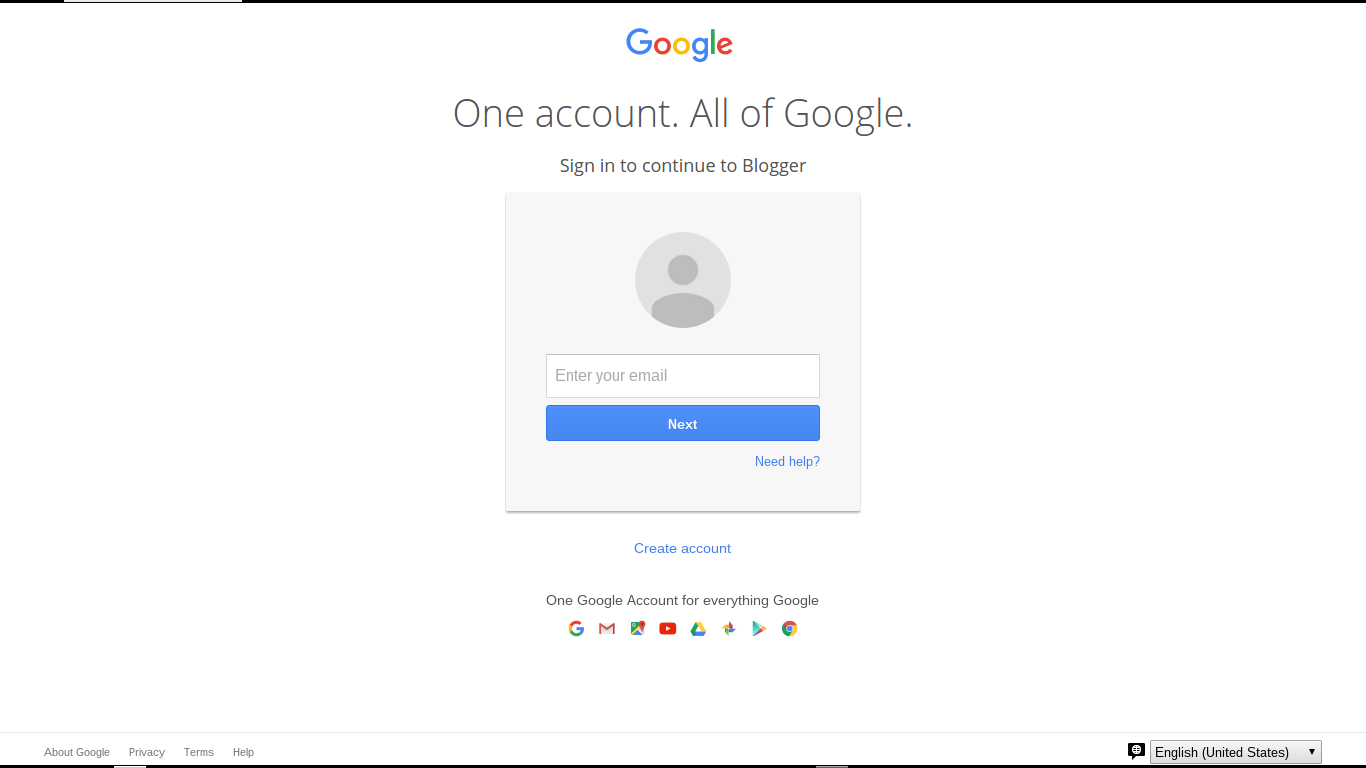
With the coming of the Google "One account" login to Blogger, all of that is simplified. Now, to login to Following, as for Blogger, you get the normal Google "One account" login display.

The login display is carefully labeled, so you know that you are logging in to Following.
Sign in to continue to Google Friend Connect
Other than that label, what you see is the well known "One account" login display.

As with any Blogger / Google login, you can login to a GMail address based Blogger / Google account - or to a non GMail email address based Blogger / Google account. And, if you don't yet have a Blogger or Google account, there is the also familiar link to
Create an account
Clicking on "Create an account", you are given the standard Google "Create your Google Account" wizard.

As with any account creation scenario, I will once, again, remind you that creating a Blogger / Google account creates a responsibility. It is in your best interest to remember and secure the account name and password, and to religiously maintain all backup devices and features, such as backup email account, phone number, and secret question.

As with any Blogger / Google feature, use of the Google "One account" login is subject to your use of a computer with properly configured filters. You need proper filter settings, to permit popup windows, scripts (JavaScript), and third party cookies.

The Google "One account" display, when used for Following, may be subject to the same confusion, as with the Blogger login. Don't use the login account menu, without being aware of possible confusion.

The login process appears to run under "accounts.google.com", presenting cross site relationships with "blogger.com", "blogspot.com", and whatever country code domain, and / or custom domain might affect you, as you view your blog and other blogs.

Interestingly enough, once you are logged in to Following, and you prepare to Follow another blog, you still may get the choice of account hosts.
  • Following (Default)
  • Blogger
  • Google
  • Orkut
  • Netlog
  • Plaxo
  • Twitter
The Google "One account" login only replaces the authentication portion of Following. Just click on the "More options" link, instead of the initial "Follow this blog" button, for an intriguing complement of Following options.

>> Top

Sunday, October 12, 2014

Don't Copy Content, Inappropriately

Not all blog owners understand the necessity of having unique content, as the basis for a healthy blog.

We see questions periodically, in Blogger Help Forum: Get Help with an Issue, about inappropriate use of content from other blogs and websites.
Why was my Blogger account deleted? I never argue when given copyright notices!
or
Why don't I have any readers? I have great content - the other blogs, where I get the content, get lots of traffic.

Google describes the overall issue, about copying content from blog to blog, quite plainly, in Blogger Help: Spam, phishing, or malware on Blogger.
Spam blogs cause various problems, beyond simply wasting a few seconds of your time when you happen to come across one. They can clog up search engines, making it difficult to find real content on the subjects that interest you. They may scrape content from other sites on the web, using other people's writing to make it look as though they have useful information of their own. And if an automated system is creating spam posts at an extremely high rate, it can impact the speed and quality of the service for other, legitimate users.

Spam classification is one of several penalties, which involve copied content. I've seen various content penalties, that are reported, from time to time, in the forums.

Some penalties involve copyrighted material - but non copyrighted material, improperly used, can cause problems. And unrighteous charges will inconvenience you, and cause other problems.
  • Content Warning
  • DMCA Violations
  • Spam Classification
  • Search Engine Reputation

Content Warning
If you copy controversial content, that does not belong in your blog, some of your readers will object. Originally used to block "adult" content from being viewed by younger readers, the "content warning" / "objectionable content" classification is broader in scope than it appears to be. This accusation is sometimes used by readers, who may object in quantity, to any irrelevant subject in any blog.

A Content Warning interstitial will damage your search engine result listings. You'll have to request a review of the blog, to get the warning removed. The people who review content warnings may not do so with high priority.

DMCA Violations
If you improperly copy copyrighted material, and the lawful owners complain, you can be cited for DMCA Violations. You will end up with posts - and later the blog - deleted or locked.

You'll have to search the ChillingEffects database, for details, and appeal the citation. If you don't appeal a citation, and if you continue to make the same mistakes, you can be classified as a "non repentant" abuser - and your Blogger / Google account will be deleted or locked.

Spam Classification
If you unwisely copy material, or supply material to be copied, your blog can be classified as a spam host, with the offense described as "scraping / syndication". This will require a spam review. Until the review is concluded, and the verdict is satisfactory, your blog will remain offline.

If you publish multiple blogs concurrently, with the same content, you can be classified as a spammer. If you publish multiple blogs sequentially, with the same content, you can be classified as a "non repentant" spammer - and your Blogger / Google account will be deleted or locked.

If your blog consists mainly of copied material - even if properly attributed, you will need your own material also. A blog with only copied content is still subject to classification. I strongly recommend no more than 10% copied content, to 90% original content - if you want any decent reputation.

Search Engine Reputation
If you copy or share content - whether cited for content, DMCA, or spam - your blog's search engine reputation will suffer. Multiple blogs and websites, with the same content, will result in higher reputation blogs and websites getting better placement in a SERP. Your blog will end up at the bottom of any relevant SERP listing - and your traffic level will drop.

Using Dynamic Content
If you copy a script from a third party website, that references dynamic content owned by that website, you are responsible for ensuring that the script works - or deal with the consequences. If you host videos served from the website in question, on your blog, this is similar to hot linking. If the video in question is removed by the website owner, and stops playing from your website, you must contact the owner of the website.

The Bottom Line
The bottom line here is that blog content needs to be informative, interesting, relevant, properly targeted, and unique. If you push the limits, you will regret your decision, eventually.

Your blog will need a good search reputation, to get readers. Start with good content, based upon what you know, and are willing to share.

Sunday, June 22, 2014

Confusion About EMail Addresses Based On Google Apps Provided Email Domains

Since 2009, I've been explaining the intricate relationships between Blogger accounts, email addresses, and Google accounts.

One of the challenges of logging in to Blogger or Google involves account names and passwords, that may be shared with an email account that is the basis for the Blogger / Google account name.

Non GMail based Blogger / Google accounts initially share an account name / email address with the source non GMail email account. If you change a non GMail email address, the Blogger account name will not change. If you delete a non GMail account, the Blogger account is not deleted. Finally, even with shared account names, the passwords between the email account, and the Blogger / Google account, are not automatically shared.

With a GMail / Google based Blogger account, on the other hand, both the account name and password will be shared - since it's the same account. If you delete a GMail / Google Blogger account, the Blogger account - and all owned blogs - are also deleted.

Besides the account name / password confusion, use of the Google login wizard is complicated by use of Google Apps based email accounts.

Use of the new Google login wizard is a challenge because of the blind login process - and the lack of detailed diagnostics, when an incorrect account name or password is entered. The lack of detailed diagnostics helps prevent hacking of our Google accounts, when our email address and various personal details become known to the public. Any mistakes result in one monolithic error.
The email or password you entered is incorrect.

Google Apps based email accounts are a frequent concern, when frustrated custom domain owners need to access their Google Apps accounts, to either update domain registration payment details, or to access the registrars domain management dashboard.

Google Apps access, which uses the Google multi-account login wizard, is complicated by domain owners who do not realise (or remember) the non GMail based Google Apps account name - or the password.

Before Google Apps based email domains became an issue, it was possible to easily identify non GMail based Blogger / Google accounts, as opposed to GMail based accounts, based on one significant detail - the absence of "gmail.com" / "googlemail.com" in the account name.

Observing that a given Blogger account name did not include "gmail.com" / "googlemail.com", we could advise a Blogger account owner of the issues involving account name / password sharing, between the source email account, and the Blogger / Google account.

Thanks to the existence of Google Apps based email domains, it is now possible to have GMail / Google accounts which lack the "gmail.com" / "googlemail.com" in the account name - and we see the confusion.
  • Some blog owners may delete an unused "non GMail" Google account, not realising that they are deleting the necessary Blogger / Google account that owns a given blog.
  • Other blog owners may be unable to use the Google login wizard effectively, since they don't understand that a non "GMail.com" account may be a Google account.
  • And, in truly unfortunate scenarios, we have blog owners who lose control of their blogs when their employer, Internet Service Provider, or school converts their domain to use Google apps management

Just as it's impossible to canonically identify "legacy" accounts, it's a challenge to adequately describe the issues specific to Google Apps based non "GMail.com" Blogger / Google accounts. Control and synchronisation issues, relevant to both the account names and passwords, will always cause confusion, to Blogger blog owners.

Articles about regaining account control - and proper use of the new Google One Login wizard - will be referenced frequently, in Blogger Help Forum: Something Is Broken.

>> Top

Tuesday, April 10, 2012

Bloggers Trying To Login, Seeing "The page isn't redirecting properly", Revisited

For some time recently, we've been seeing numerous reports from people in Blogger Help Forum: Something Is Broken, unable to successfully login to Blogger.
I cannot log into Blogger - I keep getting this error
The page isn't redirecting properly.

Firefox has detected that the server is redirecting the request for this address in a way that will never complete.
In a few cases, we identified the underlying cause of the problem as disabling or refusing to accept cookies, or similar overly aggressive layered security procedures and settings. Feedback from some forum members, who were able to provide details, suggests another cause. The problem may be simpler - or more complex - to resolve.

Some of the forum members, who reported this problem, also reported a problem with their Google+ accounts. Blogger blog owners, attempting to login to a Blogger account which uses a Google+ profile, generate a redirect to the Google+ servers. If the associated Google+ account has a problem, you have another cause of the redirection problem.

The solution here is simple - remove the Google+ association. Unfortunately, this can be done only when logged in to the Blogger / Google account.
  1. Fix the problem with the Google+ account. It may be possible, alternately, to revert from a Google+ profile, to a Google profile.
  2. Login to Blogger, and to Google.
  3. Transfer ownership of the blog(s), using the Permissions wizard and using two separate browsers or computers.
  4. Remember that you are now responsible for maintaining two Google accounts.
  5. Done.
But wait - why not simplify - just a bit?
  1. Fix the problem with the Google+ account.
  2. Change your Blogger account back to using a Classic Blogger profile.
Or, even simpler.
  1. Fix the problem with the Google+ account.

If you can fix the Google+ account problem, don't worry about the Blogger problem. Get back to work, on your blog. And don't do anything to break your Google+ account.

>> Top

Monday, March 12, 2012

Recovering Your Account Information - Improved

Blogger has long promised us that our blogs will be ours, forever, and that we are free to publish our blogs in privacy, if we so desire. Based on those promises, not all Blogger blog owners have made the right decisions, in retaining access to their Blogger / Google accounts.

Many problem reports. from frustrated owners, are seen, daily, in Blogger Help Forum: Something Is Broken.
My email address changed some time ago, and now, I can't login to Blogger and update my blog!
Last year, Blogger made several changes to their account recovery policies and procedures, which made this subject, for many blog owners, a critical and painful issue. Now, Google is making an organised effort to reduce the pain, by improving their account recovery tool.

There are two tools which you may wish to try, when you cannot login directly, to your Blogger account.
Google re designed account recovery, in 2012.

Recognising the frustration caused by some recent changes to the Blogger / Google login, and to various account recovery procedures, Google recently improved the design of their account recovery tool. Formerly labeled
  • Account Recovery: Forgot your password?
We now have
  • Google: Having trouble signing in?

The newly designed wizard covers both Google account un deletion, and account recovery, transparently. It won't provide recovery of all Google services lost when the account was deleted, however.

The wizard has three initial selections.
I forgot my password

Immediately when selecting "I forgot my password", you'll be asked to provide the username of your Google account, labeled "Email address". As noted, this may be either a GMail address - or any non GMail email address.

To reset your password, enter the username you use to sign in to Google. This can be your Gmail address, or it may be another email address you associated with your account.

Having hit "Continue", expect to see a CAPTCHA. Successfully solving the CAPTCHA, you'll be presented with three options. Each of these options requires proper advance registration, by the blog owner.


Choose how to get back into your account.
  • Get a verification code on my phone.
  • Answer my security question
  • Get a password reset link at my recovery email


I forgot my username

Immediately when selecting "I forgot my username", you'll need to provide the account recovery email.

Please enter the recovery email address you provided when creating your account.

Having entered the right email address, you'll next (surprise!) get to solve a CAPTCHA, and then receive the welcome news.

An email has been sent to xxxxxxx@yyyyy.zzz containing all Gmail usernames associated with that address.

Please make sure xxxxxxx@yyy.zzz is your recovery email address. If it is not, you will not receive an email containing your username.


Here, once again, we see the advantage of not remaining completely anonymous.

I'm having other problems signing in
Immediately when selecting "I'm having other problems signing in", you'll be asked for your Email address.
Enter the username you use to sign in to Google. This can be your Gmail address, or it may be another email address you associated with your account.
Having provided an email address (big surprise!!), you'll be asked to solve a CAPTCHA. Finally, you'll be provided the Google Accounts: Problems signing in to your account article, with additional selections.


Please select your issue:
  • I forgot my password
  • I think someone else is using my account
  • I forgot my username
  • I know my username and password, but I can't sign in
  • I can't reset my password via SMS
  • I use a Google Apps account
  • I'm having trouble with 2-step verification


Here we see a wide assortment of options, all carefully provided to allow genuine Blogger blog owners to recover access to their Blogger / Google accounts, while preventing malicious hijacking. This should complement the separate Blogger blog access recovery wizard. You'd be wise to try at least some of these options, before asking for assistance, in a public forum.

The automated tools are necessary, to protect our accounts and blogs from people seeking to misuse the recovery process, and steal control of our accounts and our blogs.

Recovery works best with "lost access" accounts - "stolen" accounts will differ.

Now, you'll want to note that these wizards help you recover control of a Blogger / Google account that you simply have lost access. If your GMail / Google account has been successfully hijacked, you're going to need different corrective measures, for recovery and future protection.

Please note that both tools provided by Blogger / Google will work more reliably, with a blog that was not transferred improperly, from one Blogger account to another. And plan the recovery process, don't be caught unaware of the new recovery verification procedures.

Wednesday, January 18, 2012

Why Does Blogger Use Email, To Identify You?

One of the most constantly seen discussions, in Blogger Help Forum: Something Is Broken, involves people who have forgotten their Blogger account name or password.

Generally, it's a rather simple task to recover access to one's Blogger account, should you forget / lose access to any one Blogger authentication token.

The Blogger Forgot your username or password? wizard will send, upon request, an account recovery email message, to the email address associated with the Blogger account needed, for any active and online blog. Just provide the blog name, read the email, and follow instructions.

Unfortunately, not all Blogger blog owners can always use email based account recovery.

Some blog owners, when advised to recover access to their Blogger blog by opening the account recover email message, are still unable to recovery access to their Blogger accounts.

Excuses abound - and there are so many different excuses, provided in the problem reports.

There are several reasons for using Blogger / Google email account based account names.
  • Account name uniqueness, benefits Blogger / Google.
  • Identity verification, benefits Blogger / Google.
  • Name retention, benefits the account holder.
Unfortunately, not all Blogger blog owners appreciate those advantages - and some actively avoid them.

If you want to own or publish a Blogger blog, read a private blog, or comment on some Blogger blogs, you have to have a Blogger / Google account. For your convenience, you can have a Blogger / Google account name that's based on any mutually suitable email address.

If you don't want to use a single, active email address - or if changing your Blogger account, each time that you change email accounts, is not convenient - you won't be forced to use your active, current email address. You can use any available non GMail email address, for an account name - though there are advantages, in choosing an account name, carefully.

You can have as many GMail or non GMail email accounts, as you wish. However, keeping track of your email accounts is your responsibility - and only your responsibility. Blogger cannot support or track your multiple identities.

If you choose to not use your active, current email address in your Blogger account, and you ever forget the account name or password, please do not write into Blogger Help Forum: How Do I? and ask
What's my email address? Can I have a hint?
or
Can somebody please send me email to my current address?
Blogger Support cannot, legally, help you, in this case. When you're told
No.
please, don't complain.

Friday, January 6, 2012

A Google Account Does Not Have To Be GMail

Blogger uses the Google "One account" login to identify you, when your identity is important.

Occasionally, in Blogger Help Forum: Something Is Broken, we still see evidence of confusion.
Some time ago, Google started making users to sign in with a Google address. I did not want a Google email address, but since Blogger was requiring it, I had to make one. I never had any intention of using it, but only wanted to use Blogger. Why did Google make the sign in procedure for Blogger the same as Google mail?
This person, as with other Blogger blog owners, does not understand the difference between a Google account, and a GMail (Google email) account.

When Blogger changed their login screen, and started instructing us to
Sign in with your Google account
they were making the term "Google account" more inclusive - not making the term "Blogger account" obsolete, or less inclusive.

Your Google account may be based on your Blogger account.

A Google account, in this case, is based upon your current Blogger account. A Blogger account can be based on a GMail email address - or it can, just as easily (more easily, actually) be based on a non GMail email address.


What the %^&&? I do not use GMail!


Your identity, using Blogger, is provided with a Blogger account.

Whether you are going to use Blogger for commenting, as a blog Follower, as a blog owner, as a private blog reader, or a team blog member, your identity needs to be verified. This requires a Blogger account - it just does not have to be a GMail account, if you don't want GMail.

Please, allow your identity to be provided - when necessary.

You will need to use a computer that permits your identity to be checked. Computers with excessive security, that needlessly anonymise you, will be a problem, with many Blogger / Google features and services.

When you see a reference to "your Google account", don't spend time complaining about violation of your right to choose your email address. Just use your Blogger account.

Thursday, January 5, 2012

Blog Owners Report Disabled Blogger Accounts

This week, we're seeing a few reports, in Blogger Help Forum: Something Is Broken, of disabled Blogger and GMail accounts, again with ominous warnings of "suspicious activity" or "unusual activity" on your account.

Besides a disabled Blogger account, loss of AdSense, Blogger, Picasa, and other services is reported. This is similar to an earlier experience from May 2011.

In many cases, people with disabled accounts should be automatically redirected to Google Accounts Help: Account has been disabled.

Start with the generic "disabled account" instructions.

You can start there, where you are advised, generically, why accounts are being disabled.

If your account was not righteously disabled, you'll find the appropriate instruction in the last paragraph.
Please start by reviewing the relevant Terms of Service. Then, if you think your account should not have been disabled, please contact us.
Clicking on "contact us", you see Google Accounts Help: My account is disabled. Here, you are advised
Please summarize what happened when your account became disabled so we can investigate. We'll follow up with you only if we require more information or we have additional information to share.

Make sure that you can be contacted - anonymity is not possible, now.

Be sure to provide an active email address, for contact. When you fill out the form, this is not the time for insisting on anonymity. Selecting "No", for
Do you currently have access to the email address that you use to sign in to your account?
you are asked for
An email address we can use to contact you
If you truly want your account reactivated, provide an email account which you use, or check, frequently.

You'll have to wait, patiently, for account and blog review.

Having filled out the form, and hit "Submit", you wait, as patiently as possible. The number of similar reports, combined with the time of year (such as the first week following end of year holidays, when many people receive new computers), may cause the queue, from this form, to be processed relatively slowly.

Note that fuzzy spam classification may result in various Google accounts and assets being taken off-line and even deleted - and the accounts and assets may not all be restored immediately - or even simultaneously.

Specifically, we have noted latency on restoration of Blogger blogs, after the owning Blogger accounts are brought back on-line. If your Blogger account is a victim of "suspicious / unusual activity", allow for your blogs to be off-line 24 to 48 hours after the account has been restored. Blogger Engineers are aware that this is a problem.

---

Blog Owners Report Disabled Blogger / GMail / Google Accounts - January 2012

Saturday, December 31, 2011

Disabled Blogger / GMail / Google Accounts, When Reenabled, Leave Deleted Blogs

We've been advising people about the complications involved in recovering disabled GMail / Google accounts, for a few months. Recently, we've been seeing a new complication, in this scenario.
I tried logging in to GMail, and it says that my account has been disabled. So I tried verifying by sending codes to my mobile phone - I managed to log in, and it now redirects into my dashboard. Unfortunately, it now tells me
The blog has been removed.
So, I have my Blogger / GMail account back - but no blog!
Apparently, there is a delay, between reinstatement of the Blogger / GMail account, and recovery of any owned blog(s), deleted when the account is disabled.

Shortly after seeing one's disabled GMail / Google account re enabled, the blog owner will login to Blogger, and see the next disappointment - all owned blogs will probably show as removed (when they are listed, at all). Members of team blogs, even the people whose GMail / Google accounts are not disabled - may see the blog(s) in question disappear from their dashboards, also.

There is good news here. Blogger Support is now aware of this problem, and is hoping to resolve it shortly.

>> Top

Sunday, April 4, 2010

Recovering Your Account Information

Blogger promises us that our blogs will be ours, forever, and that we are free to publish our blogs in privacy, if we so desire.

They do this by protecting our Blogger accounts behind Two Factor Authentication. Both the name of our Blogger account, and the password used, are our secret to keep.

Since both the account name and the password are secrets, you can't just write to Blogger Support one day and say
I forgot my account name - can you tell me what it is?
When you setup a Blogger account, you provide an email address, which will be used for recovering forgotten account names and passwords.

If you forget the account name, or need to reset the password, you can use the Forgot your username or password? wizard.

"Forgot?" has two options, which you use depending upon what you know.

The "Forgot?" wizard gives you two options, and sends a recovery email message accordingly.

  • Recover access to an account. Provide the account name (the email address that you provided when opening the Blogger account), and the email goes to to the primary email address for that account.
  • Recover access to the blog. Provide the URL of the blog in question, and the email goes to the owning account(s) for that blog.

There are several interesting details, with the "Forgot?" wizard.

  • The wizard works only for BlogSpot URLs. If the blog is published to a non BlogSpot URL (as a custom domain), you will need to provide the original BlogSpot URL.
  • The wizard works for all BlogSpot URLs - regardless of the Country Code alias which affects the blog owner. Whether the owner is in Canada (and seeing "xxxxxxx.blogspot.ca"), in Mexico (and seeing "xxxxxxx.blogspot.mx"), or in the USA (and seeing either "xxxxxxx.blogspot.com" or "xxxxxxx.blogspot.us"), you use only the "xxxxxxx" BlogSpot name, in this wizard.
  • The wizard works only for active URLs. If the blog is deleted, either by you or by Blogger, you won't be able to recover access.
  • You will only get the recovery email, when you login to the recovery email account. You have to use an active email account, for recovering your login information.
  • Blogger will not tell you the email address, since the account name / email address is kept a secret.
  • Blogger cannot tell you anything, if you have intentionally obscured your identity.

In cases where the account was last used under Old (Pre 2006) Blogger, the Claim your blog wizard may be used - but note that Legacy accounts are no longer supported, in general.

"Having trouble?" complements "Forgot?".

A third possibility would be the Google Having trouble signing in? wizard. You may also find Google Accounts: Secondary Email Address to provide relevant - if not welcome - advice.

In any case, your personal identity is kept a secret from others - as other folks identities are kept a secret from you. If you don't have access to the email account that's associated with the Blogger account, you don't get the email. That restriction leads to interesting scenarios - such as mysterious email received from the Forgot Password wizard, caused by desperation.

Whether you use either "Forgot?" wizard, when you open the email and login to Blogger as part of the authentication process, be sure that you provide / use the right Blogger / Google account. Alternately, clear cache, cookies, and sessions - then restart the browser - before executing either wizard. Do not claim or recover the blog, to an unknown or unexpected account.

Recovery is easiest done, using two browsers.

Account recovery will involve accessing two accounts, simultaneously - and is best done using two browsers.

It's possible that understanding the relationships between Blogger accounts, email addresses, and Google accounts may reduce your need to continue. If your account is based on a non GMail email address, you may wish to consider the special relationships.

Your next possible solution is to try using the Blogger "Forgot your password?" wizard. If "Forgot?" does not provide you enough clues, you're entitled to ask Blogger Support for help - but you need to understand the limitations of their ability to help.

If you choose to ask for help, consider making an effort to recover access to your GMail account, or to your non GMail account, as necessary. And when you check your email accounts, GMail or non GMail, check carefully.

Having recovered the account, you should be able to find the blogs previously owned - and possibly un delete them - starting from the "Deleted blogs" dashboard list.


---

Some blog owners lose access to their #Blogger accounts - either forgetting the account name / password, or letting the blog go dormant and requiring demographic authentication when trying to access later. They expect that Blogger will just send them an access token, without verifying that they are the rightful owner.

They fail to observe that Blogger wants them to continue publishing their blog - and does not intend to let unknown parties have control of it, through failure to require verification of identity.

Saturday, December 5, 2009

Please Google, Restore My Deleted Account And Blog!

A frequently seen sign of confusion in Blogger Help Forum: How Do I? is the question
How soon after deletion can I reuse a blog?
And the answer is two part.
Immediately, if you can just undelete it using the same account. Never, if you are trying to transfer the blog.
Occasionally the response to that involves a complication.
But I deleted the account, to make sure that the blog gets freed up.
And now, the blogger gets no choice.
You have to reactivate the account, because the URL is locked to that account.

Now, the blogger has a four fold task ahead of him.And next time, plan the change.

Navigate» Become author for this Blog