Showing posts with label Search Engine Reputation. Show all posts

Thursday, March 15, 2018

Publish To Your Readers In Multiple Languages

Some blog owners speak / write in multiple languages - and want to interact with their different readers, separately, in each different language.

Blogger, and Google, support the need for publishing multiple blogs, each written in a different language. The "hreflang" tag, added to a blog, identifies other blogs, published to different languages, with identical or similar content.

There are three ways to provide content, in multiple languages.
  • Publish one blog, with posts published in different languages.
  • Publish one blog, and add the Google Translate gadget.
  • Publish multiple blogs, one language / blog, linked using "hreflang".

You can publish a single blog with multiple posts written in different languages - if you wish.

Mixing multiple posts in different languages creates a compromise.

One blog, mixing posts written in different languages, will be a compromise. Each different world language has its own character set, phrasing, spelling, syntax, and other characteristics.

If you publish extensively, you will get better results publishing multiple blogs, each blog with content in one language. Your readers will appreciate reading a blog, that's published in one language - their own language.

Best results come from multiple blogs, in one language for each blog.

Blogger lets us indicate a language for any blog, in Settings - Language and formatting. One blog == one language.

If you want to publish content in multiple languages, and have everything properly indexed by the search engines, you can create an "hreflang" blog cluster - with each blog published in its own language.

To get the best result from "hreflang", you publish similar content, equally to each blog - and add "hreflang" tags identically to each blog.

If I was tri-lingual, I could publish a set of blogs in English, French, and Spanish.

Si j'étais trilingue, je pourrais publier un ensemble de blogs en anglais, français et espagnol.

Si fuera trilingüe, podría publicar un conjunto de blogs en inglés, francés y español.

I could publish three blogs to BlogSpot.

  1. en-blogging-nitecruzr.blogspot.com
  2. fr-blogging-nitecruzr.blogspot.com
  3. es-blogging-nitecruzr.blogspot.com

In the template header, for each blog, I would add three complementary tags.

<link rel="alternate" hreflang="en" href="http://en-blogging-nitecruzr.blogspot.com/" />
<link rel="alternate" hreflang="fr" href="http://fr-blogging-nitecruzr.blogspot.com/" />
<link rel="alternate" hreflang="es" href="http://es-blogging-nitecruzr.blogspot.com/" />

Multiple blogs, properly intercnnected, gives improved search results.

As any one blog in the cluster is being indexed, the "href=" in the tags links to the other two blogs - just like any three blogs being cross linked. This gives search indexing between all three blogs, equally.

For improved search reputation, based on three "identical" blogs, this technique can't be beat.

You can publish one blog, indexed in one language, and translated when needed.

You don't have to use "hreflang", to publish content written in multiple languages. If you only want to write in one language, and let readers to read your blog in their own language, you can use Google Translate.

Look in the sidebar, of this blog. Google Translate ("Translate Me") lets every world resident read a blog in their own language - when they select their language.

Just add a Google Translate gadget to your one blog, using the "Add a Gadget" wizard, on the Layout dashboard page. Each reader, surfing to your one blog, can use the gadget to translate to their language, as necessary - as long as they:
  • Understand the gadget header "Translate Me" (or however you name your gadget).
  • Know to use the "Select Language" pull down list.
  • Know how to locate their own language in the list.
The "Google Translate" gadget is labeled in English. The French people use "français" when describing their naive tongue - and call our language "Anglais", not English.

The language list, in French, will be in a different order. Other languages will be even more challenging. If you examine a language list, on a blog written in Chinese, could you locate their label for "English"?

Writing in each different language is much more respectful, to people who don't read English.

With a blog using Google Translate, the blog content is indexed, only using the published language. Readers who don't read in your native language will never find your blog, when they search in their language.

To index content in multiple languages, use "hreflang".

If you want to develop a reader audience in multiple language groups, you can use "hreflang" to publish multiple blogs, each written and indexed in one specific language. Each of your potential readers can search, in their own language, and find your blog.

And none of your readers have to know - or care - that a blog is published in other languages.


There are several ways to provide blog content in multiple languages, depending upon how relevant you want to be, to your readers, in their various "foreign" languages - and how much work you are willing to do.
Wednesday, January 4, 2017

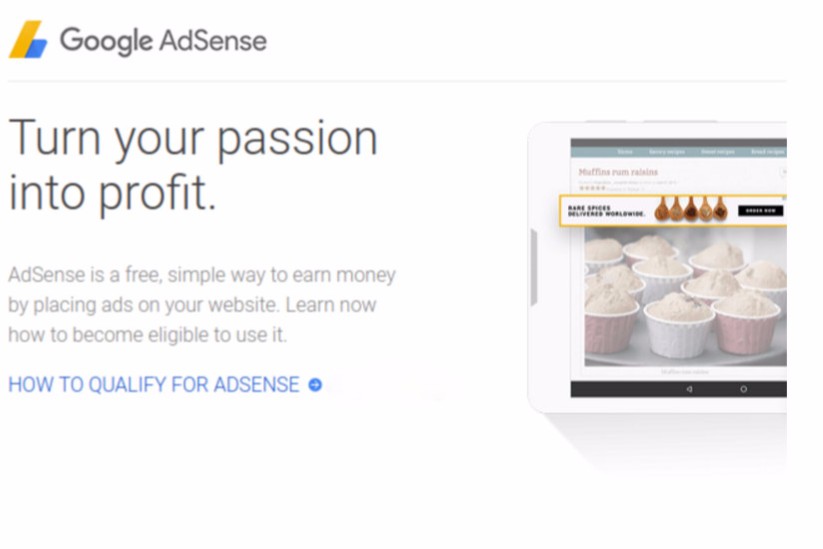
AdSense - Eligibility For Ads Is Based On Content

Many blog owners want the legendary wealth, from publishing a Blogger blog, and adding AdSense ads.

Not everybody understands the AdSense review process - and the fact that "Congratulations!" is only the beginning.

There are actually 4 steps in the review process, which must complete successfully, to provide paying ads for your blog.


This is what you see, with a new blog.


Each review step follows the previous step, one by one.

  1. Automated blog size analysis.
  2. Manual ad placement and content analysis.
  3. Automated blog content analysis.
  4. Automated assignment of available ads to blog pages.

Automated blog size analysis.

With a Blogger hosted AdSense account, Blogger checks each blog, periodically. When your blog is eligible to apply for AdSense, based on age and size, you see the legendary "Congratulations!" offer.


This is what you see, with an eligible blog.


You now have a working "Earnings" dashboard page - and can select ad placement options, and apply.


You have to place ads, before you apply, and evaluation can start.


This is the beginning of your road to riches - but only the beginning.

Manual ad placement and content analysis.

After you position the ads and apply using "Earnings", you wait for approval during the "2 to 3 week" evaluation period. Until people decide that the blog is well written, with consistent and easy navigation, and properly located ads - and contains material that is informative, interesting, and unique, AdSense won't place paying ads in the blog.

Any ads visible, after you select ad placement, will be public service announcements. You won't earn any money, with PSAs displayed. Some blog owners will see blank spaces, where ads are supposed to appear.

Automated blog content analysis.

Following approval, the AdSense crawler has to analyse post content, so actual paying ads can be chosen.

If content cannot be analysed, paying ads can't be chosen.

The AdSense crawler can't navigate this blog, with numbered pages.


Blogs that use JavaScript, to link pages, are a problem when the blog is being crawled. This includes the Blogger dynamic templates, and some "Responsive" class templates - and third party templates with features like numbered pages.

Post content only accessible behind JavaScript can't be read, by the AdSense crawler. You may receive a rejection, based on "difficult navigation" or "inaccessible content".

Automated assignment of available ads to blog pages.

Following post content analysis, available paying ads are assigned, on a page by page basis. AdSense won't sell ads for prohibited or unwanted content.

If paying ads are not available, to match the content as analysed, the blog won't get paying ads - and won't make money.

The bottom line.

Until actual paying ads are placed into the blog, you can't start to make money. And paying ads won't be added, until the blog is ready.

As usual, I'll advise you to start a blog with informative, interesting, and unique content - published regularly. And keep publishing, frequently.

And, wait patiently.


Some new #Blogger blog owners setup their blogs - and wonder, immediately, why they aren't seeing paying ads on their blogs. They fail to understand that ads only appear on blogs after several careful evaluation processes.

Saturday, October 1, 2016

Blogger Magic - Move Content Between Blogs

Some blog owners, who publish multiple blogs with different subjects, may decide that some subjects would be better discussed in a different blog.

With various posts published in one blog, the owner may decide that those posts should be published in a different blog, to continue discussion. The question now is how to move posts, from one blog to another?

The dashboard "Export / Import" feature, which is now labeled "Import & back up", lets us copy pages and posts from one blog to another. Just copying all pages and posts, though, will create problems with duplicated content.

If you are going to move specific posts from one blog to another - and continue to publish both blogs - you have to add extra steps to the process.


Use "Import & back up", on the Settings - Other dashboard page.


  1. Export all content from the first blog.
  2. Import all exported content, to the second blog, as "Imported".
  3. Publish imported content, selectively, in the second blog.
  4. Delete content re published, from the first blog.
  5. Setup custom 404 or custom redirects, from the first blog.
  6. Remove imported yet un published content, from the second blog.

Export all content from the first blog.

Using the "Import & back up" wizard, on the dashboard Settings - Other page for the first blog, click "Back up Content". This will export all pages and posts, in the blog, to the file which you select.

To make it easier, label the posts that you want to "move" to the other blog, before you start "Back up Content".


I labeled my posts "Move".


Now, "Back up Content", from the first blog.


Use the file manager provided by your operating system, to create or select a file / folder, and actually save the file.


Import all exported content, to the second blog, as "Imported".

Using the "Import & back up" wizard, on the dashboard Settings - Other page for the second blog, click "Import Content" - then find and select the file just created. This will import all pages and posts, as exported from the first blog - and place the imported pages and posts in the special "Imported" status, on the Pages and the Posts dashboard pages.


Continue with "Import Content", to the second blog.


Select the file that you just created, above.


And having Imported everything, there are the posts - including those labeled "Move".


Publish imported content, selectively, in the second blog.

Using the "Pages" and "Posts" dashboard pages, select the newly activated "Imported" menu, as you wish. This will list all imported pages and posts, in turn.

Find the pages and posts that you want moved, select them, and click "Publish". If you labeled the posts to be "moved", simply display, and Publish, all posts with the designated label.


And, I Published the posts labeled to be "moved".


Note that, once Published, the "Imported" status is cleared.

Delete or revert content re published, from the first blog.

To prevent problems with search engines detecting duplicate content, you can delete or revert to draft status, each post in the first blog, the you just re published in the second blog. If you revert to draft status, you will have backed up content and a recoverable page / post URL.

Again, if you labeled the posts, you can delete or revert posts using the label.

Setup custom 404 or custom redirects, from the first blog.

You cannot use a custom redirect to automatically redirect from the first blog to the second. You can, however, setup a custom 404 page, in the first blog - or make custom redirects to a custom 404 page, in the first blog - advising the reader that the post just requested is now part of the second blog.

The reader will still have to intentionally click to jump into the second blog - but until Blogger blogs are not used as spam hosts, this will be necessary to avoid making your blog look like a spam host.

And as noted, please don't use this technique to re use a single blog. Duplication prevention will generate suffixed URLs, for pages and posts exported then imported to the same blog.

Remove imported yet un published content, from the second blog.

As a type of basic hygiene, once all of the posts are moved ("published"), remove all imported content that isn't published. If you ever repeat the exercise, you won't enjoy the duplicated content, that you will have to identify, from having Exported then Imported, twice.


The "Import & back up" #Blogger dashboard wizard can be used to copy pages and posts, from one blog to another. Actually moving content requires more than just exporting from one blog, and importing to a second blog.


http://blogging.nitecruzr.net/2016/06/blogger-magic-export-from-blogger-blog.html

https://productforums.google.com/forum/#!category-topic/blogger/hJ-WrGwnIFo

Saturday, April 16, 2016

Google+ Sharing, and Search Reputation

Some blog owners use FaceBook or Google+, and share blog posts - and ask what effect sharing and +1 / Like has, on search reputation.
What is the purpose of getting +1's?
The search engines most likely have no special processing, for social action like +1s and Likes - but indexing of content will include social shared content, and notifications of +1s and Likes, from FaceBook and Google+.

A blog post, shared or given a +1, will become part of a Google+ stream - similar to a Blogger blog comment, that is Google+ hosted. The search engines index Google+ stream posts, as they index blogs. There will be similar action from FaceBook content.

A Google+ stream post will include a snippet of the blog post opening paragraph, plus a link to the post.

An indexed stream post will link to the blog post - and provide search reputation.

An indexed stream post will then provide a link to the blog post - and the stream post, when indexed, will lead to indexing of the blog post.

The more shares, and +1s / Likes, received by any blog post, the more reputation from the search engines - because of indexing of Google+ streams. And as a stream post replicates through the streams of Followers, it becomes more visible to the search engines - and one stream post, and blog post, receives still more reputation.

An example stream post, that started with a blog post being shared.

Here's a stream post, from my share of my post Search Engine Reputation, And Vanity Domains, into my Google+ collection, "RBS". Look at the post to the right.


A Google+ stream post, which started with my blog post, shared to Google+.


See what gets shared?

The Google+ post content:

Some #Blogger blog owners are intent on publishing a blog to a custom domain, using a top level domain that relates to the blog subject. They do this, hoping to have a unique blog name.

They may overlook the idea that Blogger blogs benefit from well written and unique content, as much as from a shiny and unique URL.

A photo from the blog post, captioning a link to the blog post:


The blog post title, captioning a link to the blog post:

Search Engine Reputation, And Vanity Domains

The blog URL, captioning a link to the blog post:

blogging.nitecruzr.net

The blog post meta search description:

Blog owners who develop a reputation strategy based on the URL may find that won't help as they hoped. Learn why.

Some or all of that shows in the Notification window and / or peoples streams, when someone +1s, or reshares, that stream post.

The blog post title, and meta search description, are part of a properly constructed post - and properly sized to fit into a Google+ stream column.

This content (with 3 captioned links), when indexed by a search engine, contributes to search engine reputation for the blog post. And as the stream post ripples through the streams of the Followers - and the Followers of the Followers - it contributes more reputation.


A share or Like / +1 of a #Blogger blog post, in a social networking system like FaceBook / Google+, does not contribute directly to a search engine "Share", "Like", or "+1" database - but it does contribute, indirectly, to search reputation for the post in question.

Thursday, April 7, 2016

Search Engine Reputation, And Vanity Domains

One hot Internet topic, these days, involves specialised ("vanity") domains.

The hot names seem to change, by the week. This week, enom is hyping ".family", ".live", ".rocks", and ".social". Other registrars may have other recommendations.

The blog Address (Name) is a key blog identity element, in a well designed blog. It's visible both to people, and to search engine crawlers.

The requirement that addresses must be unique is a supposed benefit of vanity top level domains - but vanity TLDs, alone, will not provide blog uniqueness. There will always be competition for some names, in any useful Top Level Domain.

My suspicion is that the shinier the TLD, the more competition you may see, between people who plan their uniqueness around choosing the perfect name.

Any popular blog / website subject will have name competition.

I could publish this blog as "chucksblog.com" - and that would be a shiny and unique name. Until another "Chuck" registered "chucksblog.us", or maybe "chucksblog.name". How unique would "chucksblog" be, then? How many readers could I expect, if they know "chucksblog" - but can't remember if it is "chucksblog.com", "chucksblog.info", or "chucksblog.name"?

If your blog has a popular subject, you won't have a unique name - unless you register your name, in every possible TLD that might be relevant to your name. And that will be a financial limitation, for many blog owners.


What name would you want your blog to have? For a truly shiny domain, you'll have competition.

Complete uniqueness == No competition == No interest == No readers.


McDonalds, for instance, may be able to register "mcdonalds.com", "mcdonalds.franchises", "mcdonalds.hamburgers", "mcdonalds.smallbusiness", etc (as each hypothetical TLD comes online) - and local domains "mcdonalds.co.uk", "mcdonalds.de", "mcdonalds.us", and so on.

Very few of the readers of this blog will be in a financial position to do all of that.


enom is hyping ".family", ".live", ".rocks", and ".social" - this week.


Your uniqueness strategy should include content.

You will have to develop a "uniqueness" strategy based on content - not solely on the address. You will need to understand that your blog may lose traffic, from people who know the blog "name" - but may not remember if "yourname" is a ".com", ".net", or ".us".

Of course, if you publish only to "blogspot", you will automatically have "yourname.blogspot.com", "yourname.blogspot.co.uk", "yourname.blogspot.de", and so on. You won't have "yourname.com", "yourname.net", and "yourname.us", however - unless you pay for the privilege.

Are you getting a feeling for the complexity of the branding issue? Good. Concentrate on content. The search engines index your blog - and provide you traffic - based on informative, interesting, and unique content.

Google denies the value of vanity domains, for raw SEO.

AdWeek weighs the issue, in What’s in a Name on Social?.

When it comes to vanity domains, Google has long denied that they affect search rankings. Their in-house tech team advised way back that registering a vanity domain for the sheer, hopeful sake of page rankings would be a fool’s errand. But there’s a solid number of marketers that disagree, and they watch these things very closely. Chalk it up to wishful thinking, if you like, but time will tell. And there are only so many .com domains available.

Only time will tell. I suggest that you keep your traffic and uniqueness strategy diverse. Don't depend upon a vanity domain, alone, for search reputation and traffic.

For best results, keep it in perspective.

Consider the name issue, if you want. But keep it in perspective. Blogger blogs will benefit from well written and unique content - as much as from a carefully chosen name / URL.


Some #Blogger blog owners are intent on publishing a blog to a custom domain, using a top level domain that relates to the blog subject. They do this, hoping to have a unique blog name.

They may overlook the idea that Blogger blogs benefit from well written and unique content, as much as from a shiny and unique URL.

Tuesday, April 5, 2016

Are Meta Keywords Useful, In Blogger Blog Posts?

Some blog owners do not completely understand the concept of meta description, vs meta keywords - and how blog search reputation can be affected.

We see occasional questions, in Blogger Help Forum: Learn More About Blogger.
I know how to enter meta info on each blog post under the Search Description field - but do I have to put all permutations of a subject in the Search Description?
Here, we see the possibility of unintended "keyword stuffing", and degraded search engine reputation.

We must be careful to not misuse the meta search description feature - and avoid keyword stuffing.

Well written meta descriptions can help search reputation.

A well written meta description can be part of a well designed blog and of well written posts. It can help search engines index a blog, or a post, properly - and in a SERP listing, can attract readers.

Contrarily, a collection of meta keywords can look like keyword stuffing. The latter can cause degraded search engine reputation.

Search engines are long past benefiting from meta keywords.

Search engines have long been made more introspective, than for a blog to benefit from meta keywords. Search engines now extract keywords from indexed content, automatically.

While it is possible to design blog or website pages to use keywords, keywords now are extracted from visible content. Google is quite blunt about meta keywords.

Google doesn't use the "keywords" meta tag in our web search ranking.

Write good posts, to get good SERP positions.

If you want good SERP positioning, write good posts, using informative, interesting, and unique content. That's the best advice, for Blogger blogs.


Some #Blogger blog owners still try to use meta keyword tags, to improve search engine reputation. They don't realise that search engines now develop their own keyword lists, from visible content.

Good search list positions come from good content, to be read by people - not from jumbles of words, randomly strung together.


https://webmasters.googleblog.com/2009/09/google-does-not-use-keywords-meta-tag.html

https://moz.com/community/q/meta-keywords-should-we-use-them-or-not

http://cohlab.com/blog/stop-using-keywords-meta-tag.html

https://support.google.com/webmasters/answer/79812

Tuesday, November 25, 2014

Static Blogs, And Spam Classification

Blogger blogs are starting to become a regular website publishing platform - not just a blogging platform.

Long ago, a Blogger blog was just an online journal, with posts, and text. Then, Blogger added labels, later static pages - and then the ability to replace the home / main page, with dynamic or static content of your choice. Recently, the original limitation of 20 static pages / blog was relaxed (we are not yet certain that the limit has been eliminated completely, however).

Now, you can practically publish a static website, without even having posts, using a Blogger platform. But, is this a good idea, with Blogger "One button" Publishing?

We have people asking various questions, in Blogger Help Forum: Learn More About Blogger, about making a static website.
How do I remove posts from my main page?
and
How do I publish a blog, without posts?
And alternately, in Blogger Help Forum: Get Help with an Issue, we see different questions.
Why can't I get AdSense for my blog?
or
Why did Blogger delete my blog?
or maybe
Why can't I find my blog listed, in Google Search?
And all of these questions may well be just different views, of the same problem.

What you can do, and what you should do, with a Blogger blog, may be two different things.

Other Google services may affect success of your Blogger blog.

A Blogger blog may be subject to standards enforced by different Google services.

  • AdSense.
  • Blogger.
  • Google Search / Webmasters.

What you do with your blog, that may be permitted (or tolerated) in one service, may cause problems with another service.

Too many people start a Blogger blog, and only focus on making money. When they don't have a plan for writing content, they try other, more innovative techniques - and there is where many spam blogs start.

AdSense, the Google ad host service, may be less tolerant of innovative techniques, than Blogger. They have conservative standards for blog content, and for behaviour by blog readers. If you include AdSense ads in a Blogger blog, you may find your blog subject to penalties for excessive / self clicking and low quality content, that exceed Blogger standards.

Even without AdSense being involved, a Blogger blog may be subject to search engine penalties for infrequently updated or non unique content. Low quality content, resulting in poor search results, will leave the blog lacking traffic. If the blog uses a third party ad hosting service, which is more tolerant than AdSense about clicking and content, the ads still won't make a lot of money without traffic.

Don't use your Blogger blog as a gateway to a non Google website.

A static blog, that is designed to generate traffic for a non Blogger / Google website, may be a problem, too. Gateway blogs are a popular technique for many spammers. Blogger actively forbids both gateway blogs, and automated posting. This includes feeds from other websites, when used as post content.

You can combine your Blogger blog with a non Google website - but publish the blog as a blog.

It may be possible to have blog posts visible in a section of the blog - and combine the blog, with a non Google website. Even so, the "blog" portion of the blog will still need regularly published, unique content. This is a requirement, whether you are publishing a Blogger blog - or moving your blog to other hosting.

What you can do - and what you should do - will always differ.

The bottom line is what you can do, with a Blogger blog - and what will lead to a successful blog - may be two different things. You're allowed to do anything, that does not violate TOS - but if you want good results, you need to use common sense.

Wednesday, November 19, 2014

'Good Enough' Never Is, With Custom Domains

This month, we're seeing an interesting collection of problem reports, in Blogger Help Forum: Get Help with an Issue, about custom domain setup.
Why is my blog offline - occasionally?
And
Why do some (just some!) of my readers tell me they can't see my blog?
Investigating the problem, we see that the domain is, indeed online - some of the time.

Investigating the DNS addressing, robustly, we find an all too frequently seen set of name servers:
mydomain.com. 14400 IN A 216.239.32.21
www.mydomain.com. 14400 IN CNAME ghs.google.com.
What we see here is a domain, setup by someone who thought that one server would be 'good enough' to get by.

One server will, sometimes, get by - for a while, and for some people.

What some blog owners fail to realise, though, is that DNS service is never the same, all over the world (or the Internet). People in some places will use one DNS name server - and people in other places will use another.

And similarly, DNS service is never the same, from day to day. Today, you might need the services of one DNS name server, and tomorrow you might need another.

This month, we're seeing a number of reports that suggest that the Google name server at "216.239.32.21" is not responding for everybody. Now - don't everybody, who has a custom domain published Blogger blog start spitting coffee, and calling their registrar for emergency support.

People who have a properly setup domain should not worry, needlessly.

mydomain.com. 14400 IN A 216.239.32.21
mydomain.com. 14400 IN A 216.239.34.21
mydomain.com. 14400 IN A 216.239.36.21
mydomain.com. 14400 IN A 216.239.38.21
www.mydomain.com. 14400 IN CNAME ghs.google.com.

People with domains that provide a robust set of addresses are in better shape. The odds that all 4 name servers will fail, simultaneously, is near zero. It's much better than those with one name server, that is 'good enough for me' - and that, right now, provides the basis for this post.

Really, folks.

mydomain.com. 14400 IN A 216.239.32.21
www.mydomain.com. 14400 IN CNAME ghs.google.com.

One "A" name server was good enough for you, last month. It's not, now. How many of your readers, since last month, saw

404 Not Found

How about your search reputation. What happens, when your blog is being indexed, and the search engine gets

404 Not Found

Neither your readers, nor the search engines, appreciate

404 Not Found

And both will react, negatively - and you won't like the results.

'Good enough' isn't - for everybody, all of the time. And this affects the reputation of your blog, both with people, and search engines.

Wednesday, August 6, 2014

Blogger Blogs Use The Posts Newsfeed, As A Sitemap

Some Blogger blog owners don't know how to setup a sitemap, for their blog.

Setting up the sitemap, for a website, is a major process - and takes time. Every time you add a page to a website, the sitemap has to be updated - or how do your readers find the new page?

Alternatively, you can use a sitemap builder service, which builds the sitemap. This gives you a file, hosted by the sitemap builder service. Will the sitemap builder service be in business next week?

In either case, you take your sitemap file, and upload it to the blog. Every time you add a page, you update the sitemap, then you upload the updated sitemap. Every time - or the new page remains unindexed, until you do.
(Update 2014/11/04): Blogger is now providing an automatically generated, dedicated sitemap, to replace the newsfeed sourced sitemap - and an automatic "robots.txt" update. There is no need for a custom sitemap - nor to update "robots.txt".

With a Blogger blog, you designate the sitemap, using Google Webmaster Tools, referencing the URL of the posts newsfeed.

You can substitute any custom sitemap, if you wish, but this will be at your own risk - and you can develop your own installation instructions.

Once done with the Webmaster Tools sitemap wizard, you are free to work on the visible parts of the blog. Every time you publish a new post, the post is updated into the newsfeed, and becomes part of the sitemap.

The next time a search engine bot hits the blog, it picks up the new sitemap - and indexes the new post.

Combine the automatically and immediately updated sitemap, with more time spent updating the blog, and you get happier readers, and better search engine reputation. That's a win - win.

If your blog gets very large, you can add a new sitemap segment - at your convenience - for every 500 posts.

Why spend time manually updating a sitemap, with every new post (and worry about a file, hosted by someone who may or may not stay in business)? Use the posts newsfeed (hosted by Google), and work on the blog content.

Tuesday, April 3, 2012

The Blogger Country Code Aliases, And Search Engine Reputation

Many blog owners take great pride in publishing a blog that's read by many readers, and that is held in high esteem by the search engines.

Some owners have even installed various badges on their blogs, which automatically retrieve the Page Rank achieved by the blog, as distributed at the most recent Page Rank calculation. Recently, we've been seeing cries of anguish, in Blogger Help Forum: Something Is Broken.
I lost my Page Rank! My blog, as a ".com", had PR of 2 - but as ".in", it has 0! Woe is me!!
These owners do not understand that search engine reputation is still calculated and indexed using the ".com" alias.

If you are in Australia, and you're now viewing your blog as "myblog.blogspot.com.au" (with PR of 0), use the "no country redirect" URL modifier, and view the blog as "myblog.blogspot.com/ncr".

Your Page Rank badge should pop back up with the correct PR number, once again. Unfortunately, this won't do anything for your readers, who are now viewing the blog as "myblog.blogspot.co.nz", "myblog.blogspot.in", or what ever alias is relevant to their location.

If your PR badge uses the displayed URL (and is affected by the country code aliasing) - and if you're worried that your readers will be unduly influenced by seeing that they are now viewing a blog with PR of 0 - you're going to need a different PR badge, to decorate your blog.

Try and find a Page Rank badge / calculator that either
  • Observes the "canonical" tag in the blog header.
  • Lets you hard code the blog URL (so you can continue to specify "myblog.blogspot.com").
Blog accessories, and search engines, which blindly use the viewed URL - and ignore the "canonical" tag" - will be a problem, under the Blogger country code based redirects.

Friday, February 10, 2012

Using A Robust Sitemap, With Your Blog

For a Blogger blog, proper indexing by the search engines is critical to the success of the blog, in getting readers.

Some blog owners are disappointed to find that their blog has no page rank, and no visibility in the search engine results - and little to no chances for getting readers.

Not all blog owners understand details about the custom domain migration process, any issues related to renaming the blog, or simply how to get a blog properly indexed.

One of the most useful tools, that you as a blog owner can use, is the sitemap.

With a Blogger blog, that is typically a collection of posts indexed by date and maybe by topic, the sitemap, properly presented to the search engines, helps the search engines index all of the posts methodically.
Submit a Sitemap to tell Google about pages on your site we might not otherwise discover.
That's the simple advice, from Google, which you should see.

When I created this blog, and submitted my first sitemap, Google setup a default.
http://bloggerstatusforreal.blogspot.com/feeds/posts/default?orderby=updated
Had you looked at the "robots.txt" file, when this blog was published as "bloggerstatusforreal.blogspot.com", that's what you would have seen.

Having later published this blog as "blogging.nitecruzr.net", Google setup a new default sitemap.
http://blogging.nitecruzr.net/feeds/posts/default?orderby=updated
You may look at my current "robots.txt" file, and that's what you will see.

The default sitemap indexes the most recent 26 posts. For most blogs, especially new ones, you will seldom publish more than that number between each indexing pass by the search engines - and a 26 posts submission is generally sufficient.

For a blog that's been published for a while, and has more than 26 posts, you will need a more robust sitemap than the default. When you change the URL of the blog, or when you use Jump Break on main page posts, you need a sitemap complement that indexes each individual post, one by one.

Note that any sitemap will be much more useful, with the blog publishing a "Full" feed.

In the example of this blog, which now has over 1,500 posts, I would add 4 sitemaps (each sitemap to submit a maximum of 500 posts)
  1. http://blogging.nitecruzr.net/atom.xml?redirect=false&start-index=1&max-results=500
  2. http://blogging.nitecruzr.net/atom.xml?redirect=false&start-index=501&max-results=500
  3. http://blogging.nitecruzr.net/atom.xml?redirect=false&start-index=1001&max-results=500
  4. http://blogging.nitecruzr.net/atom.xml?redirect=false&start-index=1501&max-results=500

Having added the right complement of sitemaps, you watch the display in the Sitemaps wizard:
Submitted URLs
1,539
1,535 URLs in web index
Having submitted those sitemaps last week, 1,535 out of 1,539 posts, allowing for some search engine indexing latency, is about right.

Your blog, having a different number of posts, may use a different complement of sitemaps - but you can use a similar strategy, in determining the number to use. And however you look at it, adding a new sitemap segment for every 500 posts beats manually updating the sitemap for every new post.

>> Top

Saturday, January 21, 2012

Search Engine Results Are Not Permanent

One of the oddest problem reports in Blogger Help Forum: Something Is Broken comes from blog owners who only want their blog to be found, in search engine results.
I started a blog 6 months ago. I spent a week getting my blog publicised, it started showing up in search engine results, and all was well. 6 months later, my blog shows up nowhere, it's like it doesn't exist. What happened to my blog??
These blog owners do not realise that a position in any page of the search results is not permanent.

Your blog, to get more readers, needs to be indexed by the search engines - and to appear in search results, which your potential readers use.

Each Search Results Page has only 10 entries.
Each page of search results, for any search query, has only 10 entries. In order for your blog to show up on Page 1 of any search hit list, this month, one entry, that was there last month, now appears on Page 2 of that search hit list.

The owner of the blog recently demoted to Page 2 in the search hit list now has to spend some time getting his blog publicised, so his blog will appear again, on page 1. Next week, a third person is going to find his blog demoted to Page 2.

During the churn over Page 1 and 2, somebody who last month was happy to find her blog listed on Page 2, now finds it listed on Page 3. And people on Pages 3 and 4 are constantly struggling to get their blog to Page 2 and 3, respectively.

Nobody is guaranteed any desired position, in any page for any search.
The lesson here is simple - any position in the search hit list, for any search query, is not permanent - nor will it happen immediately. Similar to the churn over Follower count, when your blog gets a better position, that's because another blog is now getting a worse position.

You will get a good position from hard work, more than from imaginative techniques.

Use Search Console / Webmaster Tools to monitor search activity.
While you are busy checking the search hit lists for the appearance of your blog, you should be checking the diagnostic tools in Google Webmaster Tools. The problem that you see, reflected in the search hit list this week, may have been visible in one or more diagnostic reports last week.

You need to monitor your blog proactively, using Google Webmaster Tools, as much as reactively, using search engine results.

Sunday, December 25, 2011

Getting Traffic To Your Blog Involves Indexing

We continue to see evidence of frustration about getting a blog indexed, in Blogger Help Forum: Something Is Broken.
I can find the blog using the URL - but my visitor log shows nobody is reading the blog!
and
My blog was #1 for my title, in Google, 3 months ago! Last month, it dropped out of sight!! Why does Google let people hack their results???
People who report these problems do not understand that getting traffic to the blog involves more than simply getting the blog indexed, using the Author, Title, or URL of the blog.

Getting your blog indexed, so you get useful traffic from the search engines, requires effort.

  1. You have to get the blog indexed.
  2. You have to get the blog indexed, in searches which people actually use, when searching for blogs to read.
  3. You have to get the blog indexed, with good position, in searches which people actually use, when searching for blogs to read.
  4. You have to repeat #3, constantly - because you are competing with everybody else who wants their blog indexed, with good position.

Note that your blog will be indexed faster, if the search engines can read the content. If you have a custom domain, it's best to set the domain up, properly.

How useful is it, to index the blog by title or URL?

Getting the blog indexed, so you can find the blog by searching for the title or URL, gets the blog indexed by the title or the URL. Use Search Console, and look at the "Search queries" list on the dashboard.

How many Impressions do you see, which reference the blog by the Title or the URL? How many Impressions are from people, other than you, checking to see if the blog is indexed?

How valuable will the blog be, if you publish to a vanity domain - which may (or may not) give you a unique URL?

How useful is it, to have your blog indexed, using terms that people search?

If you want new viewers, you need to get the blog indexed, appearing in a search engine results page (aka "SERP") that people (besides you) are using - and appearing in a good position on that page.

To benefit from any search used by a potential viewer, your blog needs to appear at the top of the search list.

  • Any position on SERP Page 1 is better than any position on SERP Page 2.
  • SERP Page 1 Position 1 is better than Page 1 Position 2.

Which SERP positions, when clicked, yield the most traffic?

All SERP positions are not going to produce the same amount of traffic, to your blog.

Look at the observations, discussing SERP Page One results, from Click Distribution & Percentages by Search Engine Results Page (SERP) Rank. Which positions, on Page One, get more clicks - and more traffic to your blog?
Position #1: 45.46% of all clicks
Position #2: 15.69% of all clicks
Position #3: 10.09% of all clicks
Position #4: 5.49% of all clicks
Position #5: 5.00% of all clicks
Position #6: 3.94% of all clicks
Position #7: 2.51% of all clicks
Position #8: 2.94% of all clicks
Position #9: 1.97% of all clicks
Position #10: 2.71% of all clicks
Total: 95.91% of all clicks occur on SERP Page One

Your blog, linked from SERP Page One Position One, stands an equal chance of getting a new viewer, than appearing in All Other Positions, combined. And only 1 in 20 viewers will even look beyond SERP Page One.

How different will each SERP page be?

Every different search, from people looking for blogs to read, will produce a different list of blogs.

No matter what the subject - or search terms - there can be only one blog, linked from Page One Position One.

  • The more potential readers, searching using a given subject or search term, the more readers you have a chance to get.
  • The more potential readers, searching using a given subject or search term, the more other people will publish their own blogs to that subject.
  • No matter how much hard work you may do with your blog, you are not guaranteed Page 1 Position 1, in any given SERP.

Would you prefer being a small frog, in a large pond - or a large frog, in a small pond? A pond without other frogs - or even with lots of larger frogs - can be a lonely place.

When you have a new blog,you're better off in a community of blogs. As your blog becomes mature, and you have your own reputation, you're better off on your own. You control your domain - and your own destiny.

Try to find a pond which interests you - not one which other people tell you should interest you. And if you're important in your pond, that's good - just don't expect to be important in other ponds, consistently.

How important is unique content?

Finally, if you want new viewers who will return, and who will send you other new viewers, you'll need informative, interesting, and unique content, that is regularly added - and properly targets your potential readers.

Tuesday, December 20, 2011

Renaming Your Blog, And Using A Sitemap

For a Blogger blog which needs a sitemap for indexing, changing the URL requires creating a new sitemap.

For a blog newly published to a different URL - either a non BlogSpot URL, using custom domain publishing, or simply a different BlogSpot URL - the first few days under the new URL are critical to the success of the blog. Some blog owners find, to their horror, that their blog suddenly has no page rank, and has dropped out of visibility in the search engine results.
I bought a domain from Google, and my blog is now invisible. Obviously, this is another swindle by Google, stealing my money!
These blog owners have not done any research, about the custom domain migration process, or about any issues related to renaming the blog. The successful migration process starts with getting the blog, under its new URL, indexed by the search engines.

One of the most useful tools, that you as a blog owner can use, is a sitemap, now provided automatically, by Blogger.

The new automatic sitemap will index the most recent 2,500 posts. For most blogs, that will be sufficient.

When you re publish your blog under a new URL, you want all posts reindexed promptly. To get all posts reindexed, if your blog contains more than 2,500 posts, you are going to need a more robust sitemap complement.

A sitemap, to support a blog with more than 2,500 posts, will require new entries, in Webmaster Tools.

You want your blog, under the new URL, to be visible under that new URL as soon as possible, so setup a proper sitemap, if necessary - then get to work publishing new posts, and increase search engine activity. And, use Jump Break for all new posts, to focus search engine attention on the individual posts.

Saturday, December 10, 2011

Attention Blog Owners - Nobody Knows Your Blog

One confusion, which we see in Blogger Help Forum: Something Is Broken regularly, concerns blog owners and their understanding about search engine functionality.
I can't find my blog!
This is frequently more completely expressed as
I can't find my blog, listed in a Search Engine Results Page, when I search by URL (blog title, some other obscure detail ...)!
Equally as mystifying are people who report
I typed in the name of some obscure porn concept, and found my blog listed. Why is my blog listed with porn?

This problem is partially caused by some browser producers, who confuse us by combining the browser address and search windows. There are other reasons for the confusion, too.

When you have a blog with an established audience, and you are able to examine demographic detail found in various visitor logs and meters, you'll observe activity from various sources.

  • Search engines and similar robotic indexing services.
  • People, using newsfeed subscriptions, and various newsfeed clients.
  • People, pasting or typing the URL into the browser address window.
  • People, clicking on links in bloglists (on other peoples blogs), and bookmarks (in their personal browsers).

People using search engines find your blog from searching for content.

When the visitor log, that you are examining, provides you with detail about your search engine traffic sources, you'll notice that most people using search engines find your blog when using search terms that reference blog content. This is because people using search engines do not know about your blog, and do not know (or care about) the blog name, title, or URL.

People who know how to use their browser most effectively, and already know about your blog, will use one of the latter 3 services to find your blog.

People who use search engines do not know about your blog - they want content.

The people who use search engines, for the most part, will be people who do not know your blog, or are looking for material other than - or in addition to - your blog. None of these people will use the blog title or URL, in their search activity.

If you are going to get new Followers, readers, subscribers, and viewers in general, you have to work hard, get the blog indexed, and get it properly publicised. And, it needs to appear in a good position, in a popular search engine results page, for some amount of time.

Use Search Console (pka Webmaster Tools) to measure search indexing results.


If you're using a blog URL search to measure search engine indexing of your blog, use the diagnostics in Google Webmaster Tools, for a more efficient and objective analysis. If you're using a blog URL search to measure visitor perception of your blog, wise up and get to work on your blog.

Wednesday, December 7, 2011

Blogger Magic - Custom Domain Publishing And Search Engine Reputation

There's a lot of confusion seen in Blogger Help Forum: How Do I?, about our blogs, and how they are treated by the search engines, after being published to a custom domain URL.
Does the Page Rank transfer to the new domain?
and
Is the blog automatically indexed after the change?
and
Will my readers be able to find my blog after the change?
Each of those questions has a simple answer - but each simple answer leads to interesting detail.

The basic facts to consider are quite simple.
  • Search engines index our blogs, and calculate page rank, by domain / subdomain URL. Better search engine reputation leads to better search listing placement, and more traffic.
  • When you publish the blog to a custom domain, you are giving it a new URL.
  • With the blog published to a new URL, it has no page rank, and is not indexed.

So, the immediate answer is reasonably simple.
Like a new blog, and like a blog renamed within BlogSpot, a blog newly published to a custom domain has Zero page rank, and is not indexed.
Now, look at the details.
  • Unlike a completely new blog, a blog newly published to a custom domain has reputation, in the minds - and links in the blogs - of the readers.
  • Unlike a completely new blog, there is an existing BlogSpot blog that is indexed, has search engine reputation, and now links to the domain URL.
  • Unlike a blog renamed within BlogSpot, a blog published to a custom domain has a DNS based redirect, from the BlogSpot URL, to the domain URL.
  • Unlike a blog published to BlogSpot, a blog published to a custom domain may have some value simply because of the non BlogSpot URL.
And here is where the magic starts.

When you combine the assets, held by the BlogSpot URL
  • Links, in our readers blogs.
  • Reputation, in our readers minds.
  • Reputation, in the search engines.
with the DNS based redirect - applied against a properly setup domain, and using a proper complement of sitemaps - you get a blog which acquires indexing and page rank from the existing reputation of the former BlogSpot URL, as that BlogSpot URL, and our readers blogs, are being re indexed. And, there is the magic.

>> Top

Monday, November 7, 2011

Jump Break, Main Page Contents, And Search Engines

The articles in this blog, which discusses production and use of Blogger blogs, are written as posts.

The various posts are combined, using embedded links, in different ways. Each new post appears on the main page, as it is written - and the various posts, appearing together on the main page, create opportunities for confusion, with the readers of the blog.

Long ago, the task of moderating comments was rather depressing to me, as the focus of many of the comments made me think that nobody was actually reading the articles. Maybe, I would write an interesting post about URL availability; but when moderating comments, I would find questions about posting comments on static pages. Or maybe a post about dynamic template concepts would attract complaints about referer spam.

Why should I publish my advice, if nobody cares enough to read the articles and comment relevantly?

Just previous to this post, I wrote about Stats displays, and the contents of the Posts lists.

In the process of writing the latter article, I discovered one obscure benefit of using "Jump Break" - and how "Jump Break" affects main page view, search engine indexing, and finally, relevance of comments to post subject.

A home page, with a variety of posts, naturally produces un focused comments.

Why the apparent lack of focus, of the comments? One reason is that many different posts, published one after the other, appear in sequence, in the blogs main page.

People will read the posts - and the search engines will index the posts - using main page view. Only after newer posts force the older posts, one by one, from main page view, will the individual posts have any significance - to people or search engines.

Using my example above, and looking at my main page when this post was new, one would have found a post about URL availability, published a week after a post about posting comments on static pages. By the time the search engines indexed the latter post, I would have published the former post. The post about URL availability would be visible in main page view, ahead of the post about posting comments on static pages.

Clicking on the link to my blog, attached to a SERP entry referencing static pages, the reader will read my main page from the top, find the previously visible post about URL availability, and the Comments link following the post. Clicking on the first Comments link found, the reader will post his question about static pages, against my post about URL availability.

Use of Jump Break gives a home page that can be easily read, top to bottom.

So, what effect does the use of "Jump Break" have on this problem? Using "Jump Break" on all main page posts makes it more likely that a potential reader of the blog, following a home page link to the blog, has more chance to see all recent posts, with their summaries.

The reader is more likely to scan down the page, see a summarised relevant post, click on "Read more" - and read the relevant post, on the individual post page, before commenting.

Use of Jump Break gives more weight to the individual posts, as indexed.

Additionally, with the posts summarised in main page view, the search engines will find less content on the main page. The full posts will be indexed as individual post pages, more than as part of the main page. This gives more weight to the individual posts, and less weight to the main page.

When indexed using an automatically generated, robust sitemap (2014), the posts will appear individually in SERP lists, decreasing reader main page confusion. Each SERP entry, pointing to an individual post, will be more relevantly focused - giving it more weight than a SERP entry, pointing to main page view.

Use of Jump Break, consistently, produces a win-win-win scenario.

In summary, careful and consistent use of "Jump Break" leads to:

  • Better focus on individual and relevant blog articles, by the search engines.
  • Less confusion to the blogs readers, when accessing the blog using SERP hit lists.
  • Less frustration for the blog owner, when moderating comments.

It's really a win-win-win, when used consistently. And, it's so simple to apply, on a post by post basis. Check it out, in action.

Wednesday, March 31, 2010

Renaming Your Blog - Planning The Change Properly

Your blog depends upon traffic for its success.

Anything that affects the traffic to your blog, such as a change in the URL, affects the success of your blog. If you republish your blog to a different BlogSpot URL, as with migration to a custom domain, you will not lose any content. Both comments, posts, the template, and all custom settings, will stay with the blog. And if you plan the republishing effort, you can minimise the loss of traffic.

Properly planning the migration, to a different BlogSpot URL, will require different techniques than a simple custom domain republishing.

All 3 URL changes produce similar effects, though - and it's in your best interest to do what you can, to minimise the effects.

  1. BlogSpot to BlogSpot URL change.
  2. BlogSpot to custom domain re publishing.
  3. Custom domain to BlogSpot re publishing.

All 3 changes require your blog to be re indexed by the search engines - and leave the blog with less search engines generated traffic, while being re indexed.

A BlogSpot to BlogSpot URL change is different from a custom domain publishing.

Custom domain re publishing has a feature that BlogSpot to BlogSpot URL changes lack. This will reduce negative effects of the URL change - with the domain properly setup.

With a custom domain republishing, the old (BlogSpot) URL is redirected to the new (domain) URL, using a "301 Moved Permanently" instruction. A "301 Moved Permanently" redirect simply repoints each individual URL in the blog to the new URL.

Unlike a custom domain renaming, you cannot choose an available URL, before you begin.

This post (using the domain URL) is "blogging.nitecruzr.net/2010/03/renaming-your-blog-planning-change.html". I can, alternately, advertise it as "bloggerstatusforreal.blogspot.com/2010/03/renaming-your-blog-planning-change.html". That's the "301 Moved Permanently" redirection, in action. All traffic is forwarded, automatically.

There is no way to add "301 Moved Permanently" redirect to a BlogSpot rename.

Blogger won't provide a "301 Moved Permanently" for a BlogSpot rename, as this would encourage spammers to move their splogs around, endlessly. The best that you can do is to use a stub blog, with proper planning.

If you want the blog offline permanently - or if you don't want other people recreating the blog under its current name, you will want to plan the renaming - just as you would (or should) plan a deletion. If the URL becomes available, the same content / impersonation / privacy issues will exist.

Consider the categories of traffic sources, and the effects.

As with a custom domain migration, you'll want to consider the traffic to the blog, in categories.

  • Blog Feeds - Automated processes, that help your readers track changes to your blog, using a newsfeed reader.
  • Following - The two way community process, that lets you see who your readers are.
  • Google Webmaster Tools - Key diagnostic and management utilities, that - among other things - enable indexing of the blog by the search engines.
  • Search engines - Robotic processes which methodically surf your blog, and provide dynamic indexing to people who search for information.
  • Viewers - People who read your content from their browser.


Blog Feeds are the easiest and cleanest category to redirect. Even though Blogger won't provide a "301 Moved Permenantly" for the blog URL, they will provide this for the feed URL, using a blog post feed redirect URL.

With the post feed enabled for both the live blog (under the new URL), and the stub blog (under the old URL), set the Post Feed Redirect URL for the stub blog to the exact value of the feed URL for the live blog. Your Followers and subscribers, using the old URL, will continue to see newsfeeds for your live blog, while using the old URL.

Following, with the renaming done correctly, is easy to redirect. Your Followers, as mentioned above, can view the blog feed using the old URL, with no problem. With the blog renamed simply using Settings - Publishing, your Followers will continue to be associated with the blog, with no further action by you.

Google Webmaster Tools are a vital part of the migration, and should be handled immediately after you re publish the blog, and then immediately after you setup the stub blog. You'll have several challenges here.

  1. The "robots.txt" file for the blog, as renamed, may contain the old URL.
  2. The new URL for the blog won't exist in Google Webmaster Tools, so you have to add that. When you verify blog ownership, you'll have to remove the GWT verification tags for the blog, that were used under the old URL.
  3. You'll have to setup sitemaps for all posts in the blog, under the new URL, to complement / replace those under the old URL before the blog was re published.

The search engines will be the most frustrating part of any blog rename. Without any possibility of a "301 Moved Permanently" redirect, or anything remotely similar, any SERP hits will land the prospective viewer on a 404 display. Your best strategy is to manage the other categories aggressively, and hope that the search engines re index your blog promptly under the new URL.

Your viewers will have to be redirected using the stub post in the stub blog, published under the old URL. Your viewers looking for the main page of the blog will see the stub post, with no problem. Your viewers clicking on a direct link to a single post, an archive or label search, or possibly a SERP hit, will get a 404 display.

Page not found
Sorry, the page you were looking for in the blog The Real Blogger Status does not exist.

Go to blog homepage


The "Go to blog homepage" link will, hopefully, display the stub post - and they can follow the link to the new URL. That's a start, and it's all thanks to the Blogger custom 404 display.

OK, lets summarise the tasks involved.

  1. Is this blog published to a Google custom domain? If so, read about specific issues related to custom domain URL changes.
  2. Re publish the blog, under the new URL.
  3. Enable the feeds, and verify feed URLs.
  4. Setup Google Webmaster Tools for the blog, under the new URL. Look in the Sitemap list for the blog. Any sitemaps in there right now will likely point to the old URL, so these need to be removed. Then, add sitemaps for all posts.
  5. Setup a stub blog, under the old URL.
  6. Set the Post Feed Redirect URL, to point to the feed for the new URL.
  7. Check Google Webmaster Tools for the blog, under the old URL. Look in the Sitemap list for the blog. You'll probably have to re add all sitemaps for the blog, to enable the search engines to index the blog, starting from the old URL, through the redirected feed.
  8. Are you using a FeedBurner (or another custom feed)? If so, update FeedBurner, then check the Post Feed Redirect URL setting.
  9. Check and update all Google Webmaster Tools settings, between the old and new URLs. Think carefully about each setting, and decide whether it should apply to the blog under the old URL, under the new URL, or both.
  10. Are you using Mail-to-Blogger to publish to the blog? If so, check your Mail-to-Blogger addresses.

And if possible, read about the details involved in the rename process before you rename the existing blog. This last caution especially applies to changing one non BlogSpot URL to another non BlogSpot URL.

Thursday, January 7, 2010

Custom Domain Migration - Managing The Traffic

Your blog depends upon traffic for its success.

Anything that affects the traffic to your blog, such as any change in the URL, affects the success of your blog. Publishing the blog to a custom domain, like renaming the blog, will affect traffic to your blog. The effects of the change will vary from blog to blog, because of the different traffic to every different blog.
  • Followers. People who find your blog because of recommendations by other people.
  • Search engines. Robotic processes which methodically surf your blog, and provide dynamic indexing to people who search for information.
  • Subscribers. People who read your content from their newsfeed reader, such as the dashboard Reading List.
  • Viewers. People who read your content from their browser.
No two blogs are the same - and no two blogs will have the same combinations of traffic sources.

The differing combinations, of traffic sources, will make every custom domain migration unique.

Migration results are not predictable - but they can be improved.

You cannot predict what will happen to your blog, during the migration - but you can plan, and improve the experience.

Planning and executing the migration properly will help your blog recover faster, from traffic loss caused by the URL change.

  1. You'll start with a new URL, which will be unknown by the search engines. Your blog won't get as much new reader traffic, until it's indexed, under the new, non BlogSpot URL.
  2. You'll end up with a better known blog, with a non BlogSpot URL - and more new reader traffic because of the new, non BlogSpot URL.

The better you plan this simple process, the faster the traffic to your blog will pick up, after the URL change. And, that's all that you should want - to get from point 1 to point 2, faster.

A blog with a new URL is again unknown, by URL, to the search engines.

When your blog has a new URL, that URL is initially unknown to the search engines, and other web services. The search engines, and other external web services, index by URL.

  • With a new blog, you have no content, no readers, no search engine reputation, and no statistics.
  • With a new URL, there is no indexed content, and no statistics.
  • With a blog recently republished under a new URL, you have content and readers - but no search engine reputation, or statistics, under the new URL.

You use the content and readers, and regain your search engine reputation. And you watch your statistics.

If your blog has its own search engine reputation, it gets indexed by the search engines, directly. As the BlogSpot URL of your blog is indexed, the "301 Moved Permanently" redirect, from the BlogSpot to custom domain URL, will contribute to reputation for the domain URL.

A blog with established readers has reputation - and a start to re indexing.

If your blog has readers who link their blog to yours, your blog gets indexed by the search engines, indirectly. As a readers blogs is indexed, and a link to your blog is found, the link to your blog is followed. Readers blogs that point to the BlogSpot URL, again using the "301 Moved Permanently" redirect, will similarly contribute to reputation for the domain URL.

Each of the various traffic sources - people (Followers / readers / subscribers), and robots (search engines and other automated services) - will contribute, in different ways, to the indexing of the domain URL.

First, learn how to prepare and support a custom domain.

Before you start, understand the right way to purchase and setup a custom domain. And understand the nature of, and need for, the 3 to 5 day Transition Period, which follows the purchase of a new domain, using "Buy a domain" - and should be observed with any new domain.

During the migration, you'll find:

  • You'll get better results from a properly setup domain. Always start, with a properly setup domain.
  • You'll find the diagnostic utilities in Google Webmaster Tools to be essential, in helping you objectively observe and correct any problems.
  • As search engines index your blog, they adjust their indexing to follow the rate that you publish. If you publish weekly, they will, at most, re index your blog weekly. The less often you publish, the less often the blog gets re indexed.
  • The entire blog won't be re indexed at one time. You'll always have new posts, that have not been individually indexed.
  • While re indexing of the blog is in progress, you'll have some posts indexed under the BlogSpot URL, and other posts indexed under the domain URL.
  • As additional posts are indexed under the domain URL, those same posts will drop from indexing under the BlogSpot URL. If this were not so, you'd end up with "duplicate content" penalties. The purpose of the "301 Moved Permanently" redirect is to avoid this duplication, and penalties.
  • With the indexing of the blog split between the two base URLs, the reputation overall will be lower. You get better reputation with all content indexed under one base URL - and this won't be the case until the migration is complete.
  • With lower reputation, your posts will have poorer SERP position - some posts indexed under the old BlogSpot URL, others under the new domain URL - though all SERP entries will get your readers to the new domain.
  • With poorer SERP position overall, you'll have a period of significantly less search originated traffic.
  • The more often that you publish, during the migration, the more you'll compensate for the drop in reader traffic.
  • As the blog is re indexed under the new URL, reputation - and Page Rank - will pick up again.
  • You'll observe activity, in Webmaster Tools, for both the old and new URLs, for a while after the domain becomes active.
  • Some tools, used under simple blog renames, are not used with custom domains. Specifically, custom domain publishing does not use the post feed redirect.

Beware gratuitous scripts, which interfere with BlogSpot to domain redirection!

If your blog has gratuitous scripted redirection, installed to block country local domain redirection, you'll want to remove this code. Country local domain redirection blocking, followed by BlogSpot to domain redirection, will leave some readers (only some, not all) seeing

Too many redirections!

or similar advice, in their browser. Other readers may simply see the blog as offline, because of its new URL.

The transition period, and loss of reputation and traffic, can't be avoided.

You cannot avoid the new domain transition period, and reduced traffic level - you will have to endure it. In the end, if you manage the migration properly, you'll find that it was worth it.

With a new, properly setup non BlogSpot URL, more blog content, and the same reader population (forwarded from the BlogSpot URL), search engine reputation (and Page Rank) will pick up and should continue rising, beyond where it was before you started the migration.

Navigate» Become author for this Blog