Showing posts with label Software. Show all posts

Wednesday, April 4, 2018

Audacity Audio Software for Editing Audio

Audacity Audio Software for Editing Audio

Currently there are various software for audio editing.Also, there are many free and cash-in-software.So this Audacity audio editing software is completely free of charge.You can do cut music and adding music with this software.It's very fast software and is easy to install on your computer.However, you can use Audacity to load, record, edit, mix, and export audio files.
This software is easy for you to use.At a glance, it looks like an ordinary software, but most of your audio can be edited.And we do not want to describe how we use this software for you.This is easy for anyone to understand.Also, you will spend a very few MBs on downloading this software.Also, most of the versions of this software have come.You can visit www.audacityteam.org and download their latest version.The following is the window after you open this software.
Audacity Audio Software for Editing Audio
Audacity Audio Software
First drag the audio file and drop it onto this software.Then you can use many of the tools in this software to customize.You should then export the items that are processed.You can save it as a file you like.

READ


So you know about Audacity Audio Software for Editing Audio, Hope you like the post, don’t forget to share it with your friends and leave a comment below if you are facing any problem at any step in the method discussed above.Thank you.

Wednesday, February 21, 2018

Easy Screenshot with GreenShot software

Easy Screenshot with GreenShot software


We do a lot of things with the computer.And at present many people do things with the screenshots.Screenshot is very important for a variety of tutorials and needs.That screenshot will be much easier to display on the any desktop work.There are many ways to use a computer to take screenshots.For this, oldest method is use Print Screen Sys Rq key for get screenshot.If you can do so, we can not edit it properly.Version is quite difficult.It was necessary to use an additional software such as paint or photoshop.So today we brought a very valuable software to take screenshots.


GreenShot can be recommended as a good software for you to take screenshots in a few moments.It can be used in various sizes or in the full screen or to screenshot.Another feature is that you can use the various shortcut keys to use this software.With the screenshot you get, you can easily edit it right away.You can easily add that image directly to Word, Powerpoint, Excel, OneNote, Outlook, Ms paint.You can also upload screenshots to Imgur.Apart from this, you can also edit a photo for an normal level using this software.This software runs on your computer without any interruption.Therefore, it is possible to use it without any problems.


This software also saves time.Because if you take the old-fashioned screenshot you must edit it separately.It takes more time.But with this GreenShot you can easily make a screenshot for your needs.In addition, this software is designed for both the windows and mac OS operating systems.For windows, this software can be downloaded free of charge through getgreenshot.org.Also, you can download this software for mac OS through the Mac app store.But if you're using GreenShot for mac OS, you should pay $ 1.99.

After you download and install this GreenShot software for Windows, you can see the icon in the taskbar.Right click on it and get the menu.Here you can find instructions for use, shortcuts keys and more.The following image is a screenshot with the GreenShot icon and menu.
Easy Screenshot with GreenShot software
Screenshot with the GreenShot icon and menu.
In addition, the image on your computer can also be edited.So this will be an extremely useful software for you.So you can learn more about this software from the getgreenshot.org site, and also Download.


READ:


So you know about Easy Screenshot with GreenShot software, Hope you like the post, don’t forget to share it with your friends and leave a comment below if you are facing any problem at any step in the method discussed above.Thank you.

Friday, February 2, 2018

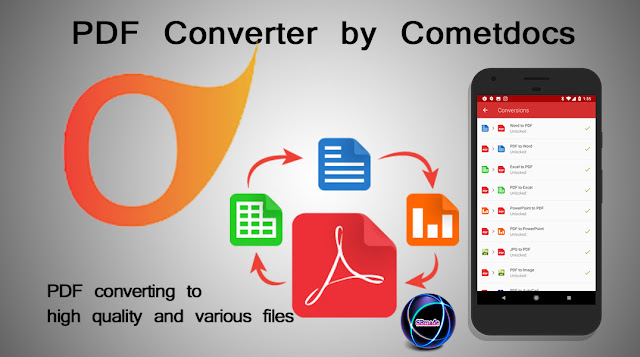
PDF Converter by Cometdocs

PDF Converter by Cometdocs - PDF converting to high quality and various files

Today, many people keep a variety of information as a PDF file.It's really good, of course.But it's hard to change a PDF file.You can see online PDF converter in the Internet.They will also be provided free of charge.But the converted file is less of its quality.Different parts can be defective.And the most important thing is converting with watermark.We think you have such experiences.This is very worrying.
Currently, a variety of PDF converter can be found, a very good application has brought to you today.The name of this application is Cometdocs PDF Converter Ultimate Apps.This app is available on the play store for android device and App Store for iOS devices.In addition, this also applies to windows.And you can easily use it.All instructions are provided by cometdocs.Cometdocs is a robust program that will save you time and dollars as it converts almost any pdf file less than 30 Mb to:
  • Word
  • Excel
  • Powerpoint
  • Text
  • Powerpoint
  • DWG (AutoCAD)
  • HTML
  • BMP
  • JPG
  • PNG
  • TIF
  • ODP
  • ODS and
  • ODT/Open Office.

PDF Converter by Cometdocs

cometdocs recently launched a new improved version of PDF Converter Ultimate.This has further improved.The following facilities have been developed.
  • You can now convert files from online services such as Gmail, Google Drive, Dropbox, OneDrive for free! maximum size for conversion is 30 Mb
  • free document sharing, transfers, and storage (2GB); individual file limit for storage is 100Mb
  • conversion right from your tablet or gadget (perfect integration of web, mobile, and desktop)
  • From now on, you can convert files from iCloud, also for free
  • Top of the line OCR engine which is improved once again.
  • edit scanned images using its powerful OCR technology and API Cloud Conversion.
You have the option to download and install the Cometdocs desktop app to your desktop. One-click operation lets you convert without opening your browser. An API subscription for only $9.95 allows the creation of or conversion of PDFs from other formats from your own application.

All software manufacturers will reassure users of security but netizens know how to take that with a grain of salt. With a powerful free app, why buy? For subscription that starts with $9.95 per month, you get:
  • multiple uploads
  • 10 GB online storage
  • 150 MB individual file limit
  • Document preview
  • OCR Conversions
  • 30 days transfer link availability and
  • multiple transfers (up to 10 people at a time).

PDF Converter for android

PDF Converter by Cometdocs - PDF converting to high quality and various files
PDF Converter for android
Convert your documents to PDF, and PDF documents to Word, Excel, JPG, and more, right on your Android device. Conversions are accurate and very fast, layout is preserved, and best-on-market OCR engines will take care of your scanned files. Easy to use app, and amazing conversion quality makes this app the ultimate converter for your phone. You can convert files from your phone, or files from your favorite cloud services directly within our app. Files are being converted by our powerful servers, and after conversion is done, result is downloaded to your device and files are being deleted from our servers. This also means the app won't burden your processor or RAM, nor it will drain your battery.

PDF Converter for IOS

PDF Converter by Cometdocs - PDF converting to high quality and various files
PDF Converter for IOS
This transcendent PDF converter has proven to be our most revolutionizing app so far. Easily convert PDFs to Text, Word, Excel, JPG, PowerPoint, AutoCAD files, and back to PDF. PDF Converter Ultimate enables you to import files from Dropbox, Google Drive, Gmail, and other cloud services. Our OCR technology makes it possible to convert even scanned files. All conversions are done online on our servers, so this app will make best of your processor and RAM memory as well as save battery life.

PDF Converter for Windows

PDF Converter by Cometdocs - PDF converting to high quality and various files
PDF Converter for Windows

One-click conversions

Convert a file with just one click. Use our service without having to open your browser or email client. With one right click on any document, you are presented with the file conversion options for that document type. Once you have chosen your conversion, the file will be automatically converted and downloaded to your computer in a matter of moments.

Convert files in the cloud

The converted file is automatically downloaded into the same folder in which the original file is located, making it extremely convenient to convert files from your Dropbox, Google Drive or other cloud storage folders.

Lightweight and fast

Installing the app is quick and easy. It is extremely light-weight and uses very little of your system resources. The entire conversion process is the fastest offered in the industry and since the actual process takes place online, the app itself will never slow down your computer while you are uploading and converting files.

Convenient for Large Files

Uploading large files via web browser can be a huge inconvenience, slowing down your browser and not allowing you to multi-task. Simplify the process and avoid these hassles by sending large files to your Cometdocs account right from your desktop.

Send files to Cometdocs storage

Along with its file conversion options, the desktop app also allows users to to send files from their PCs to Cometdocs for storage purposes. Back up your files at Cometdocs with just one click and access them anytime from anywhere.
So you know about PDF Converter by Cometdocs - PDF converting to high quality and various files, Hope you like the post, don’t forget to share it with your friends and leave a comment below if you are facing any problem at any step in the method discussed above. Thank You.

Friday, January 12, 2018

Pintharuwa - Painting software in sri lanka

Pintharuwa - Painting software in sri lanka

We brought simple software to you today.This is useful for painting.This was created by a Sri Lankan person.The name of the software "Pintharuwa".It's also a very simple software.Do you have no knowledge about the use of software like Photoshop?But do you want to paint in a picture?So you'll be very useful for this pintharuwa software.

Actually what is this pintharuwa?The pintharuwa was first created in early 2016.Also, currently there are four versions(V1.4) of the software.The last version was completed in October 2017.This software is useful for painting drawings.It can also be used in sinhala.But it can be used mainly in English.It can also be used on any windows operating system.You can also be used without any interruption.

Pintharuwa technical Details
  • Software Name : Pintharuwa V1.4 
  • File size : 3.53 MB
  • Requirements : Windows All
  • License : Free
  • Developer : Aroshana Dissanayake
How to use pintharuwa?

This is very simple indeed.Even a small child is easy to use.We will give you a link below to download this software.Then you can download this as a zip file.You should then install it with the setup.Now you can see 7 Tabs of this software.They are: open image, save as, choose color, change your brush size, New, Sinhala and English.
Pintharuwa - Painting software in sri lanka
1.First click on the open image tab.
2.Now you can select the picture you want to painting.
3.Next click  on the choose color tab.There you can select the color you want.You can also use Define custom colors.
4.Right now, you've selected the required color.Next you need to select the brush size.
5.Now you can paint as you like.
6.Finally,click on save as tab and save your image.


Right now, you have received all the instructions on this software.Now you can use this on your own like.And  there is no problem because this is free software.
READ:
Everything is right now.So you know something about Pintharuwa - Painting software in sri lanka.Hope you like the post, don’t forget to share it with your friends and leave a comment below if you are facing any problem at any step in the method discussed above.

Thursday, December 21, 2017

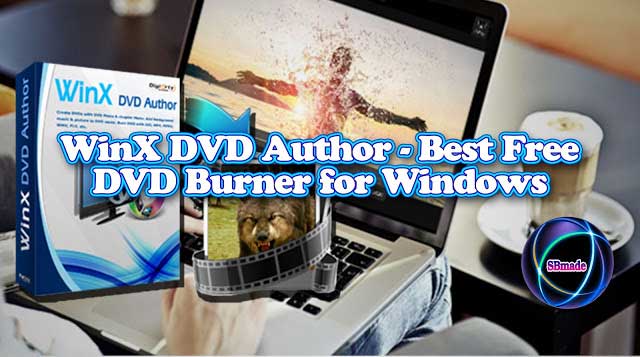
WinX DVD Author - Best Free DVD Burner for Windows

WinX DVD Author - Best Free DVD Burner for Windows

Usually we use Nero software to make DVD writes.We've got a user friendly software like this.The name is WinX DVD Author.

This is a free software application.WinX DVD authoring software empowers even novice to burn MP4, MKV, AVI, VOB, FLV, MOV, ISO and other videos to DVD disc easily. You can make home video DVD with personalized DVD menu, subtitle, and other elements.You can edit multiple videos with this software.Free as it is, it doesn't set any limitations. Instead, it offers quite a lot of practical features to make you creat professional-looking DVDs.
  • Burn all videos
  • Create menu
  • Insert subtitle
  • Set aspect ratio
  • PAL DVD
  • NTSC DVD
  • More...
See the image below.
WinX DVD Author - Best Free DVD Burner for Windows
In addition, there is another facility.You can easily download youtube videos.You need to enter the YouTube video url into this software.Then you can download it as you like.You can also download YouTube videos in different formats.See the image below.
WinX DVD Author - Best Free DVD Burner for Windows
This can add subtitles directly to the video.In addition, the video cutter is also available.The simple interface is easy for anyone to use.It's easy to learn about this software.If you are a professional dvd writer, then you will be very important to this.This is a very fast software.
Convert All Videos to DVD
Besides VOB and VIDEO_TS Folder, WinX can create PAL/NTSC DVD from MP4, MKV, AVI, WMV, MOV, FLV, MPEG, MOD, RM, RMVB, Xivd, DviX, 3GP, OGG, QT, etc.
( Support DVD±R/±RW, DVD DL+R, DVD DL±RW)

Create DVD Menu
You can create DVD title menu and chapter menu in your desired layout on inherent template or a picture from your local library, painlessly. Background music is allowed.
(Burn a full 4.3 GB DVD within an hour)

Output High-quality Video Audio
Built with Deinterlacing tech, high quality decoder and encoder engine, WinX DVD Author delivers impressive video quality and fully supports Dolby Digital AC-3 audio.
(Fit for 16:9 widescreen TV and 4:3 standard TV)

How to burn video to DVD on Windows (10)
WinX DVD Author - Best Free DVD Burner for Windows

1. Install lightweight WinX DVD Author on PC, launch it, and then click "Video DVD Author". Don't forget to insert a blank DVD.
2. Click "+" button to load one or more source videos. Then, adjust settings as needed, such as re-arrange order, add subtitle, trim video, choose 4:3 or 16:9 aspect ratio, create DVD menu, and choose output format.
3. Hit the "Start" button to begin converting and burning process.

So, download now and enjoy it.Then comment your question below your problem or our site.Also, your ideas are very useful for our success.share this article with your friends.

Wednesday, December 13, 2017

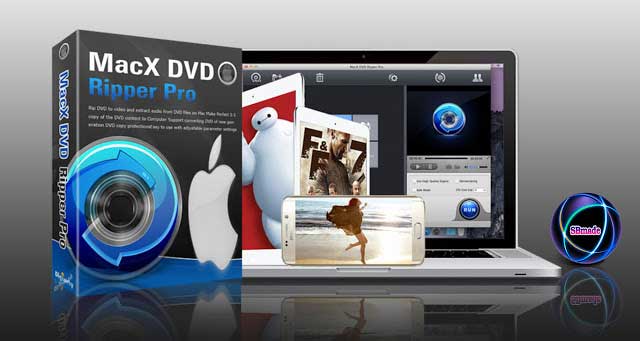
DVD Ripper software for Mac computer.

DVD Ripper software for Mac computer.

We brought this software for users who use mac os today.

We use Ripper software to copy the DVD videos to the computer.The best DVD Ripper for Mac computers is MacX DVD Ripper Pro.We all know that Handbrake software is an excellent alternative.A video can be Ripped in just 5 minutes using a complete DVD.We can also do this in a variety of formats.(MP4, H.264, MOV, FLV, MPEG4, AVI, QT, MP3).In addition, you can plug in the video to other devices.(iTunes, QuickTime, Apple iPhone iPad, Android, PS4, TV) When converting, Trim, crop, merge, and, if necessary, can add subtitle files.See screenshots.
DVD Ripper software for Mac computer.


DVD Ripper software for Mac computer.

DVD Ripper software for Mac computer.
Rip DVD to Popular Video/Audio Formats on Mac
Best Mac DVD Ripper to rip DVD to MP4, H.264, MOV, M4V, QT, AVI, MPEG, FLV, MP3, to name just a few. You can directly watch the DVD movie in iTunes, QuickTime player, on portable player devices, or import the converted video to iDVD, Final Cut Pro and iMovie to make a personalized video by courtesy of the Mac DVD ripper software.
DVD Ripper software for Mac computer.
Rip DVD to Popular Video/Audio Formats on Mac
Convert DVD to iPhone, iPad, iPod, Apple TV
MacX DVD Ripper Pro lets you rip any DVD on Mac to mainstream video & audio formats that playable on Apple devices. Rip DVD to iPhone X/8/8 Plus/7/7 Plus/SE/6s/6s Plus/6/5s/5, iPad Air/Air 2, iPad Mini 4/3/Mini with Retina display, iPad 4/3/2, iPad Pro, iPod touch 5/4, iPod classic, The new Apple TV, etc. With the fast DVD ripper for Mac, you could enjoy your favorite DVDs on the go.
DVD Ripper software for Mac computer.
Convert DVD to iPhone, iPad, iPod, Apple TV
Update Constantly to Rip the Latest DVDs
The latest DVDs and non-standard discs are bogged down with 99 titles with file size larger than 60 GB, which leads to the constant DVD rip failure, e.g. software stuck, out-of-order files, etc. With rebuilt DVD analysis algorithm and title check mechanism, MacX DVD Ripper Pro now solves the longstanding issues with DVD backup, giving you full access to any types of DVD disc, including the recently released DVD movies, 99-title DVDs, TV series DVDs, workout DVDs, and other damaged or unplayable DVDs, with 100% success rate, no crash.
DVD Ripper software for Mac computer.
Update Constantly to Rip the Latest DVDs
DVD to Android Mobile/Pad, Microsoft, Sony Devices
Built in 350+ profiles and brand new core technology, this Mac DVD Ripper not only provides a perfect solution for Apple devices, but also covers almost all popular multimedia devices, like Android Samsung Galaxy S8/S7/S7 edge/S6 Edge/Edge +/S6/S5, Note 8/7/5/4/Note Edge, Galaxy Tab S, Nokia Lumia 2520, Google New Nexus 7, Asus MeMo Pad 7, Huawei Mate 10/Ascend P7, HTC One M9, Microsoft Surface Pro 4/3/2, Amazon Kindle Fire HDX8.9, Xperia XZ/Z5/C4/M4/X Compact, WP8, Xbox, Zune, PSP, PS3, PS4, PDA, MP3 player, etc.
DVD Ripper software for Mac computer.
DVD to Android Mobile/Pad, Microsoft, Sony Devices
Trim, Crop, Merge, Add External Subtitle
Trim --- Extract video clips/segments from DVD to cut off the trailers and ads.
Crop --- Crop frame size to edit out any unwanted borders, backdrops.
Merge --- Join and combine separate movie titles into a single video file.
Add External Subtitle --- Attach your preferred language subtitle to movie.
DVD Ripper software for Mac computer.
Trim, Crop, Merge, Add External Subtitle
1:1 Copy DVD to ISO Image, MKV, MPEG2
The "Copy" feature lets you backup DVD with original video/audio quality in a few minutes. You can copy DVD on Mac based MacBook Pro/Air, Mac Mini and iMac 5K with lossless output quality and original 5.1 channels Dolby AC3/DTS audio. It will produce a single MPEG2 file so you can store it on your Mac or USB hard drive, play it with VLC or QuickTime Player. It also features cloning DVD to ISO image, backing up DVD to MKV on Mac OS X.
DVD Ripper software for Mac computer.
1:1 Copy DVD to ISO Image, MKV, MPEG2
Upload DVD Videos to YouTube, Metacafe, Break
With this Mac DVD ripping software, it's easy for you to extract favorite video segments from DVD movies and upload the wonderful video clips to popular video sharing site from Mac OS X, like YouTube, Google, Facebook, Vimeo and so on.
DVD Ripper software for Mac computer.
Upload DVD Videos to YouTube, Metacafe, Break
Adjustable Parameter Settings for Advanced Users
For Advanced users, this Mac DVD Ripper gives you the choice to adjust the decoder/encoder parameters to suit a particular use. The output settings can be tailored in terms of video codec, video bitrate, frame rate, aspect ratio, resolution, audio codec, audio channel, audio sample rate, bitrates, etc.
DVD Ripper software for Mac computer.
Adjustable Parameter Settings for Advanced Users
World's No.1 Fast Speed and High Quality
With batch conversion, hyper-threading, multi-core CPU and the unique Intel QSV tech, you can make maximum use of CPU and GPU and get the utmost out of hardware acceleration to speed up DVD ripping dramatically. The "High Quality Engine" is designed to make sure the output quality keeping the same as the original. Thus, the DVD ripper for Mac can rip a full DVD in 5 minutes only without any output quality loss, casting other competitors into the shade.
DVD Ripper software for Mac computer.
World's No.1 Fast Speed and High Quality
Extract Audio and Snapshot Images from DVD
This versatile Mac DVD ripper is capable of extracting picture from DVD movie which can be used as wallpaper for your Mac computer or iPhone/iPhone 6s, iPad Air/Mini/4. It also helps you rip MP3 music from the DVD to enjoy them on your iPhone iPad iPod Android or MP3 players.
DVD Ripper software for Mac computer.
Extract Audio and Snapshot Images from DVD
Advanced Tech to Optimize the Ripping Process
Supporting Hyper-Threading, batch conversion, and Multi-Core CPU processing on Mac (specially designed for i3, i5, i7) can speed up the ripping process dramatically, the advanced function "Run as Safe Mode" and "Advanced Deinterlacing Accelerator" will also smooth the conversion and improve the video effect.
DVD Ripper software for Mac computer.
Advanced Tech to Optimize the Ripping Process
This will be very useful for you.Enter from here and download the software.If you buy Lifetime, Christmas Season offers a 33% Discount.

Navigate» Become author for this Blog