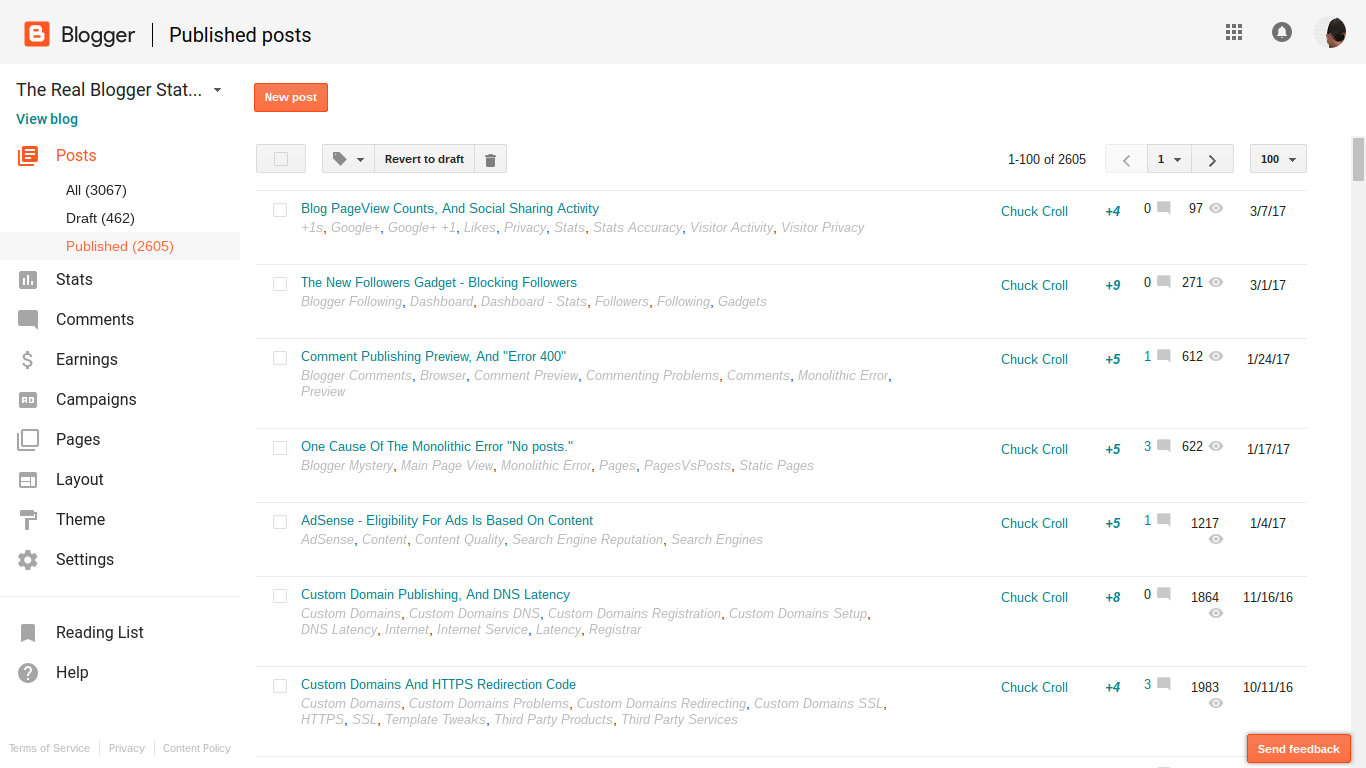
Ever since 2009, when Blogger introduced the Stats visitor activity counter, blog owners have been reporting inconsistencies between Stats and other visitor activity counters.
Recently, Google+ changed their +1 counter. Now, we wait for Blogger Engineering to update their +1 per post display counters, which use the +1 counts from Google+.
Blog owners continue to report various Stats inaccuracies - such as discrepancies between Stats pageview counts, and the various social sharing counters. They fail to observe the functional differences between the various activity counters - and similarly, between Stats counts and social sharing metrics, such as Google+ +1 counts.
Stats pageview counts and Google+ +1 counts compare no better, than Stats and various other visitor activity counters.
Social sharing contributes to your blog reputation, in a number of ways. Some social sharing relationships, compared with blog activity counters, may lead to confusion.
Social networking activity counts will resemble blog visitor activity counts - with the activity mentioning the blog.
There will be differences, between the two, however. The differences will contribute to perceived blog visitor activity count inaccuracy.
- You will have Followers - in asymmetrical and symmetrical relationships.
- You will have Followers - in direct, and indirect relationships.
- Not all Followers will read your blog posts.
- Some folks who do read your blog posts will be invisible, to you.
- The bottom line is reputation, for you and for your blog.
You will have Followers - in asymmetrical and symmetrical relationships.
Social sharing helps to connect people, through their interests.
You may read some posts in your Google+ stream, which will interest you. Some people will contribute many posts that interest you - and you will decide to Follow them. Those people may observe your activity, and decide to Follow you, in a symmetrical relationship.
You won't Follow everybody, symmetrically. Nobody can Follow everybody - or even everybody who Follows them.
Some people will share few interests with you, and have many interests that you don't have. You won't Follow those people.
Similarly, some people who you Follow won't Follow you, because you don't interest them.
You will have Followers - in direct, and indirect relationships.
If you use FaceBook or Google+ enough, you will see random posts in your stream - and decide to Follow some authors. Similarly, some of the people who see your posts, in their streams, will decide to Follow you.
You will +1 / Like / re share some posts from your Followers - and some of your Followers will do the same, with your posts, directly. Some folks who Follow your Followers - not you, directly - will +1 / Like / re share your posts, indirectly.
Not all Followers will read your blog posts.
If you spend time reading your activity notifications, you may observe that some Followers may +1, like, and / or re share, your various stream posts - including some stream posts which reference your blog posts. You may also observe that some activity takes place seconds, or minutes, after you share or re share a stream post.
Your ability to observe, and to react, will depend upon your relationship with each Follower - direct vs indirect, and asymmetrical vs symmetrical.
When a stream post is liked or re shared shortly after you share it, it's possible that your Follower did not spend a lot of time reading the content of the post. If your share included a reference to your blog post, it's likely that they did not read your blog post - even though they contributed a +1 / like / re share of your stream post.
Even though your direct Followers may not all read your blog posts, their Followers (your indirect followers) may do so. These followers will contribute to your reputation, indirectly, with a +1 / like / re share of your stream post.
Some blog owners, not aware of, or interested by, these details, may believe the +1 counters to be 100% accurate - and this contributes to perceived Stats pageview counts inaccuracy - with Stats counts seen as "lower than reality".
Some who do read your blog posts will be invisible, to you.
Nobody who uses Google+ will Follow - or be Followed by - everybody.
Most Google+ publishers will have direct Followers, who they know - and indirect followers who they don't know. Google+ will protect indirect followers identities, by not displaying their activity to people who don't know them (you, for instance).
Since Google+ protects everybody's activity and identity, from people who they don't know, Likes and +1s against your posts will include people who you don't know. People who Follow your Followers will contribute likes and +1s against your posts, indirectly - even though you will not see their activity in your stream, directly.
In the 8 hours since I published this post, I've seen one Google+ notification about a "+1", from a Follower. Yet Blogger shows a "+4".
The first "+1" came when I shared this post, to my Google+ stream. Where did the other 2 "+1"s come from?
These people will contribute to your reputation, even though they may be invisible to you. This is one of the reasons why the +1 counters are thought to be inaccurate.
Some of these invisible people, encouraged by your Followers, will read your blog posts - and contribute to your Stats activity counts. Some may decide to Follow you directly - and / or to subscribe to your blog, even though you don't see them, in your stream.
This, too, contributes to perceived Stats pageview counts inaccuracy - with Stats counts seen as "higher than reality".
The bottom line is reputation, for you and for your blog.
Higher or lower than "reality", it's all good - even when you don't always see the details, in FaceBook or Google+.
People who use social sharing, such as FaceBook and Google+, with their #Blogger blogs, will find discrepancies between social sharing activity counters, and blog visitor activity counters. These discrepancies will be as intriguing as the differences between the many activity counters.
One of the least understood Blogger features is the Stats visitor counters, and the various displays.
We see the confusion, in Blogger Help Forum: Get Help with an Issue, periodically.
The "weekly" Stats numbers don't add up, properly!
or
Why is "Popular Posts" so out of touch, with reality?
Magic is fun to watch, when it's just for amusement. When your numbers seem to have magical quality - changing from day to day, or display to display - it becomes annoying.
With its many lines and pages, the various Stats displays look like they could be part of one big balance sheet - but they are not.
With a balance sheet, you'll have detail lines in one page, that can be added up and reconciled against totals, in another page. This makes some balance sheet components redundant.
With Stats, nothing is redundant. Whether provided in a dashboard page, for you to examine - or in a gadget, to encourage your readers - all numbers are significant, exactly as displayed.
What you see for each day cannot be added up and balanced against a week - nor can a collection of weeks add up to a month. Nor can detail lines in "Pages" add up to totals, in "Audience".
- Components and features are provided for different purposes.
- Different dashboard pages reflect different details.
- Time periods do not begin and end equally.
- You may, or may not, be able to ignore your own pageviews, consistently.
- Social sharing activity will cause confusion.
Components and features are provided for different purposes.
The "Popular Posts" gadget displays popular posts, for the convenience of the blog readers - and there is no "Popular Pages" gadget, for people who choose to build a blog, based on static pages. The dashboard Stats pages are displays for informing the blog owner.
The (3) time range selections in "Popular Posts" also differ from the (5) selections in the dashboard Stats pages - further preventing comparison between Popular Posts and dashboard displays.
Different dashboard pages reflect different details.
The "Posts" dashboard page lists (only) the 10 most popular posts ("dynamic" pages), and the 10 most popular pages ("static" pages). "Pageviews today", and "Pageviews yesterday" reflect all blog activity - all index pages, all "pages", and all "posts" together.
Time periods do not begin and end equally.
"Pageviews today", and "Pageviews yesterday" counts are reset based on the global day - not on any local clock. Your "today" will never be the same, all days of the year - if ever. 23 / 24 of the world will never see their "today" equal to "Pageviews today", and "Pageviews yesterday".
And everybody knows that weeks, months, and years never begin and end in synch. You cannot add up weeks into months - nor months into years.
"Pageviews today", and "Pageviews yesterday" are the best known objects of confusion - but by no means the only - in the Stats data complement.
You may, or may not, be able to ignore your own pageviews, consistently.
Even given the recent improvement to the "Don't track" option, not all blog owners will be able to ignore their own pageviews. Every blog owner has their own required complement of performance and security products, which may interfere with the Stats "Don't track" code.
Social sharing activity will cause confusion.
Blog owners who use social sharing services for community building - and who follow activity in their stream - will observe various inconsistencies. Both inflated counts, and deflated counts, will be perceived, when reconciling stream activity and blog visitor counts.
The bottom line.
Everybody needs to accept reality - that Stats will simply perform differently, for every different blog, and for every different owner of every team blog. Enjoy and use Stats for what it is.
Many #Blogger blog owners become concerned, when they add up detail Stats numbers on one display, and find the numbers do not agree with the totals from another display. They do not notice that the numbers have different origins, and purposes - and simply cannot add into any different display, with any degree of accuracy.
Some blog owners like to validate their Stats displays, using third party visitor logs like StatCounter.
Since Stats displays aggregated page view counts - not individual visitors - a blog owner will find many discrepancies between Stats and StatCounter. One observation might involve Stats indicating periods of no activity, where StatCounter shows an interesting visit.
A visit, registered by StatCounter - but not by Stats - indicates an apparent problem with Stats. Or, so the blog owner might think.
StatCounter displays page views, by counting clicks on the readers computer.
(Note): Please observe that "page views" come from both dynamic pages ("posts") and static pages ("pages") being accessed. When I refer to "page views", don't get confused about dynamic pages ("posts") vs static pages ("pages") - "page views" apply to both.
Stats displays page views, from the Blogger servers. If a page being accessed, by a reader, is already in cache on the readers computer, there will be no access to the Blogger server, and no Stats activity.
This discrepancy can contribute to confusion about visitor count. If two readers, sequentially sharing a public computer, access the same blog page, StatCounter may indicate two visitors.
If the first reader does not cautiously clear the computer before vacating, the second reader will access the page from cache - and will not register Blogger server activity. Stats will show no page views, indicating a second reader.
If a computer is being used with other people waiting for a turn, a reader may not have a chance to clear the computer before giving control to a second reader. The busier the computer, the greater the chance that Stats and StatCounter may show an apparent discrepancy.
There will always be differences between Stats and any other visitor log - just as there will always be differences between any two visitor logs, in general. A discrepancy is not always an inaccuracy.
Occasionally, we see odd questions about Stats, and the history of someone's blog (or maybe, the URL of someone's blog), in Blogger Help Forum: Get Help with an Issue.If I started my blog last year, why does my Stats display show pageviews from 2, or even 3, years ago?
andIf I rename my blog to a better URL, how do I carry the Stats numbers to the new URL?
Neither blog owner shows an accurate understanding of the historical nature of Stats pageview counts.
The Blogger servers record access activity by URL - not by blog.
Stats extracts pageview counts as needed, by URL, from the Blogger server logs. If the URL of your blog is "myfineblog.blogspot.com", and you request pageview counts for your blog, for "All time", you will see pageview counts against "myfineblog.blogspot.com", for Stats since May 2006 (as currently the case).
If the URL of your blog was "myexcellentblog.blogspot.com" until you renamed the blog to "myfineblog.blogspot.com" 6 months ago, you will see historical pageview counts for "myfineblog.blogspot.com" - which will include your blog, starting 6 months ago. You won't see pageview counts for "myexcellentblog.blogspot.com", from a year ago, because you'll be seeing historical pageview counts for "myfineblog.blogspot.com".
If someone else had a blog, published to "myfineblog.blogspot.com", before you renamed your blog to its current URL, your Stats displays could include pageview counts reflecting access to that blog. If "myfineblog.blogspot.com" was never used before you renamed your blog to that URL, it's possible that your pageview counts include attempted access to a non existent URL.
If you're using Google Webmaster Tools with your blog (and you should be doing that), you can check the access logs for "404 Not Found" events in the WMT logs. Just as a tree, falling in the forest, makes a sound even when nobody is around, so can access attempts exist against URLs where no blog is published.
Some referer spam appears to be sent to all likely URLs, ignoring whether or not a blog actually exists, at that URL. Referer spam is not unique to Blogger, and has been a problem since before Blogger became a major player in the Internet world.
If you just started a blog, or just renamed your blog to its current URL, your pageview counts can reflect historical referer spam, against your current URL, from before your blog was published to the current URL. As Blogger identifies specific referer spam campaigns, and eliminates some referer spam from Stats logs, this is one more possible cause of fluctuations in pageview counts.
If the possibility of seeing bogus pageview counts, for your blog as published to the current URL, does not please you, I will again point out that you'll get more out of your blog if you spend less time worrying about the details of the Stats displays, and more time working on your blog.
Look at activity before the blog was published as "noise", and look at current activity as "signal" - and work on improving the "signal to noise" ratio. Be aware of the value of your blog, and work on improving the value.
>> Top
Some blog owners don't understand why Stats displays show that no one is reading their latest post.I know that my most recent post is being read - but Stats shows pageviews, for that post, as 0!
This owner does not understand the difference between main page, and post page, access.
If you read this blog, without being interested in any particular post, you can access the main page. On the main page, and other index pages, you'll see anywhere from 10 to 15 carefully summarised, recently published, individual posts.
Clicking on "Read more »", at the end of any of the summaries, you can read any complete article. This complete article, and others in this blog, is published as an individual post page - and summarised on index pages, using Jump Break.
Not every blog owner uses Jump Break, to display the posts. Some blog owners publish complete blog articles, in each index page post. Depending upon how any blog is designed, some readers may click on a link, to read any individual post - and others may read some posts from the main page.
Stats enumerates pageviews for individual post pages, in the "Pages" / "Posts" displays. Since the main page is an "index" page, main page activity is not tracked, in the "Pages" / "Posts" displays - and that causes some confusion.
For any given blog not using Jump Break in the posts, the unconscious decision to read a post from the main page, as opposed to a post page, is affected by various blog design details. - Physical size of main page.
- Number of posts published on main page.
- How frequently new posts are published.
- Whether the blog is publicised, using main page links - or individual post page links.
- Presence - and position - of the Archive index accessory, on the blog face.
- Presence - and position - of any search accessories, on the blog face.
- Use of label indexes - at the end of the posts, and / or a Label index on the blog face.
- Use of links in post content.
- Choice of comment display style - combined with the blog content which may or may not encourage comments.
All of these details, and more, may cause a reader to read a given blog article on the main page, or on an individual post page.
Physical main page size. Larger main pages require more scrolling. The more scrolling is involved, the greater the chance that the reader may find a link to an individual post page, click on the link, and read the article from the post page.
Number of posts published on the main page. Number of posts affects physical main page size. Thanks to auto pagination, some blogs may be displayed with a few posts on the main page, and other blogs with many posts on the main page. Blogs published with less posts on the main page will have more readers clicking on links to the individual post pages, for older posts that won't appear on the main page.
The most recent post published will appear at the top of the main page, in its entirety. Readers accessing the blog, using the Home (main page) address, are almost certain to read the most recent post as part of the main page. Other posts, further down the page, may or may not be read in the main page, or in individual post pages.
Frequency of publishing. Blogs with posts more frequently published will see older posts pushed from main page view sooner, increasing the chance that older articles will be read from the posts pages.
How the blog is publicised. Blogs that are publicised using the main page URL will see more traffic to the main page, while blogs that are publicised using the individual post page URLs will see more activity to the post pages.
Presence and position of the Archive index. If an archive index is present, and visible at the top of the page, a reader may click on an archive index entry, and read an article from an individual post page.
Presence and position of a search accessory. If a search accessory is present, and visible at the top of the page, a reader is more likely to use the search, and to read an article from an individual post page.
Use of a label index may lead to reading the blog using a label index page. Similar to main page, a label index page is a page which groups posts under the label in question. A label index page may be reached from an end of post label list entry, or from a Labels index accessory.
Pageview counts for label index pages, like main page, are not counted under "Pages" / "Posts", in Stats. Here, too, you can have articles read without clicking to the individual post pages.
Use of links in post content. Posts which contain direct links to other posts - as opposed to use of the end of post label index - lead directly to other individual post pages.
Comment display style, and use of comments in the blog. Blogs which use embedded comments will have activity on the individual post pages, when the reader feels the need to examine previously published comments, and / or publish a new comment. The embedded comment display, and entry form, are at the bottom of the individual post pages. The Comment Count Link - "nn Comments" - goes to the bottom of the individual post page, and will generate activity, as counted by Stats.
Blogs with full page or popup comments - and blogs which don't encourage comments - will have less activity on the individual post pages. The post pages are not loaded, with full page or popup comment forms. The full page and popup forms are published under "blogger.com", not under the blog's URL.
All of these seemingly insignificant details, which are present in every blog, in different combinations, will affect access to individual post pages, as opposed to various index pages (archives, labels, and main page).
This will determine whether access to a given article in the blog is counted (as a page or post) or ignored (as an archive, label, and / or main page). The infinitely variable combinations of these details will determine the relative "accuracy" of the Stats "Pages" / "Posts" display, for different blogs. You'll see similarly variable search engine indexing of the blog, with these combinations of details.
And remember also that in the "Page" / "Post" Stats lists, only the top 10 most active Pages and Posts are displayed, at any time. This will also affect "accuracy".
Not all blog owners realise how unique Blogger Stats is, in its design.
Some owners may idly suggest that Stats can easily be replaced by any third party visitor activity log / meter.Why bother to use Stats? Since Blogger Stats shows referrer spam, it's pretty useless - just use SiteMeter, StatCounter - or Google Analytics.
They have no idea why Stats was designed as it is, nor what information Stats provides, that no competing product can possibly provide.
Every add-on accessory, such as any visitor activity counter / log / meter, has to be manually installed in your blog.
Most visitor activity counter / log / meter products require installation.
Simple accessories, which depend upon your visitor clicking on a link, can be installed easily - just add a clickable link on your blog - either in a post, or anywhere in the body of the blog. Visitor logs or meters such as SiteMeter or StatCounter, in order to produce usable statistics, can't depend upon the blog readers clicking on a link.
Most such accessories use add-on JavaScript code, installed in the body of the blog (as an accessory gadget), or in the blog template (installed using "Edit HTML"). With add-on code, that references any external server, the installed location on the blog page, of the accessory code, is crucial.
- Install the add-on at the top of the web page (or in the template code), and as your reader loads each page, he / she gets to watch the page load pause, as it waits for a distant accessory server to respond (while recording the visit).
- Install the add-on at the bottom of the page, and any reader, who closes the display before the page finishes loading, will not be counted by Analytics / SiteMeter / StatCounter.
In either case, the page takes longer to load. This causes reader impatience, and motivates the reader to close the display before the page finishes loading. The result - your blog gets one less new reader.
Most visitor activity counter / log / meter products are affected by filters.
Besides reader impatience causing statistical inaccuracy, all third party accessories that use JavaScript have a second problem - script filtering by our readers.
Analytics, SiteMeter, and StatCounter are known to be explicitly blocked, by some browser setting or third party application that may run on any given client computer. Some security products specifically list "sitemeter.com" or "statcounter.com" in their Block Lists.
A lot of malicious activity, encountered when surfing the web, can easily be blocked by proactive script filtering - just permit scripts, from any given domain, only when explicitly told to do so.
Every reader uses security accessories in the browser and on the computer - and many security accessories and settings provide script filtering. Most security is now provided as "deny by default, permit only on demand".
Most security products update automatically, as updates are produced - and this leads to other problems. Many of our readers, who are concerned with security, or who use computers that are well protected, may not be counted, consistently, by Analytics, SiteMeter, or StatCounter.
Stats does not require installation, and is not affected by filters.
Blogger Stats avoids the issues of page load delay induced impatience, and client filtering, by not using JavaScript add-on code. Since Stats is a Blogger accessory, it can retrieve data directly from the access logs produced by the Blogger servers. Access to server access logs:
- Does not cause page load delays.
- Is not subject to page load delay impatience.
- Is not subject to reader security settings.
- Does not require installation of any accessory, on individual blogs.
Besides the problems of our readers visits not being counted, we have the issue of what information is provided, and for what period of time. If you have installed SiteMeter or StatCounter on your blog, look at the displays provided. Each product will mention a limit of either 100 or 500 log entries - and will display details or statistics based upon the log used.
Many Blogger blogs get more than 500 visits in a single day - requiring blog owner visits to the log website at least daily, or to pay for extra service, to provide any benefit. And of course, that log was started only after the product was installed.
Blogger Stats, on the other hand, is able to provide statistics for the current day, week, month, and for "all time" (starting in May 2009, for all blogs in existence at that time).
Stats does not discard old statistics, they just extract from the server access logs, for any time range provided.
- All time.
- Last 30 days ("Month").
- Last 7 days ("Week").
- Last 24 hours ("Day").
- Last 2 hours ("Now").
Any blog owner can see any available statistics, at any time. Stats never has to be installed, by any blog owners - it is already there.
Stats is vulnerable to bogus activity records, created by spammers.
Unfortunately, the biggest strength of Stats - use of the server access logs to gather the visitor activity data - leads to its best known weakness - abuse by referer spammers, which leads to inflated blog read counts.
It may help to understand that referer spam did not start with Stats - nor is referer spam unique to Stats. Referer spam has been around ever since people published websites, and displayed a visitor log extract ("My Recent Visitors") to make their website more interesting to new readers (The suggestion that "This website should be more interesting to YOU, because it has readers from all over the world!").
Stats, like every visitor activity counter / log / meter product, resets totals.
Besides the concern of referer spam, we see various evidences of confusion about Stats displays.
All of these limitations are simply the direct result of how Stats is designed.
Every visitor activity counter / log / meter product differs, from every other product.
In reality, both Blogger Stats and third party visitor activity logs or meters have their respective advantages - and neither choice can ever replace another.
- If you want to see demographic details about some readers of your blog, you can use Analytics, SiteMeter, StatCounter - or any number of third party visitor activity logs and meters - after the chosen accessory has been installed.
- If you want to see comprehensive statistics about all readers of your blog - without being limited by install time or reader security policy - only Blogger Stats will help you.
Fortunately, all products are free - and Stats requires no installation. Your Stats data is there, waiting for you - on the Blogger dashboard menu.
Occasionally in Blogger Help Forum: Something Is Broken, we see a curious question.My blog Stats display is missing a complete year.
The problem is actually right there, in front of all of us - if we look.
Look at the Stats Overview tab, and the graph at the top of the display.
 What happened to "2010"?
My suspicion is that it's a deliberate omission, to get the graph to fit in the limited horizontal space. How will they get "All Time" to fit in that space, as the Stats display gets older, and "All Time" covers more years?
That being the case, it should not be that much work to add a little "broken line" symbol in the border, between "2009 October" and "2011 March". Look how smoothly the line flows, in my graph, right through 2010. What does your blog show?
Fast forward to 2015, and we'll know the answer.
And in 2012, we now see the same display oddity with the numbers from 2011.
>> Top
We've been discussing referer spam for many years.
Every week, besides many people who wonderWhy doesn't Google put an end to this, for good?
there are occasionally some folks who wonderBut is this all bad? Doesn't this help us in our overall Blogger statistics as far as traffic counts go? If so, it's not all bad - for those of us with less than ginormous followings.
And both attitudes reflect people who just don't understand what it is.
We've already discussed, repeatedly, why Google can't just put a end to it, unilaterally.
The latter musing, considering that it may possibly be beneficial to any Blogger blogs, is no more valid than the former. Referer spam simply cannot be blocked, because it is not different from legitimate traffic.
Stats logs entries, from referer spam, do not reflect people viewing the blog.
The numbers reflected in our Stats logs do not represent any actual traffic against our blogs, or any websites with links to our blogs. The only person who benefits from referer spam is the owner of the advertised (fake referer URL) sites - and that happens only when we click on the links in the Stats display.
Only Stats, which builds its pageview counts and graphs using the Blogger server activity logs, is subject to referer spam. All third party visitor logs and meters, which depend upon snippets or widgets added to the blog template, are not subject to this problem.
Don't click on the links - and use a third party visitor log for verification.
So, besides my facetious advice that you simplyDon't click on the links.
comes equally facetious advice that youGet a third party visitor log / meter, for accurate and comprehensive pageview counts.
The articles in this blog, which discusses production and use of Blogger blogs, are written as posts.
The various posts are combined, using embedded links, in different ways. Each new post appears on the main page, as it is written - and the various posts, appearing together on the main page, create opportunities for confusion, with the readers of the blog.
Long ago, the task of moderating comments was rather depressing to me, as the focus of many of the comments made me think that nobody was actually reading the articles. Maybe, I would write an interesting post about URL availability; but when moderating comments, I would find questions about posting comments on static pages. Or maybe a post about dynamic template concepts would attract complaints about referer spam.
Why should I publish my advice, if nobody cares enough to read the articles and comment relevantly?
Just previous to this post, I wrote about Stats displays, and the contents of the Posts lists.
In the process of writing the latter article, I discovered one obscure benefit of using "Jump Break" - and how "Jump Break" affects main page view, search engine indexing, and finally, relevance of comments to post subject.
A home page, with a variety of posts, naturally produces un focused comments.
Why the apparent lack of focus, of the comments? One reason is that many different posts, published one after the other, appear in sequence, in the blogs main page.
People will read the posts - and the search engines will index the posts - using main page view. Only after newer posts force the older posts, one by one, from main page view, will the individual posts have any significance - to people or search engines.
Using my example above, and looking at my main page when this post was new, one would have found a post about URL availability, published a week after a post about posting comments on static pages. By the time the search engines indexed the latter post, I would have published the former post. The post about URL availability would be visible in main page view, ahead of the post about posting comments on static pages.
Clicking on the link to my blog, attached to a SERP entry referencing static pages, the reader will read my main page from the top, find the previously visible post about URL availability, and the Comments link following the post. Clicking on the first Comments link found, the reader will post his question about static pages, against my post about URL availability.
Use of Jump Break gives a home page that can be easily read, top to bottom.
So, what effect does the use of "Jump Break" have on this problem? Using "Jump Break" on all main page posts makes it more likely that a potential reader of the blog, following a home page link to the blog, has more chance to see all recent posts, with their summaries.
The reader is more likely to scan down the page, see a summarised relevant post, click on "Read more" - and read the relevant post, on the individual post page, before commenting.
Use of Jump Break gives more weight to the individual posts, as indexed.
Additionally, with the posts summarised in main page view, the search engines will find less content on the main page. The full posts will be indexed as individual post pages, more than as part of the main page. This gives more weight to the individual posts, and less weight to the main page.
When indexed using an automatically generated, robust sitemap (2014), the posts will appear individually in SERP lists, decreasing reader main page confusion. Each SERP entry, pointing to an individual post, will be more relevantly focused - giving it more weight than a SERP entry, pointing to main page view.
Use of Jump Break, consistently, produces a win-win-win scenario.
In summary, careful and consistent use of "Jump Break" leads to:
- Better focus on individual and relevant blog articles, by the search engines.
- Less confusion to the blogs readers, when accessing the blog using SERP hit lists.
- Less frustration for the blog owner, when moderating comments.
It's really a win-win-win, when used consistently. And, it's so simple to apply, on a post by post basis. Check it out, in action.
The problem of last week, with Stats, was fixed late yesterday, and our Stats displays once again are showing Posts pageview counts and enumerating individual Posts. Now, we have a perceived problem, being reported by newer blog owners.My Stats display does not show my newer posts!
This concern is visually valid - but it's not real. It's most common with blogs that have just over 10 posts, which are owned by people who are not aware of the Stats display limitations, as we have explored.
The Stats Posts displays enumerate the 10 most popular posts, for any given time period. Newer posts will seldom appear in the Posts lists, for many blogs.- The "Posts" lists enumerate individual posts, and shows pageview counts for posts viewed in single post view. Newer posts will be displayed in their entirety on the main page, and read as main page views.
- The lists show only the 10 most popular posts. Newer posts, not yet indexed by the search engines, or linked by your readers, won't have as many inlinks - and the post page URLs won't get as much traffic from other blogs and websites.
Owners of newer blogs will not be aware of these details - and with just over 10 posts, may not see the significance, in their Stats displays. These owners will simply see, from time to time, posts that don't appear in the lists.
If you look at the main page, for this blog, you'll see use of "Jump Break" in my newer posts. Each of these posts, to be read in their entirety, can only be read using the "Read more" link - and from the individual post page. Look at the address window above.http://blogging.nitecruzr.net/2011/10/stats-not-displaying-newer-posts-in.html
Since you're viewing these words, this post is being counted in Posts, as a pageview. Thus the Posts lists, for this blog, will enumerate this post, sooner.
Here, we see another benefit of using "Jump Break" over other auto summarisation techniques. The "Jump Break" links directly to the single post view of each post - and it uses HTML, which makes it search engine friendly. Some previous auto summarisation techniques used JavaScript to hide the full post content, preventing search engines from indexing the full post text.
Besides encouraging the post content to be read as a post page, the search engines will index post content in the post pages. The archive retrievals, and main page, will only list the partial content of each post - and search engine hit lists will contain more relevant content.
>> Top
For several days now, we've seen various reports from anxious Blogger blog owners, in Blogger Help Forum: Something Is Broken, lamenting the lack of detail information in their Stats logs.My Stats logs does not show the page views for particular posts.
This is just one example, of the many ways that blog owners perceive, and report, the ongoing problem.
If you look at the Stats Overview or Posts display, for any blog with any popularity, in the "Now" or "Day" time range, you'll likely see the well known adviceNo stats yet, check back later.
When initially reported, this was only visible in the "Now" time range. Now, the effect is seen in "Day", and for some, less consistently trafficked blogs, in "Week" also. The effect is visible, consistently, in both the Classic GUI (brown / dark blue display), and the New GUI (2011) (brown / orange on white display).
This problem is apparent, for most blogs, in the "Posts" tab.
Most blogs with consistent traffic will show this affecting only the detail Posts lists. The "Now" and "Day" Posts lists, as noted, show "No stats yet, check back later.". The "Week", Month", and "All time" Posts displays show the Posts lists from before the problem first occurred. Both the Posts names in the lists, and the pageview counts for each post listed, are frozen.
This blog shows no effect in pageview counts, outside the Posts detail lists. I've carefully examined the graphs for "Now", "Day", "Week", "Month", and "All time", in both the Classic and New GUI, for this blog - and I don't see any count discrepancies. Your observations may agree or disagree - and I await your comments.
We have a Rollup discussion, in Blogger Help Forum.
We have an ongoing rollup discussion, in Blogger Help, where the scope of the problem is being discussed. My original perception of the problem began as we explored the latest wave of referer spam; I am today trying to determine if the two events are related.
An earlier outage may be related to this problem.
We also had an interesting 2 hour outage, a week ago, where no Stats data (counts, or details) was available for the previous week - and some blog owners are wondering if that issue is related. We have no references for the latter episode, as we escalated that problem in real time, and Blogger Support was able to fix it, immediately.
That problem was complete (as noted, both counts and details were available), it was immediate (it showed on all Stats displays for the previous week, retroactively), and it was total (the immediate nature and effect on the forums made it an obvious BloggerFire). This problem, according to my observations, is neither.
(Update 18:00): Blogger Support has fixed this problem.