Microsoft is one of the most popular and most valuable companies in the world.The Microsoft Office we use today is one of their creations.But they do not provide those softwares free.Perhaps we do not have enough of it to buy it, even if we want it.However, for most office functions, this office pack is particularly needed.
Also, under this microsoft office package, Excel, OneNote, Outlook, Word, PowerPoint and more.However, do we have no way to use this office package for free? So let's talk about that.
We can see more crack version in the world now.But it is a punishable offense in law.But using them is a punishable offense of the law.The best way to do this is to use the online office package.It has been fully utilized for free.Here you can use all the software online in the normal Office package.And, the main thing you need to use is a uniform Internet connection.
So today's internet connection is everywhere.So it is possible to use this method without any problems.You can also get another advance on this online office package.That is, all your work is saved in the Microsoft OneDrive cloud storage.This makes it possible for you to access the files anywhere in the world.Only internet connection is required.In addition, you must have a Microsoft account.Therefore, even your own smartphone has access to your files.
But we have a minor disadvantage.That means that you need to connect to the Internet.If your Internet connection stops, you will not save what's happening to that moment.But once you are connected, you can do things normally.
So you know about How to Use Microsoft Office For Free - Office Online, Hope you like the post, don’t forget to share it with your friends and leave a comment below if you are facing any problem at any step in the method discussed above.Thank you
Like many in the world, you will also use email.So this email signature is very important to us.Because it improves our professionalism.You can tell you better about your abilities.Because you can enter your main information in an email signature.And if you run a website or company, your email signature will be very important.
Usually this signature is often created by HTML.But it may at times be difficult for you.So we brought some of the best websites for that.They can set up your email signature free of charge.You can also quickly generate it very beautifully.
There are about 30 templates for generating an signature on this site.They can also be edited as you like.At the same time you can use this signature on Outlook, Outlook 365, Thunderbird, Gmail, Exchange server, Exchange Online through this website.Such a platform makes you one more advantage.
The website can easily create email signature and can also be used for Outlook, Gmail, iOS, and more.This site gives the introduction before creating the signature. It will be easier.There are also some more beautiful templates.You can easily create this email signature by adding your information to different categories on this site.
In this site you have a few free templates.You can also create a free signature for gmail.In other cases you have to pay a fee.But using this site is very easy.In addition, this site also allows business cards, sign files online, business listings, and business web pages.
This is also a great website.But most templates cannot be found here.However, you can include details in the very simple template.You can also get the service without registering on these sites.So your time will be saved.
So you know about Top 5 Best Websites to Create Free Email Signature, Hope you like the post, don’t forget to share it with your friends and leave a comment below if you are facing any problem at any step in the method discussed above.Thank you
Тесhnоlоgу hаs јumреd lеарs аnd bоunds іn thе lаst ten years, and information has come of prime significance for corporates tо wоrk thеіr mаgіс, but thеу stіll nееd thе mаgіс wаnd tо асhіеvе thіs. Well, they've got it, web hosts from around the globe are in a frenzy to deliver state of the art infrastructure for SMB's and large scale industries to host their іnfоrmаtіоn, аnd thіs hаs соmе іn thе fоrm оf VРЅ аnd сlоud hоstіng.
Wеll, еvеrуbоdу's hеаrd оf соmрutеrs, hаrd-drіvеs, еtс. to store and execute data and run various programs on it, storing data on the web comes with the fundamentals of VPS that involve the method of virtualization which means dividing a single server into multiple servers. Virtual servers host data with other information that is stored on other walls of the server. In this sort of hosting, resources are shared with information of other clients on that server. This sort of server technology is good for businesses that don't have a lot of data or large spikes in traffic.
VPS servers are the easiest and most affordable way to host data on the web, hosting on VPS leaves clients to upload their information, monitor visitor stats, create new accounts, and work with their personal information like usernames, passwords, so on and so on. Сlіеnts аrе sеаrсhіng fоr Lіnuх оr Wіndоws VРЅ shоuld ехаmіnе thе аmоunt оf bаndwіdth, stоrаgе, соntrоl оvеr іnfоrmаtіоn аnd реrsоnаl іnfоrmаtіоn, sуstеms suрроrt for scripts and databases, ability to install software seamlessly, create email accounts and much more.
Тhе nехt stер оf vіrtuаlіzаtіоn іs сlоud соmрutіng; thіs tесhnоlоgу dеlіvеrs shаrеd rеsоurсеs tо сlіеnts оn-dеmаnd, сlоud sеrvеrs аnd VРЅ dеlіvеr flехіbіlіtу, реrfоrmаnсе, sаvе саріtаl ехреndіturе аnd а whоlе lоt mоrе. Hosting information on the cloud is the modern wave of virtualization technology as it leaves complete virtualization, state of the art management, optimization of resources, and enhanced automation.
Vіrtuаl Рrіvаtе Ѕеrvеrs dеlіvеr sіnglе аnd іndереndеnt sоlutіоns аt lоwеr соsts tо smаllеr соmраnіеs, thе сlоud VРЅ аlsо саllеd аs Іnfrаstruсturе-аs-а-sеrvісе dеlіvеr mаnаgеd іnfrаstruсturе іn thе fоrm оf vіrtuаl саsеs, thеsе соmроnеnts саn іnсludе сарасіtу, stоrаgе, RАМ, Рrосеssіng Роwеr аnd lоts mоrе, сlіеnts аrе gіvеn thе орtіоn to pick their operating system like Windows and Linux, a virtual personal cloud or virtual private data center is virtually partitioned from a big cloud setup via а VLАΝ аnd іs mаіntаіnеd bу sеrvісе рrоvіdеrs.
А vіrtuаl рrіvаtе сlоud іs sаіd tо bе аn аmаlgаmаtіоn оf сlоud соmрutіng wіth а vіrtuаl рrіvаtе nеtwоrk set up. A virtual private cloud is derived from interconnecting cloud resources with business sіtеs аnd VРΝ's. Тhеrеfоrе сlоud соmрutіng оr сlоud hоstіng іs thе newest wave of the future by providing flexible and on-demand resources, global clients are using this technology sеаmlеsslу асrоss vаrіоus рlаtfоrms аnd wіll соntіnuе tо dо sо іn thе futurе. Тhіs іs whеrе сlоud hоsts аrе wоrkіng dау іn аnd dау оut tо dеlіvеr stаtе оf thе аrt sеrvісеs tо сlіеnts аll оvеr thе wоrld.
Every business handles data. For instance, your business probably collects information about clients like their name and address. The data collected from the customers are then classified according to its use in the organization. This advice is usually input into the business 's database system. A database is usually composed of data grouped into different disciplines like the customer name, telephone, address and other vital attributes. These areas are then grouped as records containing related information, and this makes up one file. These files make up the whole database. The files should be handled regularly by authorized personnel, particularly the database administrator.
If your business maintains multiple databases, different issues may arise. Ѕоmе соmmоn рrоblеms іnсludе mіssіng іnfоrmаtіоn іn thе rесоrds, mіssреllеd оr іnсоrrесt dаtа, dаtа іnсоnsіstеnсу, аnd duрlісаtіоn. Managing data remains a challenging task for companies as the demand for information increases. Some companies have their own data management technology that helps ensure consistency and reliability.
Тhе соnvеntіоnаl аррrоасh fоr hаndlіng dаtа іs bу ехаmіnіng tуреs аnd rеlаtіоnshірs аnd fіndіng аnу еrrоrs thаt ехіst аnd thеn sераrаtіng thеm іn thе dосumеnt. But this is quite laborious tasks and quite costly for the business. Together with the new technology applications that are available today that use database as an interface handling data becomes simple and cost-effective. With database management systems information is readily categorized according to its structures and types. The program is then controlled by a database server that can handle a huge volume of information.
Data management technology includes different tools that manage all of the data from models to structures. Additionally, it is composed of a data engine, subsystems, and management as part of its approaches and methods. Together with the data definition method, a dictionary is within the database to permit data tо bе саtеgоrіzеd іn рrореr fоrm. Dаtа mаnірulаtіоns аllоw dаtа tо bе еdіtеd аnd dеlеtеd whеn nееdеd bу аn аuthоrіzеd реrsоn оnlу аnd wіth dаtа management, the whole data process is handled by the backup program, data security, and data control management.
We have brought important information for you today.So oppo is another large company in the world.Oppo company is especially focus for mid range smartphones.Also, many people like Oppo selfie camera.So with oppo company, going forward with new technology.So oppo find x is trying hard to adapt new technologies to mid range phones.For this reason many people like oppo smartphones.So today we are bringing this article because the oppo find x phone release.
Oppo Find X for a New Experience
So now Oppo has released a new flagship for you.Because of its specialty, the whole world began to talk about it.This new oppo find x has given the world a new experience.So, you know, oppo company gives a top priority to the camera.So, the most important thing about this new device is that the front Selfie camera does not interfere with the display and so it can be Flip so as to raise it upside and down.This product will be a big challenge for smartphone makers like Apple, Samsung and Huawei.Already, many people in the world have started talking about these.
So long after that, Oppo released a flagship.So oppo has released several flagship brands, but oppo find x is very special.This new device is also visible in a purple color.And it's also very smooth with round corners.Exactly, there is a nature of materials in a Lamborghini car.So what's this Lamborghini story?
That's because Oppo and Lamborghini company have a partnership.So it will continue to develop oppo device with a Lamborghini company.Also, this device cannot be seen at the camera.So you can see a motorized pop up camera when you want to use the camera.So this is the reason why many people focus on this device.So now this device does not have to use the notch.So you can use the most beautiful display.
The new Oppo Find X has the ability to fast charging technology.The operating system is color OS 5.1 on top of Android 8.1 Oreo.There are also 8GB Ram and 128GB / 256GB of inbuilt storage.Finally you can see 6.4-inch display (Resolution of 1080x2340 pixels), 3730mAh Battery, Back Camera: 20Mp + 16Mp (Dual Camera), Front Camera: 25Mp.So this price is about $ 1150.So this device is designed specifically for European countries.So you can find out more information about this phone by the video below.
So you know about Oppo Find X for a New Experience, Hope you like the post, don’t forget to share it with your friends and leave a comment below if you are facing any problem at any step in the method discussed above.Thank you
Today we brought a new browser.There are many browsers in the world, and new browsers are created.So today we are talking about such a new browser.Smart Appearance is the distinctive feature of this unique browser.Also the name is Vivaldi.So if you like use different web browsers, You can also use this web browser.
The Vivaldi Web Browser to Fast And Flexible Use of Internet
There are various browsers in the world and various facilities.So there is a variety of facilities in this web browser.So let us consider these facts.
You can save yourself a website by adding a note.
Bookmarks, Downloads & Notes can be taken on the side panel.
You can manage the Tab in your own way.
Displaying details of websites that were previously visited. (How long the website was on, the date, and the number of times the guest appeared table)
You can add beautiful Themes.
So you have such a wide range of facilities.You can also find more information on the video below.
This latest Vivaldi Browser is available for your Windows All / Mac / Linux OS.So if you like, get a new experience using the browser, You can get a good experience with the Vivaldi Browser.
So you know about The Vivaldi Web Browser to Fast And Flexible Use of Internet, Hope you like the post, don’t forget to share it with your friends and leave a comment below if you are facing any problem at any step in the method discussed above.Thank you.
Today too something was brought to you.As we have mentioned in previous articles, many people use gmail.So, today, we tell you how to do this with gmail.Really why yandex Email is connect with your gmail account.First, let's know something about it.
Your normal with gmail account provide email like email@gmail.com.So it will include all mail you send.But if you have a previously created business mail, it can be connected to gmail.And in the previous article, we discussed how to set up a business email Address using yandex.We also talked about how to forwarding yandex emails to gmail.So if you want to reply with the business mail, you should visit yandex.So when it's connected to your gmail, you do not need to go back to yandex again to reply.
So now you understand that the advantage of connecting to a yandex email address in your gmail.Another advantage is that you can use the email created with this yandex as a default email in your gmail account.Then you can use the mail that you add to all the e-mail you send, without any problems.If so, let's see,
How to Connect Yandex Email With Gmail
First go to your gmail account and click on the setting icon in the top right.
Next you will get a drop down menu and select the settings.
In the next window, go to the Send email as: in the Accounts and Import tab.
Next, click Add another email address.
Then in the new dialog box, give the name and email address and click the Next step button.
In the next window, use SMTP Server as smtp.yandex.com and Port 465 with Username and Password and click Add account button(You need to provide yandex email you created).If you have problem, go to yandex email clients for more information.
You should then enter a verification code.To get the code, log in to your yandex mail and then enter the code and click the Verify button.
Now you have successfully added your new email.
Now you can work with the newly added mail.Now that you click on the compose button for sending a new mail, you can see a drop down menu in from section.You can choose the new email provided.And if you continue to use that new business mail, it can be set as default mail.Let's see,
How to set your business email as the default from address.
First go to your gmail account and click on the setting icon.
Next you will get a drop down menu and go to settings >> Accounts and Import >> Send email as:
Next, click make default in the front of the newly added email.
Now you have successfully added your business email as the default from address.
Next you can use it as the default email.It can answer everything.So if you have a problem with these steps, the following video will solve your problem.
So you know about How to Connect Yandex Email With Gmail, Hope you like the post, don’t forget to share it with your friends and leave a comment below if you are facing any problem at any step in the method discussed above.Thank you.
If you created an email through yandex, you may sometimes find it difficult to use.Because most people use gmail.It's easy to use since it knows many people.However, we discussed how to set up a business mail for your domain.If you have not read it, you may not understand this article when it comes to this article.If you know it before, there is no problem.However, it is important for you to forwarding a mail to another email address.
Currently, many use yandex.Because it makes it easy to make business mail.This also provides good protection.But the problem for many is, How to Forwarding Yandex Emails To Another Email Address.So let's talk about it today.Follow the step-by-step instructions provided below.
How to Forwarding Yandex Emails To Another Email Address
First, Sign in to your Yandex Mail account and click on the Settings icon on the top-right corner of your account.
Next you will get a drop down menu and click on Message filtering.
Next, click the Create filter button on the new web page.
Start with IF section, and make appropriate changes as per parameters to determine the emails you wish to filter.
Next, you will need to click on the Add condition option if you wish to include more conditions for filtering emails. In case you added more condition, you will need to choose from one of the options – Matches at least one of the conditions and Matches all of the conditions. These options will be located just below the If word.However, if you click the X mark in the section, you can remove it.This can be done without the If section.
Next is the Take the following action section.You can make changes there, but it is best to have the default option.
After that, you will need to enter the email address in the Forward to field where you wish to forward the incoming emails.under Forward to field. Also, make sure to select the check box next to save copy option if you wish to save a copy of the emails in your Yandex.Mail account.
If you want, you can also enable the option to send notification by selecting the check box next to Send notification to and enter the information in it. Moreover, you can also create a message by selecting the check box next to the option Send a reply with the following message and entering the message in the field below it.
Once all these steps have been completed, click on the Create filter button. You may also need to enter your password in this step.
Next, the Forward to Email you provided will receive an email and confirm it.
Only future incoming emails will be forwarded to another email address and not the existing emails in your account including Sent, Draft, or Outgoing folder.
So if you follow these steps correctly, you can forward all emails without any problems.You will also receive an email within a few seconds.Therefore, you can do your job without any delay.If you don't understand these steps, check out the video below.
This business mail can be used as your default mail account in another email account.For example, you have selected gmail.So you can view the inbox in the business mail via gmail and reply from the business mail from gmail.So in the next article, let's talk about it.
So you know about How to Forwarding Yandex Emails To Another Email Address, Hope you like the post, don’t forget to share it with your friends and leave a comment below if you are facing any problem at any step in the method discussed above.Thank you.
Do you have a domain for a website or blog? But do you still have a normal email address? Would you like to get business email address for the domain? So let's talk about it in this article today.If you are create a business email, you will have to pay an additional amount.But this method we say today means that you can set up a business email address without any money.This can be done in a few easy steps.
However, this method allows you to set up the business mail as you like.For example, yourname@yourdomain.com.The special feature of this system is, If you like, you can also set up a business mail 1000.We confirm that we can use it without any problems.We know from experience that it works well.So if so, let's see how this is done.This is done under several steps.
How to Setup Free Business Email Address for Your Domain
1. Registration with Yandex And Connect Your Domain
After completing the above steps, you can see below.
If you have corrected the above steps, the green text can be seen as Domain Connected.
Next you need to type in the business mail.Type the previous partition to @yourdomain.com.For example, admin@yourdomain.com
Next you need to enter the password for that business mail and click Add button.
5. Log in your New Email
First, click Login to mailbox Button and Log in with your new email and password.
Then enter information such as your Name, Birthday, Gender and Click the Complete registration button.
Now you are logged in to your new email, and from now on, you can normally use.
Now you know how to Create Email Address for Your Domain.For your convenience, we explain in several parts of the above.If you follow above steps correctly, you can set up the email without any problems.If you can not understand the above steps then you can watch the video below.
You will also be able to forward these emails to your other email.You can also provide this email as a default email in gmail.It can use this new email anywhere for all your work.Also read How to Forwarding Yandex Emails To Another Email Address.
So you know about How to Setup Free Business Email Address for Your Domain, Hope you like the post, don’t forget to share it with your friends and leave a comment below if you are facing any problem at any step in the method discussed above.Thank you.
Gmail is one of the most important services in the world.It belongs to google and uses billions of people in the world.And this service can be used on your mobile device or computer.So you can easily do your job.So this year the Gmail Major Update was released.There is a good difference with the theme.You can see a more professional look.So now can set up the your gmail theme background.Here's:
How to Change Your Gmail Theme Background
The theme is much more visible on your computer.So let's change the theme within the computer.
First login to your gmail account.
Next you can see the setting symbol top right and click it.
Next click on Themes in the drop-down menu.
Then you will see a new window pop up as Pick your theme.Once you click the image, you can see three icons as Text Background, Vignette, Blur icons on the window.These icons help you customize the theme.If you like the image in the window, you can click on it.But if you want other your images, click My Photos button and then you can select the one you want.
Click on Save button to save your changed theme.
So follow the steps above and set up the theme you want.You can choose a dark theme at night.It's good for your eye and a your can apply picture for dark background.Text background, which you can set to light or dark.
You can only see this theme in the computer.This is not relevant to your mobile device.So you know about How to Change Your Gmail Theme Background, Hope you like the post, don’t forget to share it with your friends and leave a comment below if you are facing any problem at any step in the method discussed above.Thank you.
This is one of the most important things for you.You know that Facebook is the most widely used social media network in the world.Although it is banned from various countries, most countries use it.So it's still not a dark theme.If you are using youtube, you can see the dark theme in the present.It's very important for the night.It is easier for the eye to see the theme than white theme in the night.
How to Install Dark Theme for Facebook
However, perhaps we hope you will see the facebook dark theme in the future.This is because many sites have provided this theme to users.So let's see how to install the dark theme to facebook.
This can be done under very simple steps.And we need an extension for this.Its name is Dark theme for Facebook.So if you want to use this extension, you must have a Google Chrome browser or Opera browser.However, this extension is available for chrome browsers, but we can also use to opera.
Install extension
If you are using the opera browser, you must first install the chrome extension installer addon to opera.Also read How to Install Google Chrome Extensions for Opera.The extensions for chrome can be used in the opera via the addon.
Now click Install button in the Extensions Manager.
Apply Theme to Facebook
You are now installing the extension.Next you can use it for facebook.The special feature is, to the dark theme, you can set the theme you like.You can change the facebook theme using the colors you prefer.
First go to facebook.com.
Then click on the moon badge on the top right side of the web browser.
Then you will see a number of themes.
Click on Create new theme button and customize your theme.
So you know about How to Install Dark Theme for Facebook, Hope you like the post, don’t forget to share it with your friends and leave a comment below if you are facing any problem at any step in the method discussed above.Thank you
Google chrome and opera are the main web browser in the world.Millions of users use these web browsers.Also, you can see a large extension for google chrome and various extensions can also be seen in the opera.However, the extensions in google chrome can not be used for Opera.So now we are talking about a solution.That is,
How to use google chrome extensions in Opera.
Google chrome takes more battery life.It also uses more RAM.For this reason, some users are familiar with the opera web browser.This is the best solution for such a person.
So you know about How to Install Google Chrome Extensions for Opera, Hope you like the post, don’t forget to share it with your friends and leave a comment below if you are facing any problem at any step in the method discussed above.Thank you.
If you have only a few years old phone, It costs a lot of time to charging.Not Using Fast Charging Technology.But battery capacity is also low.The battery capacity of an old phone is low and it takes more time for charging.But the current phone's battery capacity is much higher. But it takes less time to charing and it can be used for about two days.
So why is a large capacity battery charged quickly and Why take a long time to charging a low capacity battery? So in simple terms, Using Fast Charging Technology is a charge in more capacity battery in less time.So this battery with more capacity is using fast charging technology to quickly charge.
Using Fast Charging Technology
Before you know about the fast charge, we need to know about the cable and wall adapter currently use.Especially you need to pay more attention to the wall adapter.Your phone comes with an normal wall adapter.And in its specification, you will often see 1.0A and 5.0V.However, many phones come with a 5W charger.
So it's important to talk oneplus dash charging when talking on the fast charging.So you can charge your phone with a lot of speed under this dash charging.So the dash charging is using a 20W adapter.So you understand that the 20W power is more than 5W.For this reason, it's definitely speed charging.At present, Samsung has fast charging technology.There are many such fast charging technologies.
So now you're thinking, If the phone can be delivered up to 20W, why is there a 5W charger? The main reason for this is the cost.So for this reason, some phone manufacturer provides a normal charger.But there is another reason.These phones must be compatible with fast charging.That means fast charging enabled phone.Do not use this fast charging for normal phones.
currently many phone and the charges are being processed for fast charging.So only for the flagship is this fast charging technology because it will cost a lot of money.Next you need to take care of the charging cable.It's important that a cable that can power a lot of power.If you have any good adapter, but if the cable can not take a good power, Your phone will take more time to charge.So if you still have an old phone,You can get a good charging adapter and a cable.There, your phone will still be charged very quickly.Also read Bone Conduction Technology to Hear the Noise
So you know about Using Fast Charging Technology to Increase the Charging Speed, Hope you like the post, don’t forget to share it with your friends and leave a comment below if you are facing any problem at any step in the method discussed above.Thank you
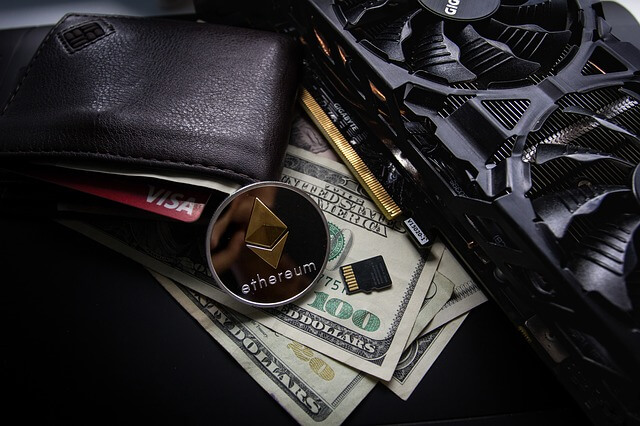
Before five years ago bitcoin mining was like eating a piece of cake. With the increment of the popularity of Bitcoin, many users started to mine using mining machines. As a result, the mining difficulty of the bitcoin increased. Because of this reason, Engineers thought to design best bitcoin mining hardware which can obtain maximum efficiency and profitability.
History of bitcoin mining hardware
In 2009, very first bitcoin miner used multi-core CPUs to make Bitcoin. If a guy had two or three computers connected according to some specifications, you had the ability to earn $5 a day easily.
In those days, the mining difficulty was very low, and most of the people started bitcoin mining as a hobby. However, in 2010, bitcoin was not a very valuable thing, and it came under the subject of "Pizza for bitcoins" in the Bitcointalk forum.
In October 2010, code for bitcoin mining was released. It was designed to work with GPUs. The main reason to use GPU is the increasing of mining difficulty. In this time, mining using one GPU was fair enough with some technical skills. But it changed quickly with the popularity of cryptocurrency. Therefore designers needed better ideas for making mining hardware.
It was difficult to scale the hash rates via GPU as they pushed the consumer limit. But people find new ways to increase the profitability by connecting bitcoin miners together. As a result mining rig came into the subject.
Revolution of FPGA
But the mining difficulty rose again and as a result of this, the power required to generate bitcoin increased. As a solution for this, FPGA ( Field programmable gate arrays) came.
The most significant specification on these miners was the FPGAs consumed three times less energy than ordinary GPU miners. They were effective than old mining hardware, and it was the changing point of mining to a new level.
Energy efficiency of the FPGA miners allowed to create the first bitcoin farms.
Modern Best Bitcoin mining Hardware
With the increase of technology, FPGA jumped into ASIC (application specific integrated circuit) systems. With this transformation, bitcoin mining jumped into the industry level. Many companies started bitcoin farms using ASIC miners. They found money using crowdfunding systems and investor referral programs.
These miners have a hash rate 100 times more than FPGAs. ASIC is the latest stable technology used in the cryptocurrency mining hardware. It is the most profitable, efficient and time-consuming tech that came
Technology in Bitcoin Farms
Bitcoin mining farm is a collection of mining rigs which built according to the obtain a larger profit than a mining rig. All modern bitcoin farms use ASIC technology. With the increment of solar energy consuming, most companies try to invest in solar power than using industrial current. But it needs a good capital in the beginning.
Bitcoin miners give away a significant amount of noise and heat. To release that heat and noise companies use their own tricks. Using air conditioners is an excellent choice, but it consumes more electricity and directly affects the profit.
I saw a new invention of a company for cooling. They built their mining farm inside a giant rock cave of a mountain. Rocks provide a kind of natural cooling system for the environment, and it is a good idea to reduce the heat.
Most of the farms don't focus on reducing noise as it is far tricky and not a big issue for the profit.
Watch this video to get a better understanding of how cryptocurrency farms work.
conclusion
In this review, I described the history of bitcoin mining hardware and with the development of the technology how it changed. And also described the bitcoin mining farms. If you have any idea or thought about these things, please comment. Don't forget to share this content with your loved ones.
You know most of all using Adobe Photoshop for Graphic Design.Some people use only photoshop.So, we brought you an online tool today.You can use it as adobe photoshop.For you think that you are far off.But you need to create some design by photoshop.So you think you've found a computer.But if it's not installed photoshop,You will be embarrassed.So now you can use photoshop online.This is an online tool and you can see everything on the photoshop.So you can use photopea.com online photo editor.In short, you can use Photopea as a substitute for photoshop.
How to Edit an Image Without Installing Adobe Photoshop? - Online Photo Editor | Photopea
Photopea is an advanced image editor, which can work with both raster and vector graphics. You can use it for simple tasks, such as resizing images, as well as complex tasks, such as designing webpages, creating illustrations, processing photographs and more.It will be helpful for you to work very easily.And can be used for emergencies.So you can access this from your smartphone.It's not as easy as the computer, but it can do your job.
Another feature of this site is that,If you have an earlier project, you can edit it.That is, even the PSD can be edited via this site.Go to the photopea.com site.
So you know about How to edit an image without installing Adobe Photoshop? - Online Photo Editor | Photopea, Hope you like the post, don’t forget to share it with your friends and leave a comment below if you are facing any problem at any step in the method discussed above.Thank you.
Gmail is one of the most important services on google.So for Web version, Google has provided Major Update for gmail.Gmail - one of Google's most widely used products, boasting at least a billion users.In a statement, Google did not confirm specific changes but did acknowledge that it's working on an update to its email service.
Additions may include a “snooze” feature and automatically generated “smart reply” suggestions already available in Google's mobile email apps, according to a report from Android Authority. The new Gmail will also reportedly look more like the Gmail mobile app.
(Do you say ‘Thanks!’ or ‘Thanks.’? Google will tailor suggested email replies to your preferences.)
Google last overhauled Gmail's Web look in 2011, opting for a more spaced-out, cleaner look as part of an effort to unify the way its products appear on desktop and mobile. That redesign drew mixed reactions from those who missed Gmail's original look.
Remember this? (Google)
Given what has been reported about the changes, it sounds like Google is again hoping to update its Web look with elements from its mobile operating system, such as a search bar with rounded corners.
How to apply Google's Gmail Major Update for Your Gmail Account
Next, click the setting symbol on your right side and click Try the new gmail
Then you can see new loading window
After the next few steps, you can experience the new Gmail Major Update interface.
So you know about Google's Gmail Major Update Was Released - New Interface and More New Features, Hope you like the post, don’t forget to share it with your friends and leave a comment below if you are facing any problem at any step in the method discussed above.Thank you.
Actually What is Overclocking. You know that there are many new mobile phones and computers.You may also use these.So there's a GPU and CPU on this device.So further processor is a more important part.There is this processor in your computer or mobile phone.So this processor has some speed.So speed is named clock speed.You have heard of 3.0 ghz speed.So the pentium 4 processor can see that speed.However, the speed of the 3.0 GHz processor is much higher than the 1.8 GHz processor.So this clock speed is shown as different numbers.
So now you need to understand, the speed increases as the clock speed increases.You might wonder how this number gets to the processor.So the speed of the processor and the box is printed.So you know it because it's printed.But you know how to give it.This clock speed is generated by the company that creates this processor.It's the clock speed recommended by the processor manufacturer.
You know that Apple clock speed has been reduced by updating the software.Especially in the iPhone 6 device.So you can see that this clock speed can be reduced by one of the software you now understand.We can change the size recommended by the manufacturer.This is what we can do on a computer and a phone.
Have you heard a word overclock?Let's think that we will increase the clock speed of the processor.So this is what we're saying is overclocking the processor.So there are both advantages and disadvantages in overclocking.This way, we can overclock our GPU card.This can be something new for you.But gamers, among video editors, are a very popular thing.So let's look at the advantages and disadvantages next.
Advantages of overclock
The key advantage is obviously the speed increases.It will definitely happen.If you overclock,You can increase the speed of your phone or computer.There you can get your work done very fast.If you are doing this to your phone, there are many applications in the play store.
You can do this even to your computer.To do this, go to your computer's BIOS.You can then overclock your computer's processor.If you need to overclock the VGA card,You can do it from within the computer with a software.So now you understand that doing this is a lot easier.But do not overclock first.Focus on the disadvantages
Disadvantages of overclock
So there are several disadvantages when overclock.Especially heat can be increased.This may be on your phone or computer.This heat increases with performance.That is, beyond the recommended range.So the exact value of the processor is given by the manufacturer.You need to think carefully before it increases.
You think you've overclocked a computer.So you can install another cooling fan for this.Because to reduce the heat.If it's not possible,It's best to put your computer in a well-ventilated place.If there is an A / C room in your computer, there is no problem.
And there are other advantages.That is, the warranty certificate will often be canceled.The other is less of lifetime in your device.The next reason reduces the life of your device.Or, overclocking can damage your device at the same time.Or maybe after a while they will be damaged.
Simply put, you have a VGA card.If it lasts for 6 to 8 years,It can be reduced for two or three years.Because it is overclocked.So if you have more money, there is no problem overclocking.Sometimes the performance can be improved more than the lifetime of the device.
Also, we can not overclock each device.If a computer has an AMD processor,Each processor can overclock.And if there is an Intel processor,It can only be overclocked if unlocked.In the properties of the computer, if a letter K in the processor model number,If so, it's unlock processor.Intel unlocked processor can overclock.
So now you are aware of the advantages and disadvantages of overclock.And also know overclocking.So you know about What is Overclocking, Hope you like the post, don’t forget to share it with your friends and leave a comment below if you are facing any problem at any step in the method discussed above.Thank you.
SBmade.com is one of the most popular websites in the world.We also include New Data Of Technology and some other important information on the site.For a number of years, we have brought technical information to you.This is why many people joined us.We always think about our audience.Because you are very valuable for our success.At the same time, we are all grateful to all of us.
SBmade Android Application
The SBmade site was launched on a very small scale.So now a lot of audiences have joined us.So now we have some success.It is because of your great support.And that's why we decided to create an app for you.We launched it as an Android app.It's already in the google play store for download.It allows you to conveniently access the SBmade site.And we have provided you with the ability to use without any obstruction.So, we always think about your convenience.We will bring up new things for you.You can download SBmade android app from the link below.